Gerben Put Nederlands

Gerben Put

Software developer, Dutch Tax Administration

I build software that flies, travels and runs.

By day on systems at the Dutch Tax Administration. By night on my own projects: from the first design to the server they run on.

See the work Play the intro 3:08

Move across the portrait

01Selected work

Projects I built and still run.

Below are my websites, apps and games, with real screenshots. Scroll through them, open the sites and downloads, or read how they were made.

  1. DroneAIA pre-flight briefing for your dronedrone.gerbenput.com
  2. AtlasMy travel journal, as a papercut national parktravel.gerbenput.com
  3. AI AcademieLearn how AI works, by doing itai-academie.gerbenput.com
  4. RealWorld IcelandAll of Iceland at 1:1 scale in Minecraftrealworld.debuggers.nl
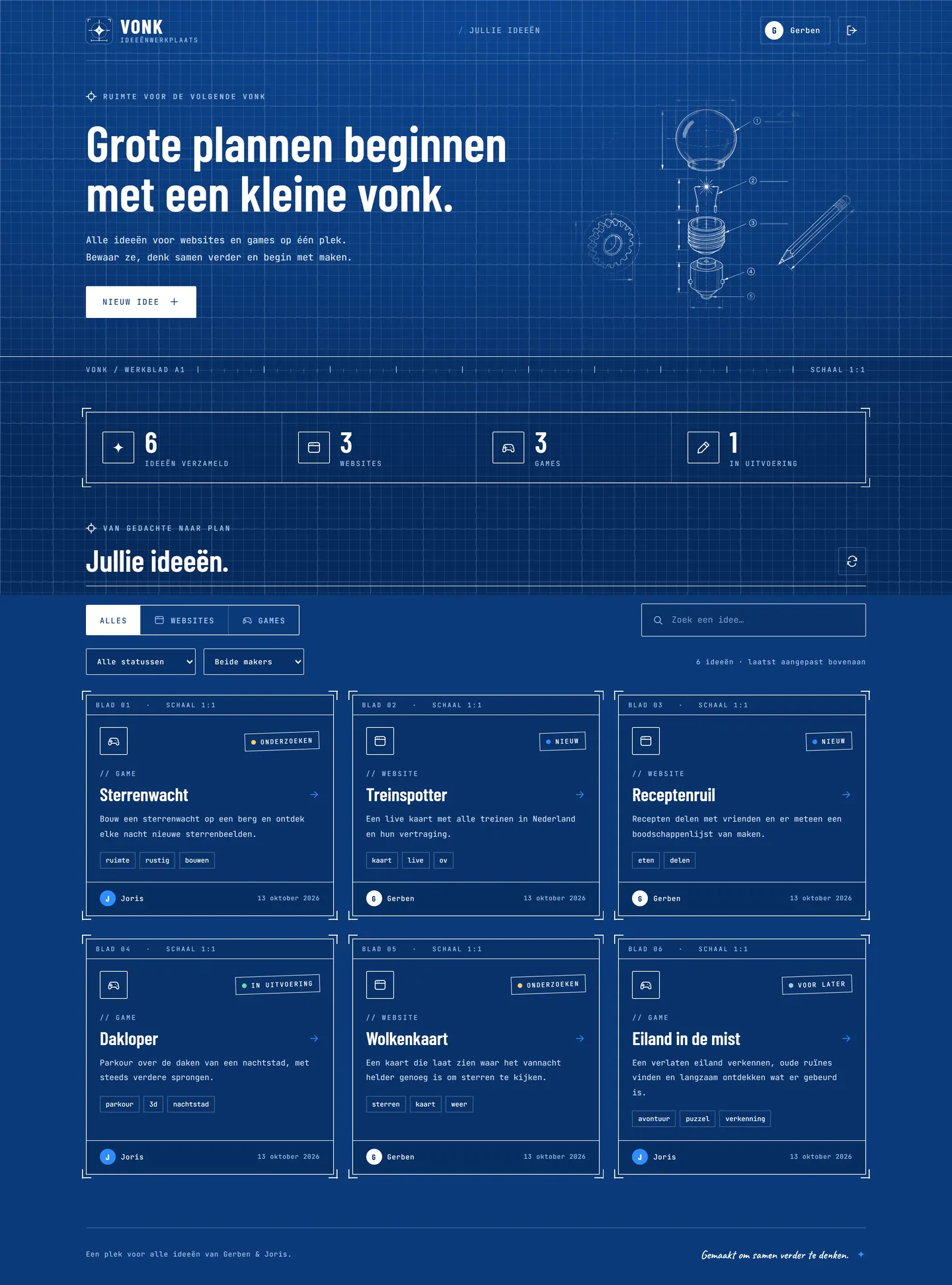
  5. VonkAn idea workshop for twovonk.debuggers.nl
  6. InspiratieMy inspiration board, explained by Claudeinspiratie.debuggers.nl
  7. RentekompasEvery Dutch savings rate and term deposit in one placespaarrente.gerbenput.com
  8. MindmapMy projects as a graph, with deadlines that change colourmindmap.gerbenput.com
  9. BordAn online whiteboard where my team thinks and plans togetherboard.debuggers.nl
  10. KennisbankA wiki that shows how each project fits togetherknowledge.debuggers.nl
  11. PlanbordA kanban board per project, with deadlines you won't forgetplanboard.debuggers.nl
  12. OchtendbordSee over coffee whether all my apps and servers are fineprivate
  13. StatusThe uptime of every app on my two servers, open for anyone to seestatus.debuggers.nl
  14. debuggers.nlOur team's front door, styled as a terminal sessiondebuggers.nl
  15. CodeFlightWebsites, apps and hosting, with a plane that leaves a cloud of ASCIIcodeflight.nl
  16. StekkerkaartEvery public charge point in the Netherlands on one map, with live status, price and a charging plan for your routestekkerkaart.nl
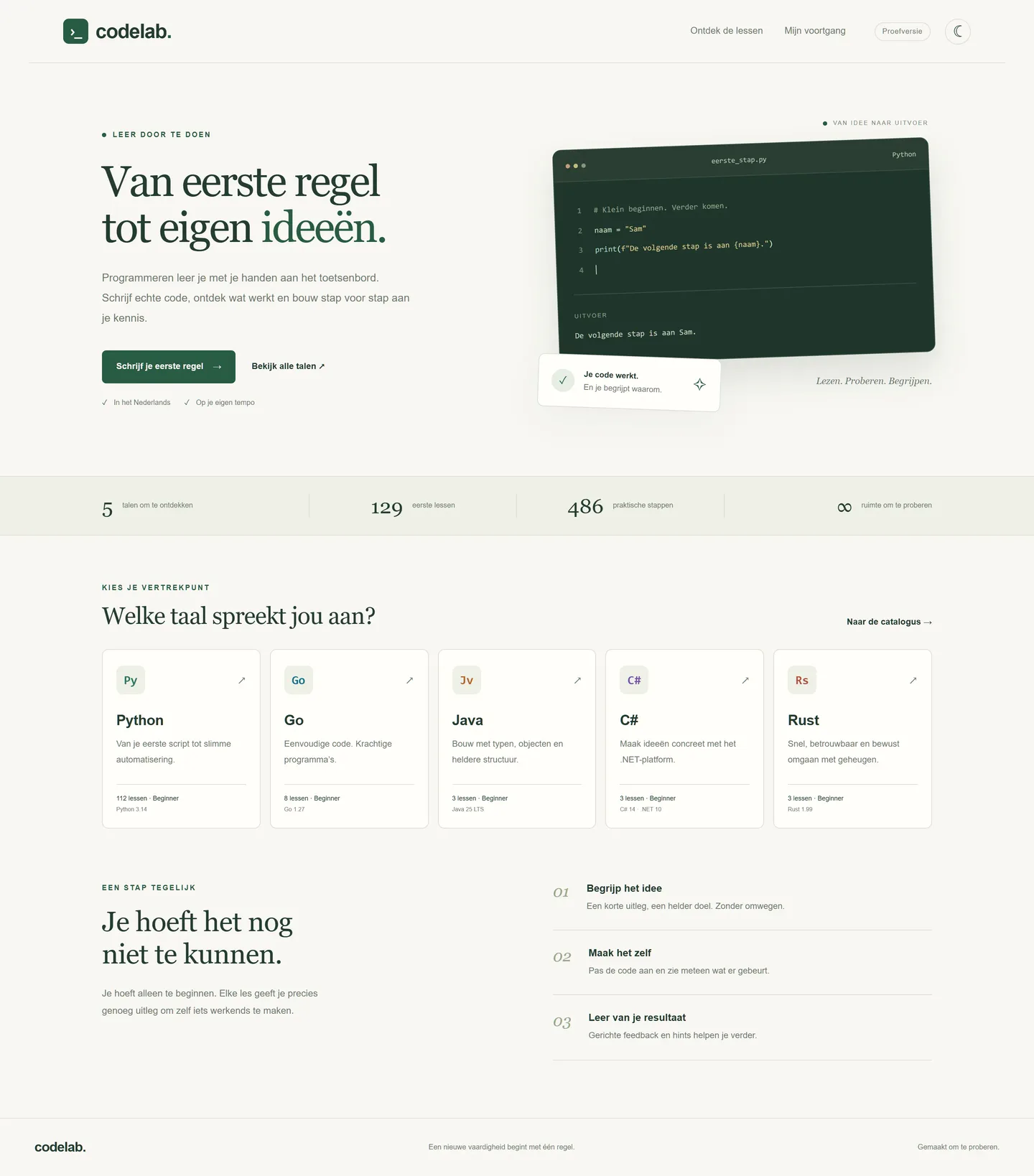
  17. CodelabLearn programming by writing code yourselfcodelab.gerbenput.com
  18. AI-labUnderstand AI from the inside. Build it yourself.ai-lab.gerbenput.com
  19. EtenA weekly menu for two that does its own mathsprivate
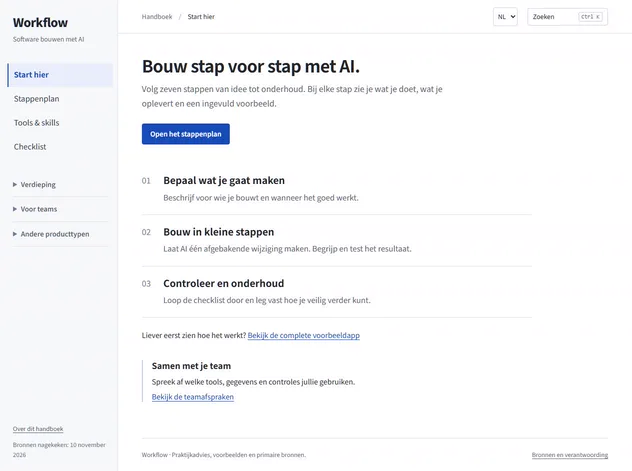
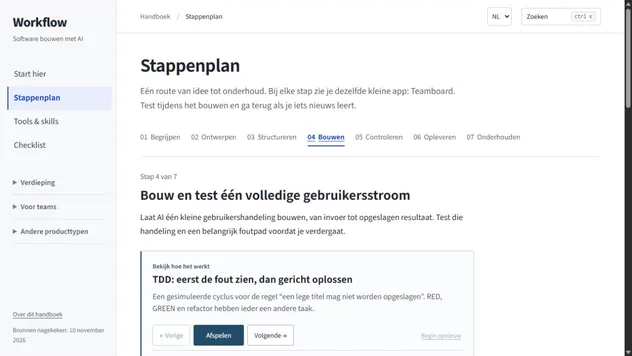
  20. WorkflowFrom AI-generated code to software you can maintainworkflow.gerbenput.com
  21. Java KompasLearn Java by testing yourself.java-kompas.gerbenput.com
  22. SkillbankMy reusable AI skills and instructions, bundled by goalprivate
  23. ToolgridA board for tools you describe in your own words.toolgrid.gerbenput.com
  24. TooldeskWidgets for an overview, a dedicated page for each tool.tooldesk.gerbenput.com

DroneAI

A pre-flight briefing for your drone

Pick a place and your drone, and see at a glance whether you can fly: a single score from 0 to 100, the best flight windows for the next 48 hours and an outlook for the week.

  • Flight score calibrated to your drone model
  • Winds aloft, gusts, precipitation and visibility
  • GPS satellites and geomagnetic activity (Kp)
  • Next.js 16
  • TypeScript
  • React
  • Open-Meteo
  • satellite.js
  • Leaflet
  • Docker
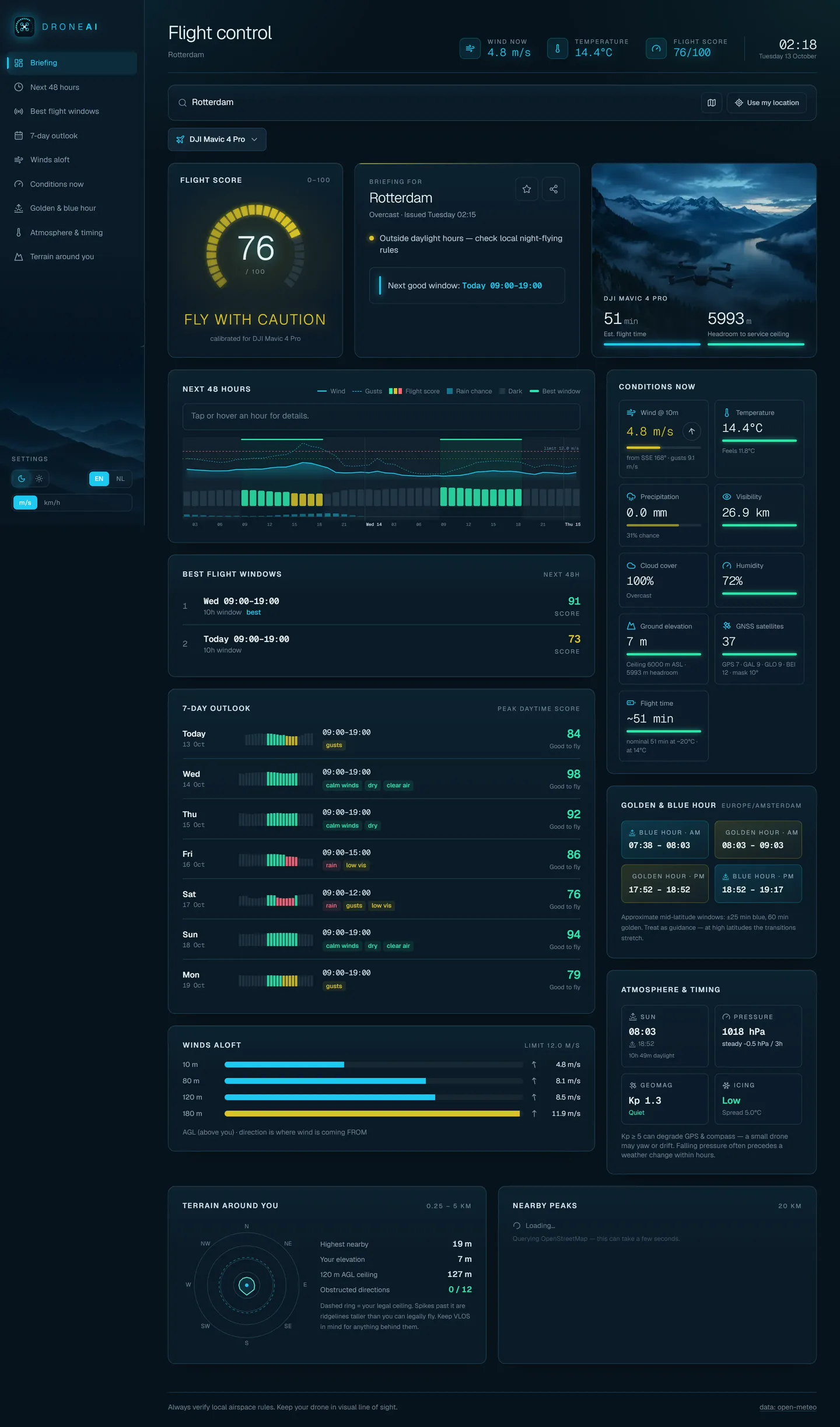
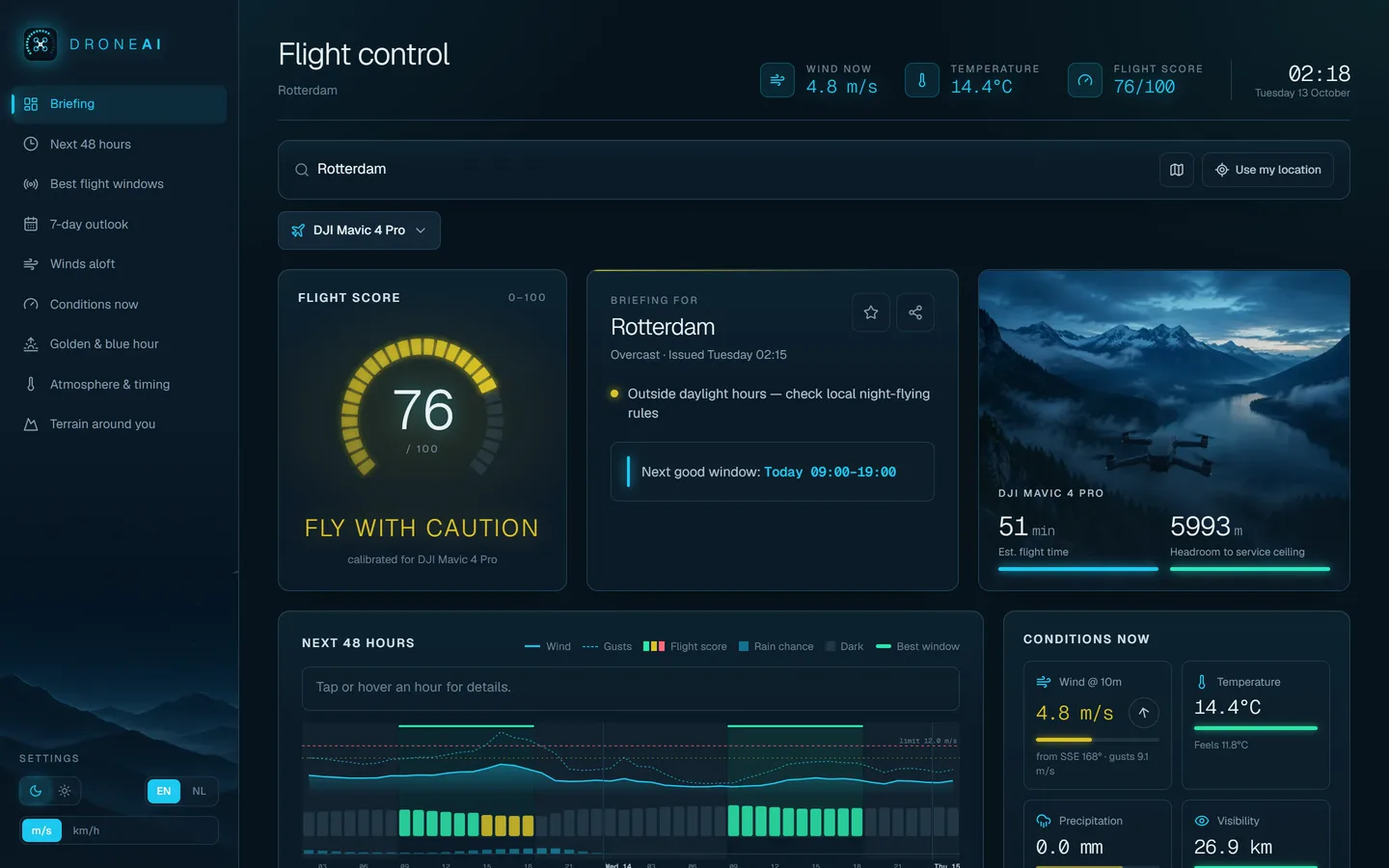
DroneAI: Screenshot of the live site
Scroll: this is the real site
  • Flight control for Rotterdam: flight score gauge, briefing and the next 48 hours
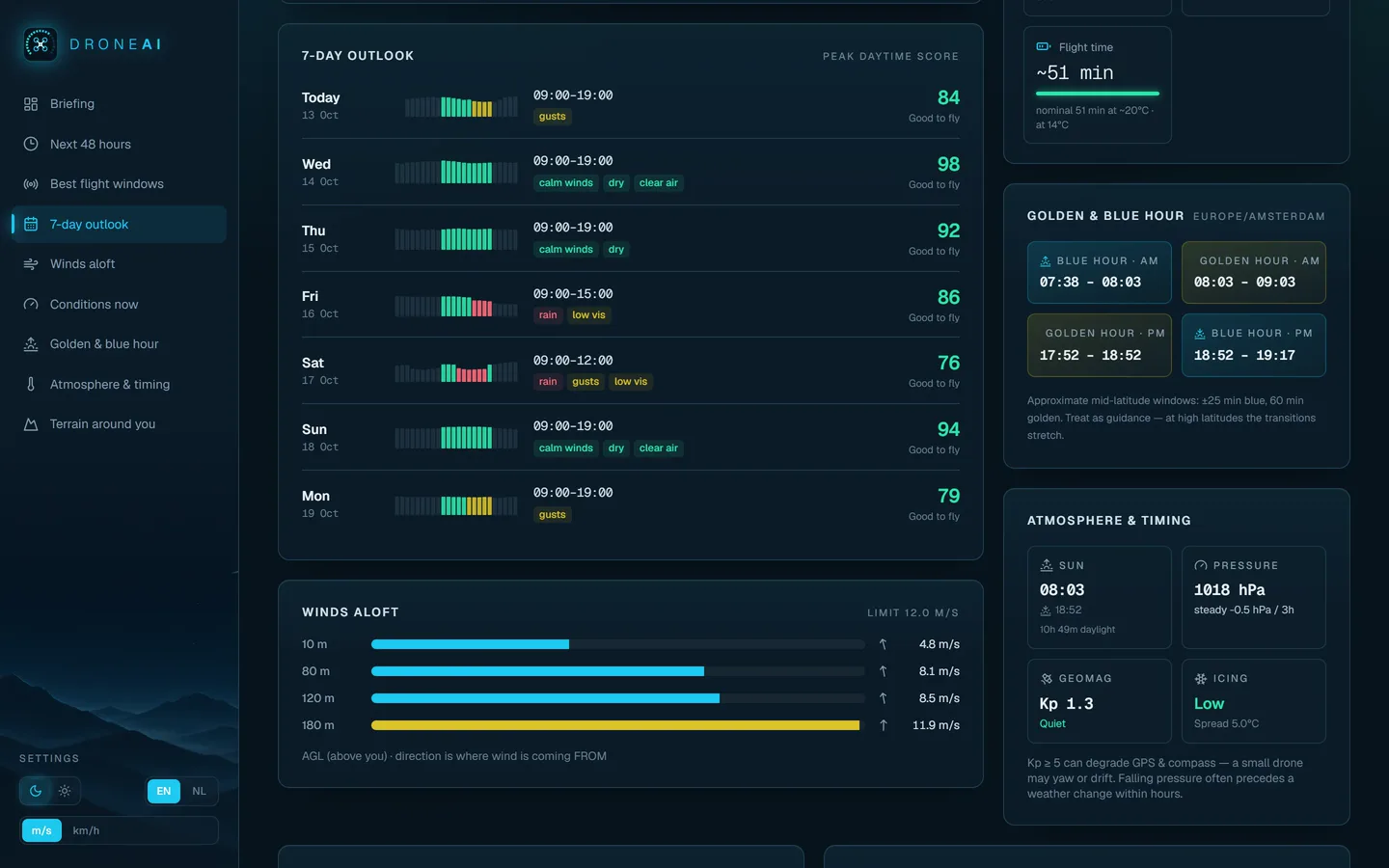
    Flight control for Rotterdam: flight score gauge, briefing and the next 48 hours
  • Weekly outlook, winds aloft and golden hour, with the sidebar as navigation
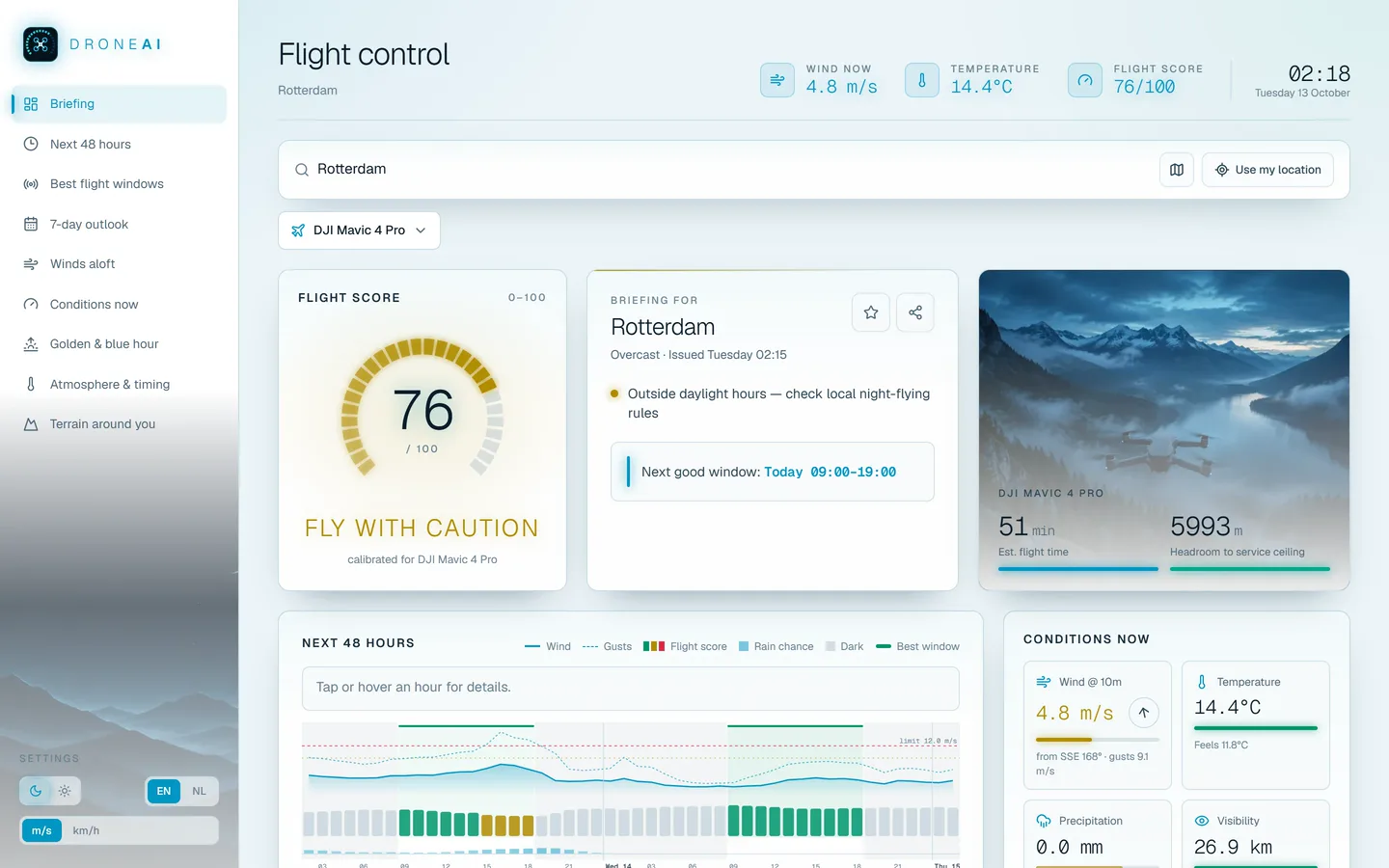
    Weekly outlook, winds aloft and golden hour, with the sidebar as navigation
  • The same dashboard in the light theme
    The same dashboard in the light theme

Atlas

My travel journal, as a papercut national park

A personal travel journal: every trip a card with photos, a story and a pin on a spinning globe that hangs like a moon above a papercut landscape. With its own editor for adding and editing trips.

  • Interactive globe and map with photo pins
  • Editor with drag-to-sort photos, cover picker and videos
  • Photos resized automatically, GPS data stripped
  • Node.js
  • Express
  • TypeScript
  • PostgreSQL
  • MinIO
  • sharp
  • D3
  • Leaflet
  • Docker
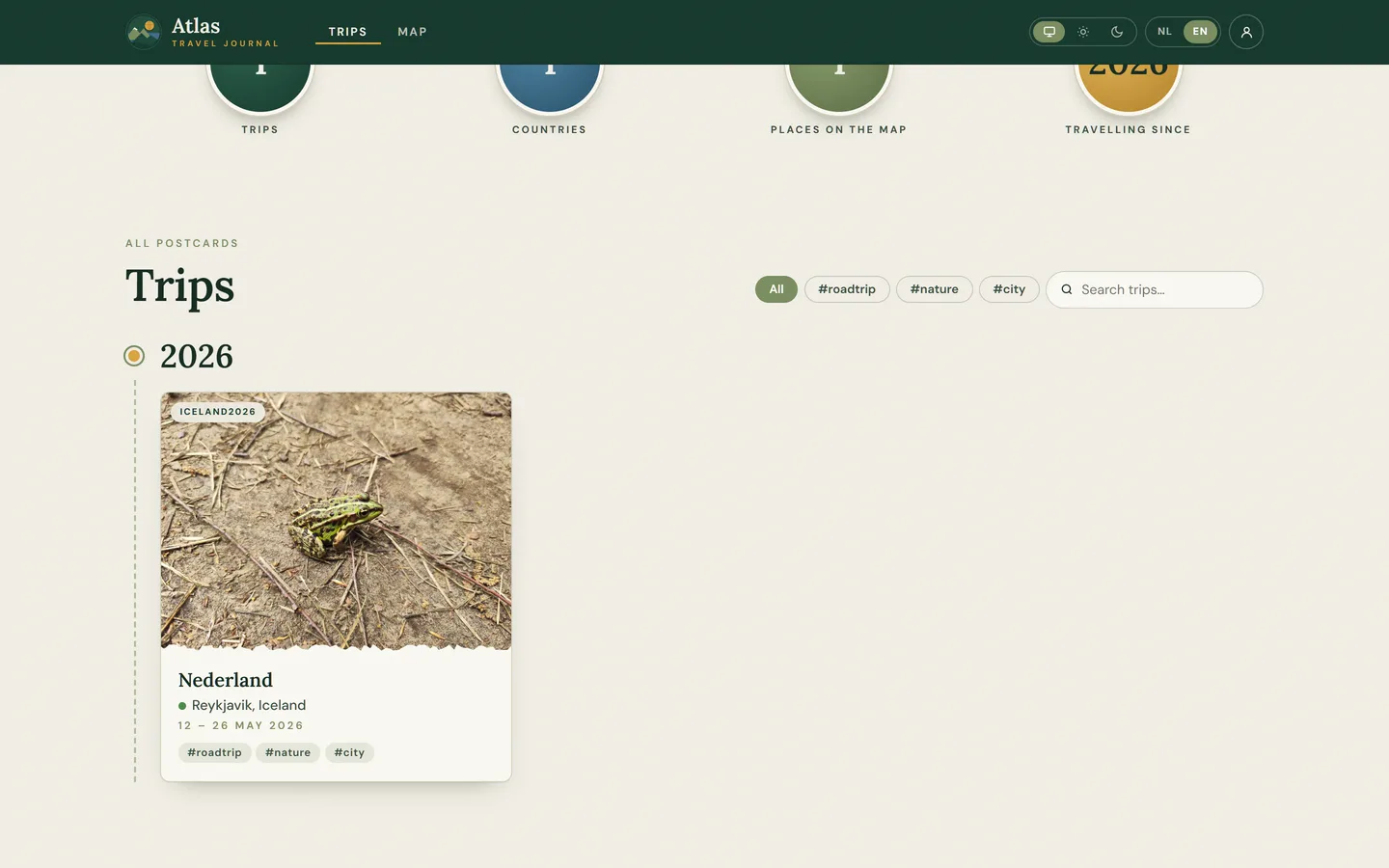
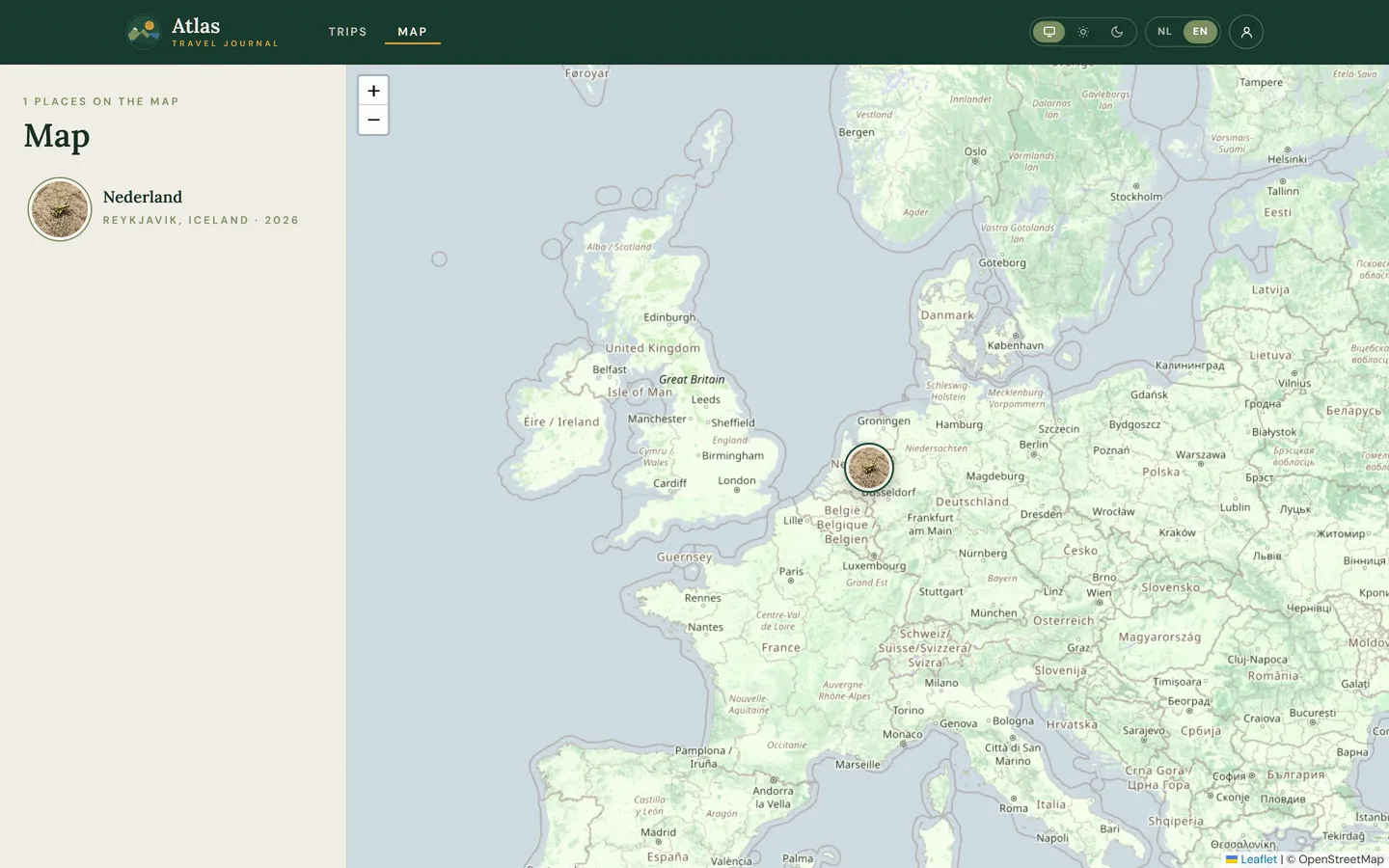
Atlas: Screenshot of the live site
Scroll: this is the real site
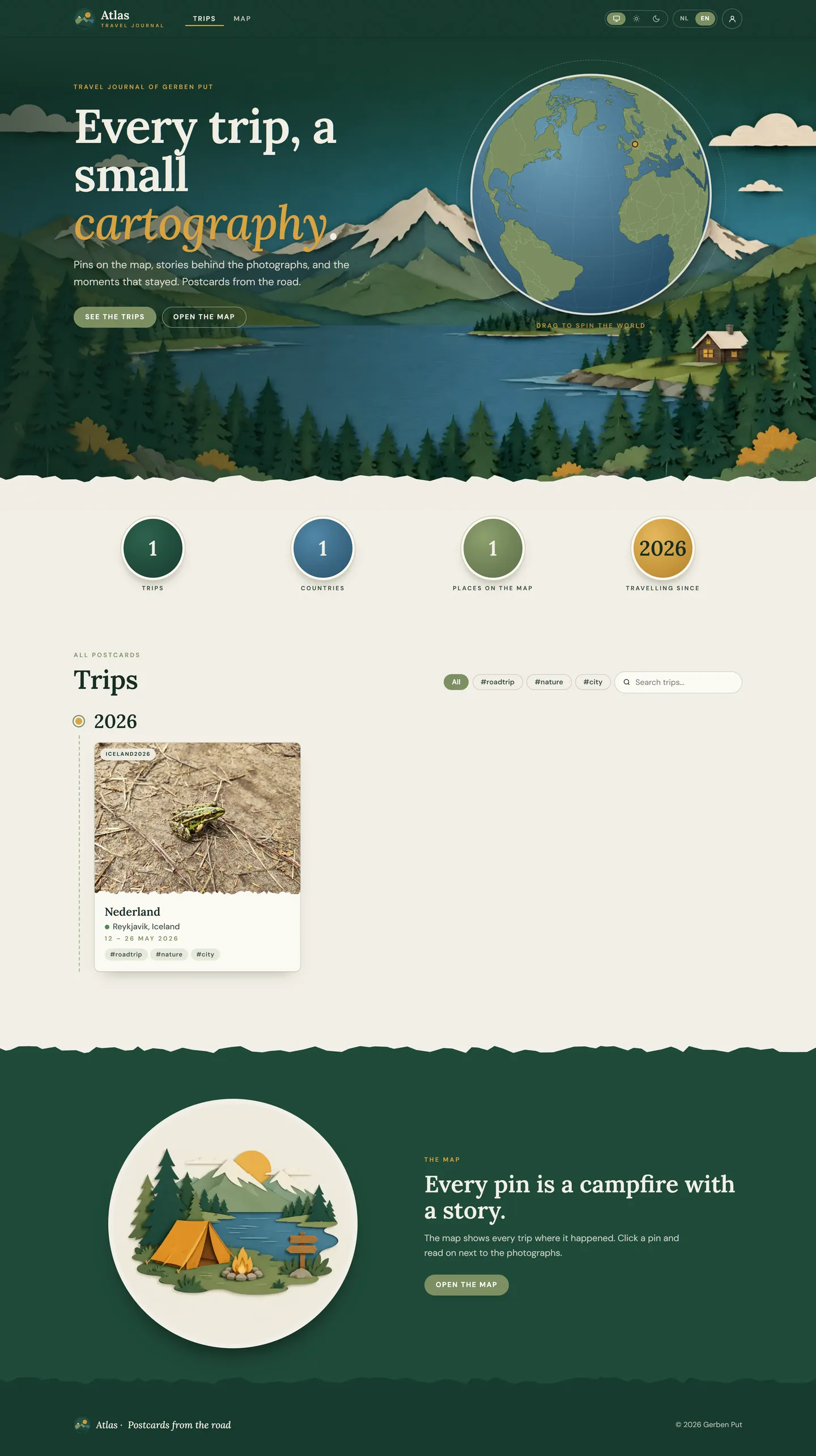
  • Home page: a papercut landscape with the draggable globe as the moon
    Home page: a papercut landscape with the draggable globe as the moon
  • Round trip stats, the timeline and the map band with a papercut campsite
    Round trip stats, the timeline and the map band with a papercut campsite
  • Map with a photo pin per trip
    Map with a photo pin per trip

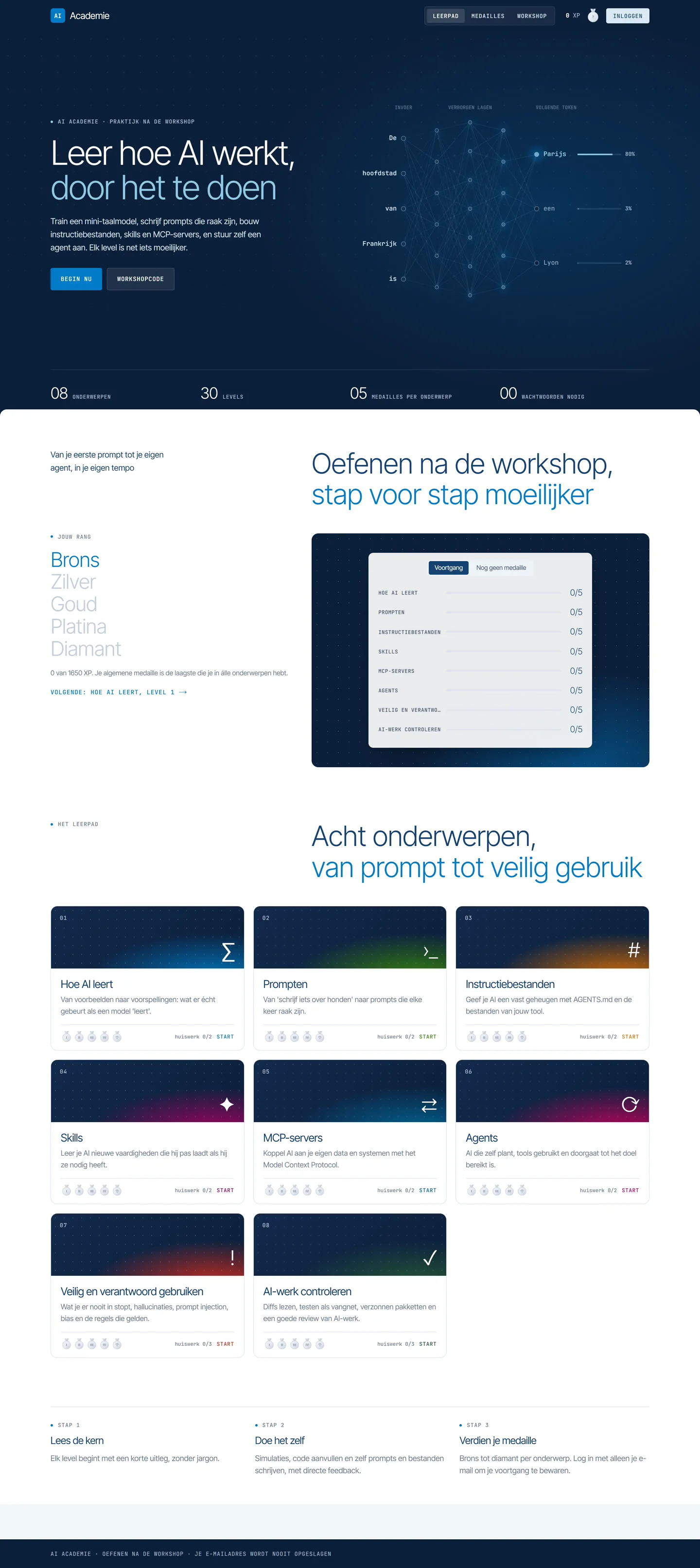
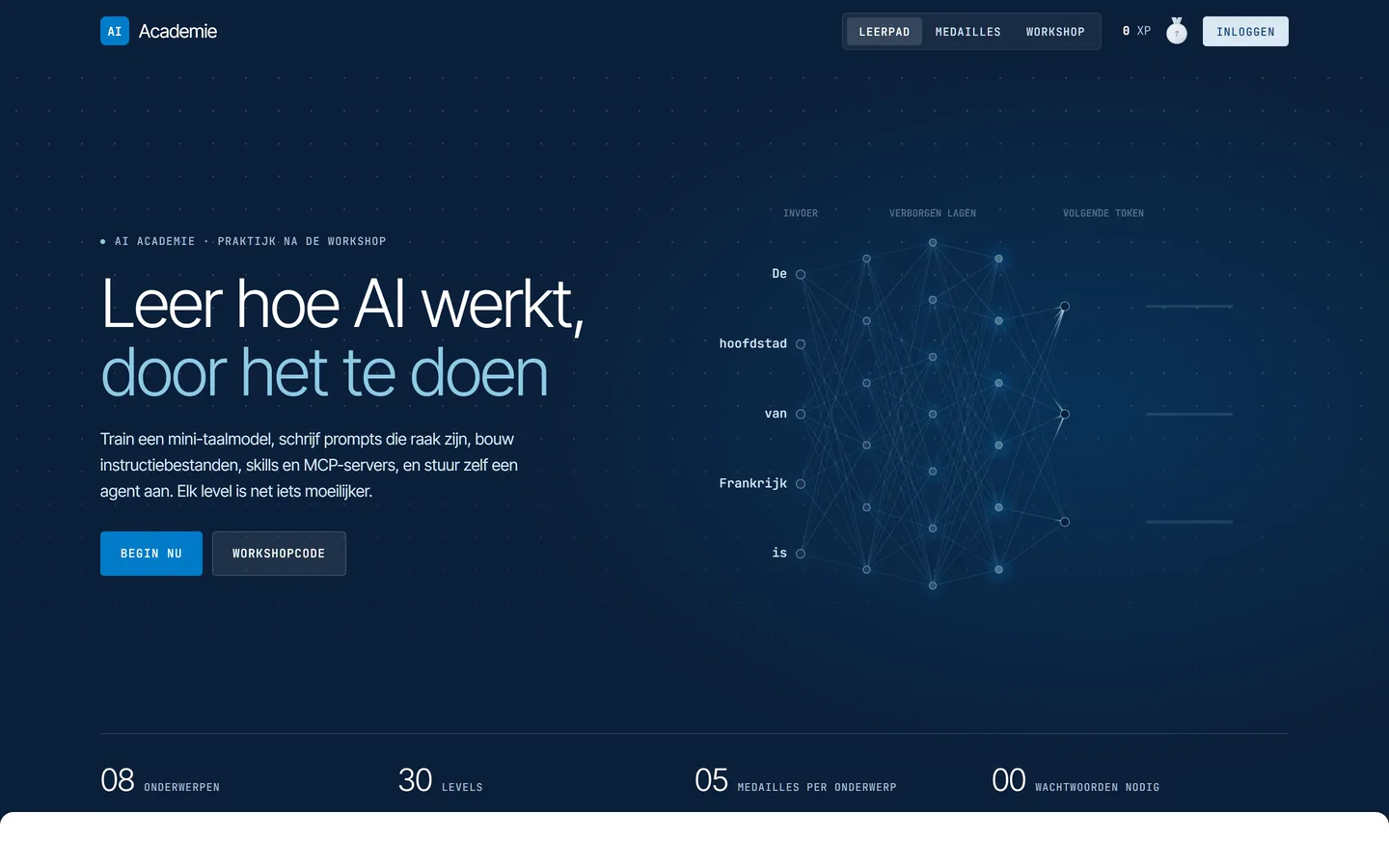
AI Academie

Learn how AI works, by doing it

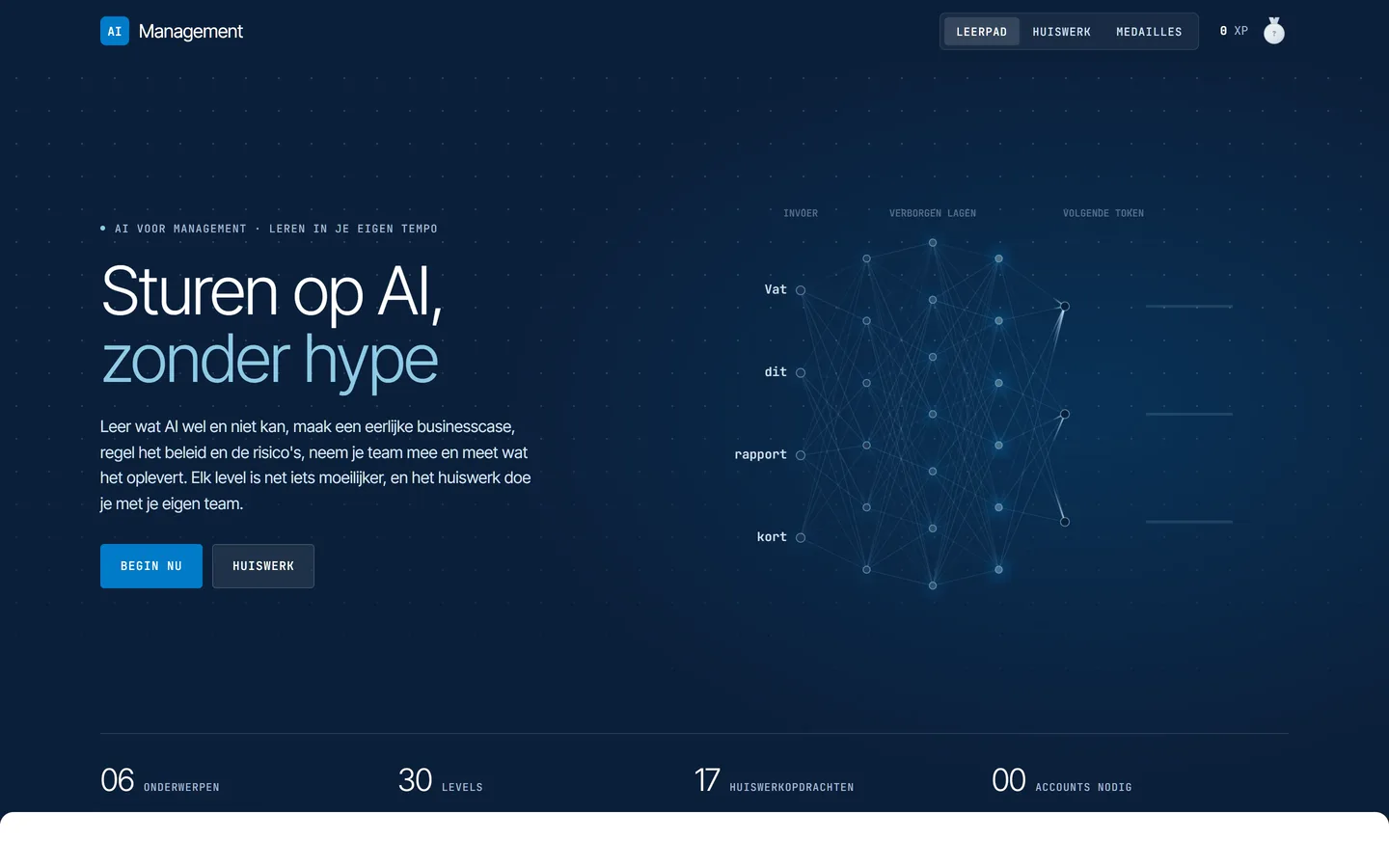
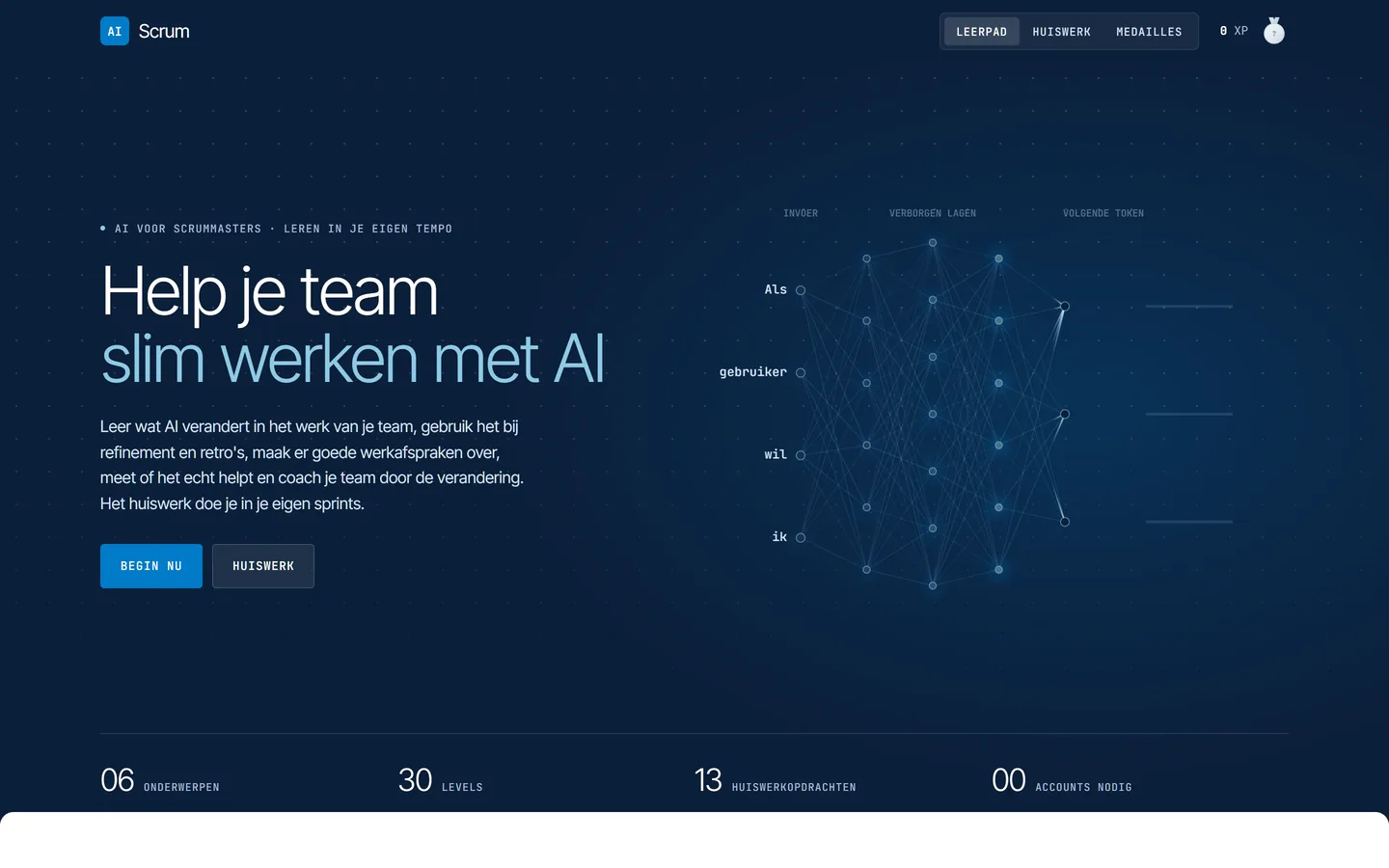
Three interactive learning paths for my AI workshops: one for developers, one for managers and one for scrum masters. Every topic has five levels from bronze to diamond, with real homework to do in your own job.

  • Three paths: developers, management and scrum masters
  • 100 levels and 48 homework assignments
  • Workshop mode with a live leaderboard and the Coffee Relay, an MCP game
  • Next.js 16
  • TypeScript
  • React
  • PostgreSQL
  • MCP
  • nginx
  • Resend
  • Docker
AI Academie: Screenshot of the live site
Scroll: this is the real site
  • Learning path for developers
    Learning path for developers
  • Learning path for management
    Learning path for management
  • Learning path for scrum masters
    Learning path for scrum masters

RealWorld Iceland

All of Iceland at 1:1 scale in Minecraft

A Minecraft server with all of Iceland rebuilt metre by metre from satellite data: elevation, ground colours, rivers, waterfalls and buildings. With a custom plugin that generates the world as you play.

  • Elevation from ArcticDEM (2 m), colour from Sentinel-2
  • Waterfalls, geysers and fumaroles that actually work
  • Eighteen detail areas, blended into the whole country
  • Python
  • NumPy
  • pyproj
  • OpenStreetMap
  • Java 25
  • Paper
  • Node.js
  • Docker
RealWorld Iceland: Screenshot of the live site
Scroll: this is the real site
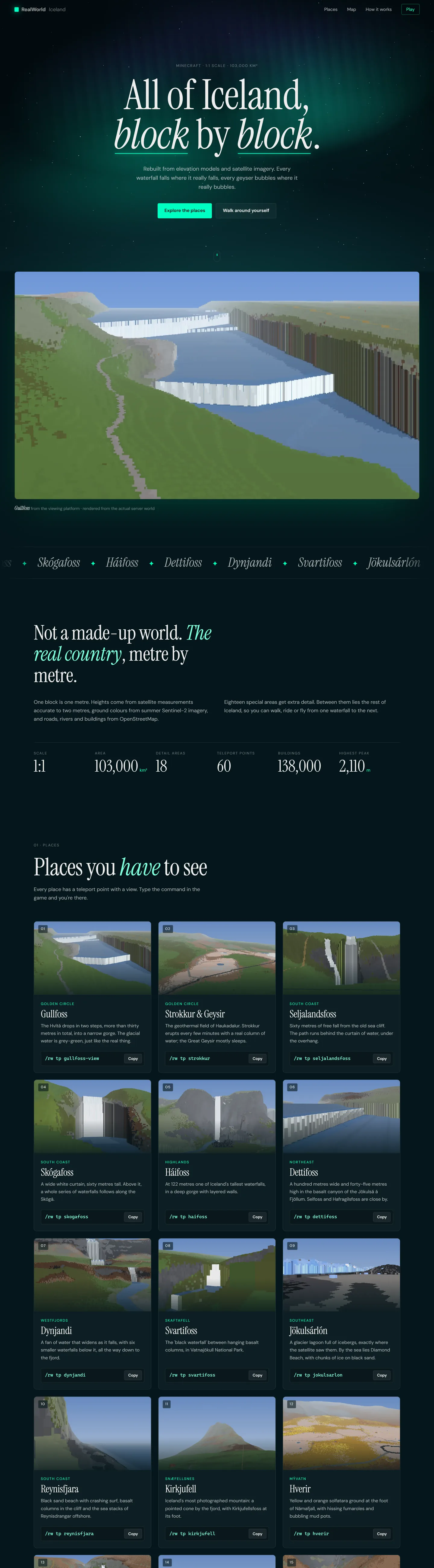
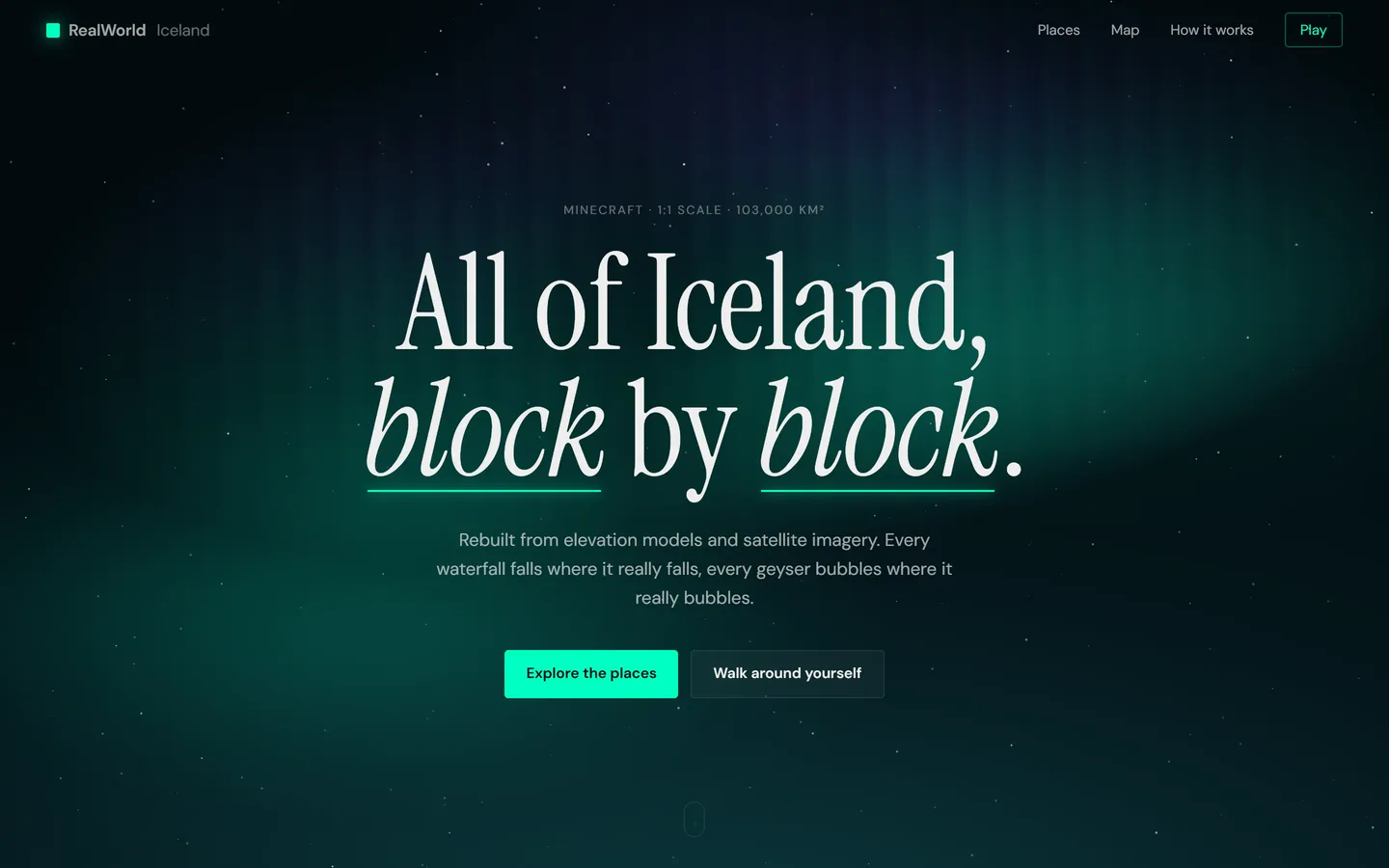
  • RealWorld Iceland home page
    RealWorld Iceland home page
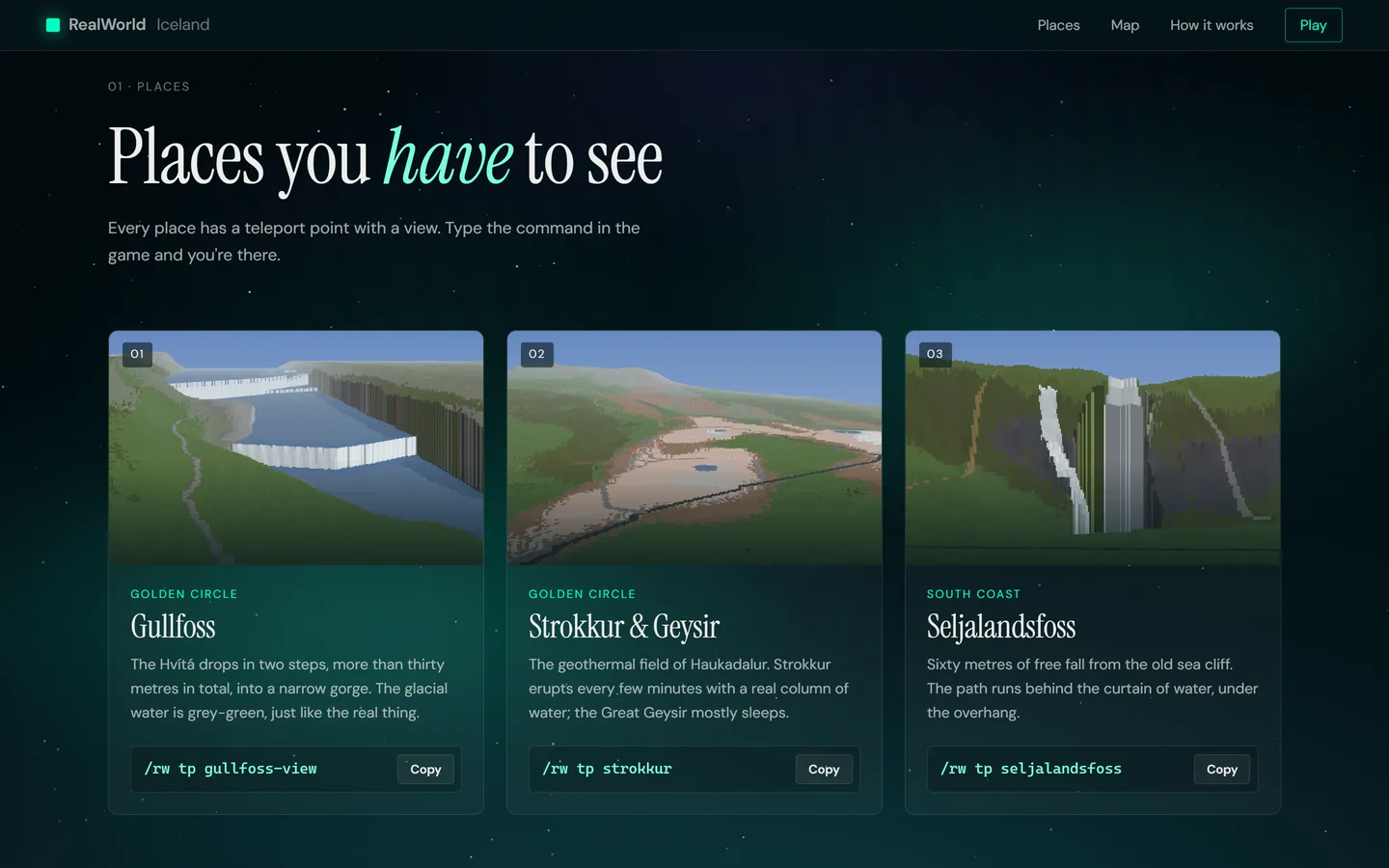
  • Places with renders from the world and their teleport command
    Places with renders from the world and their teleport command
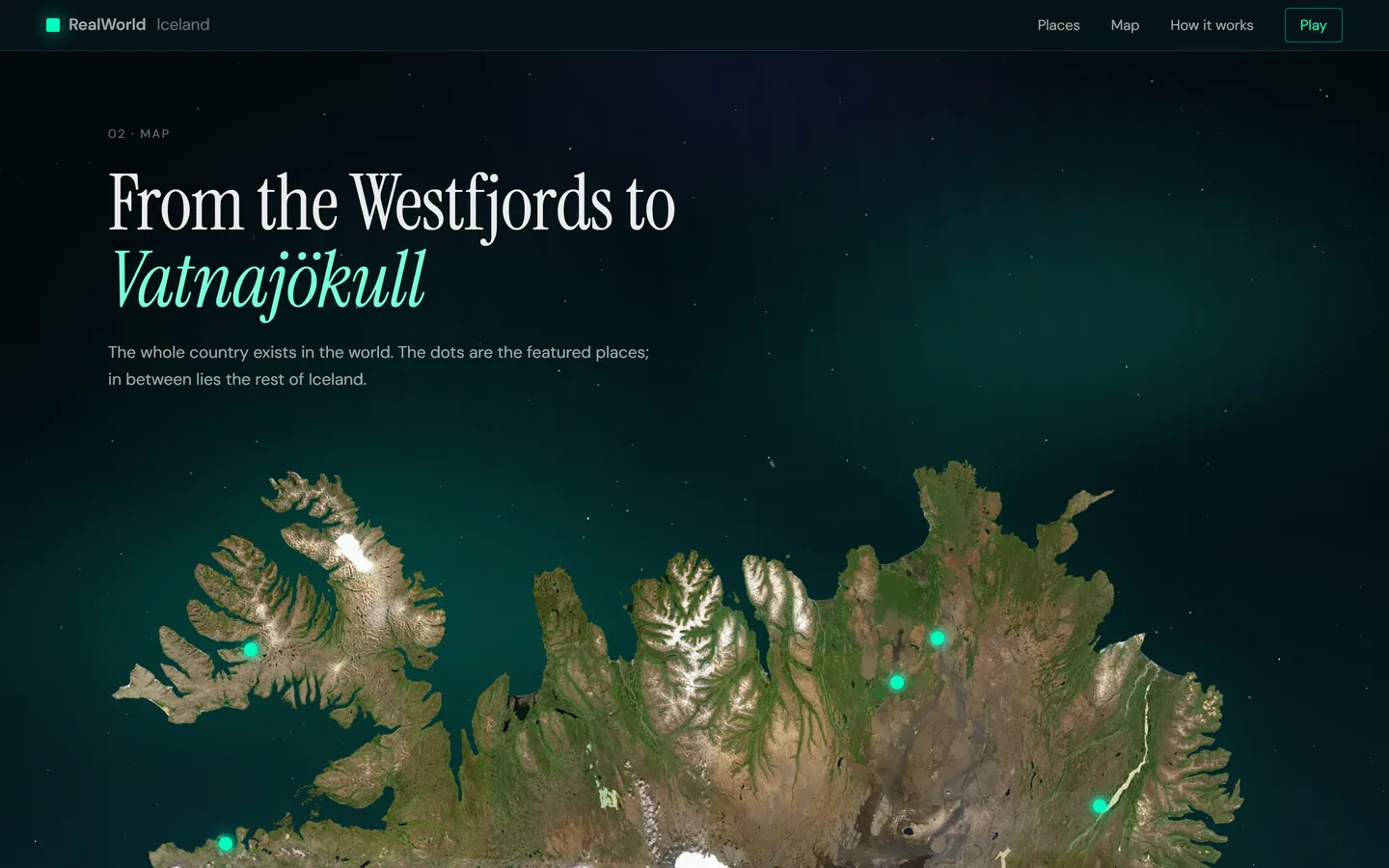
  • Satellite map of all of Iceland with the featured places
    Satellite map of all of Iceland with the featured places

Vonk

An idea workshop for two

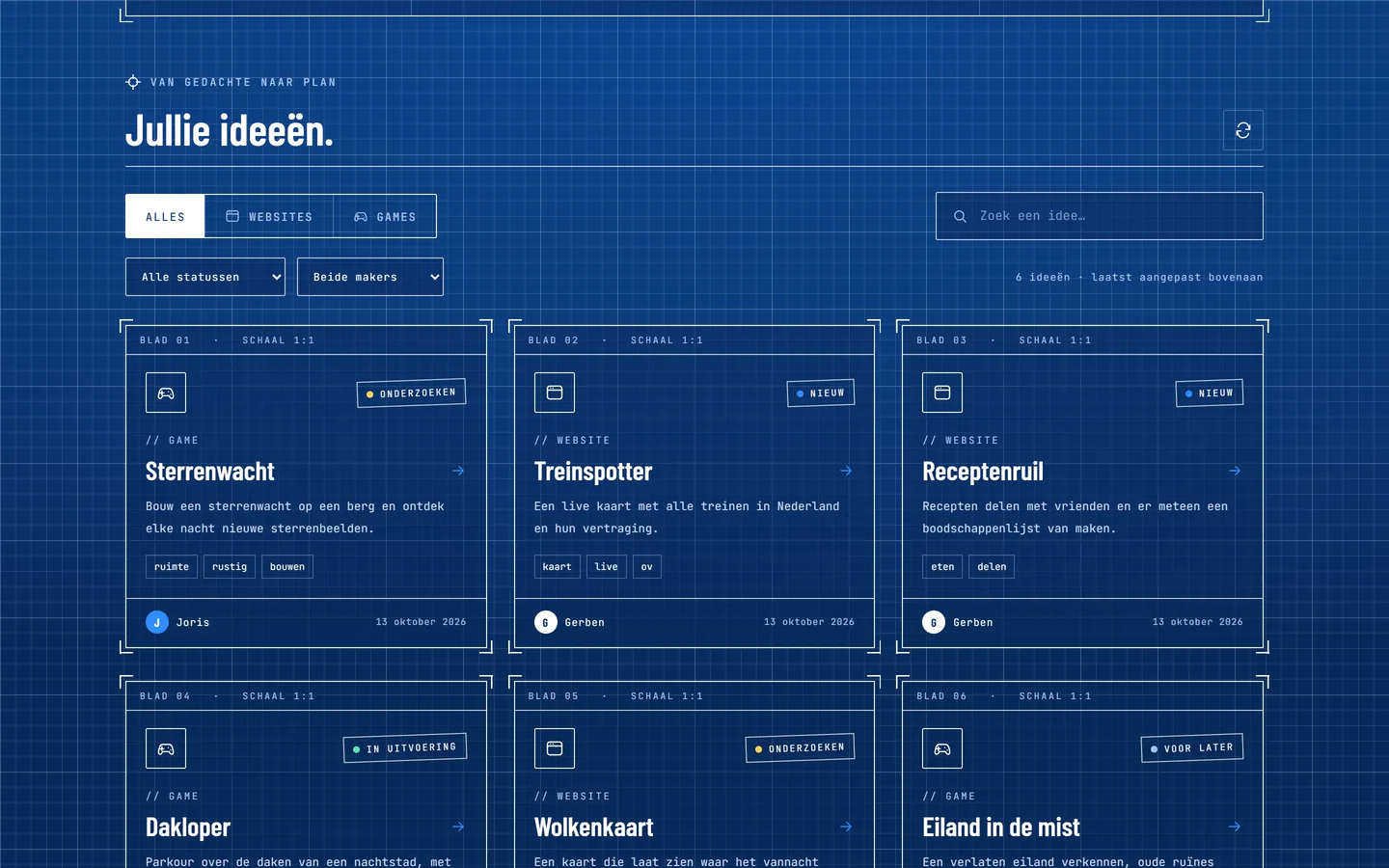
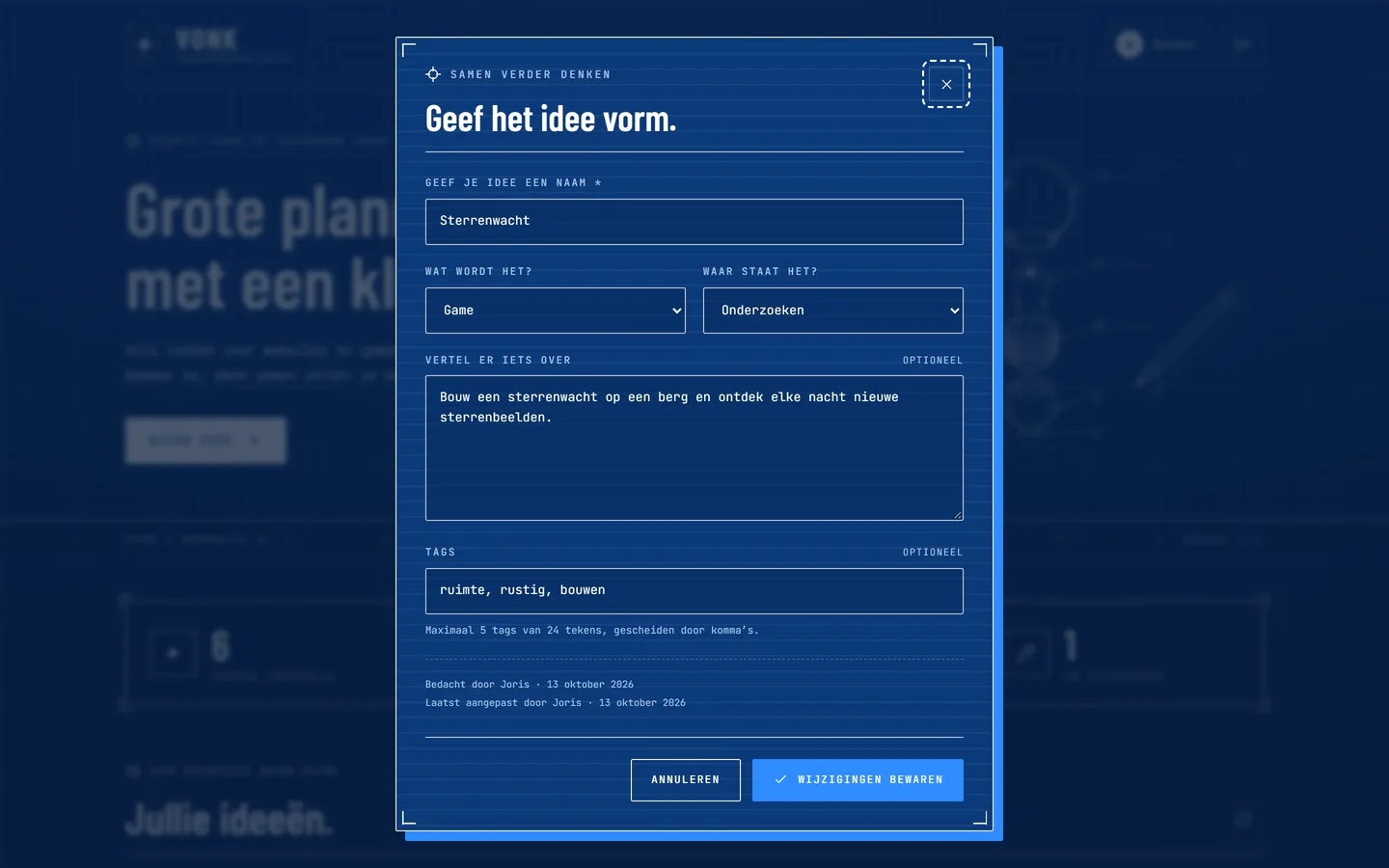
A private workshop for the ideas of Joris and me: every website or game we ever want to make gets its own drawing sheet, with a description, tags and a status from new to in progress.

  • Shared idea list with search and filters
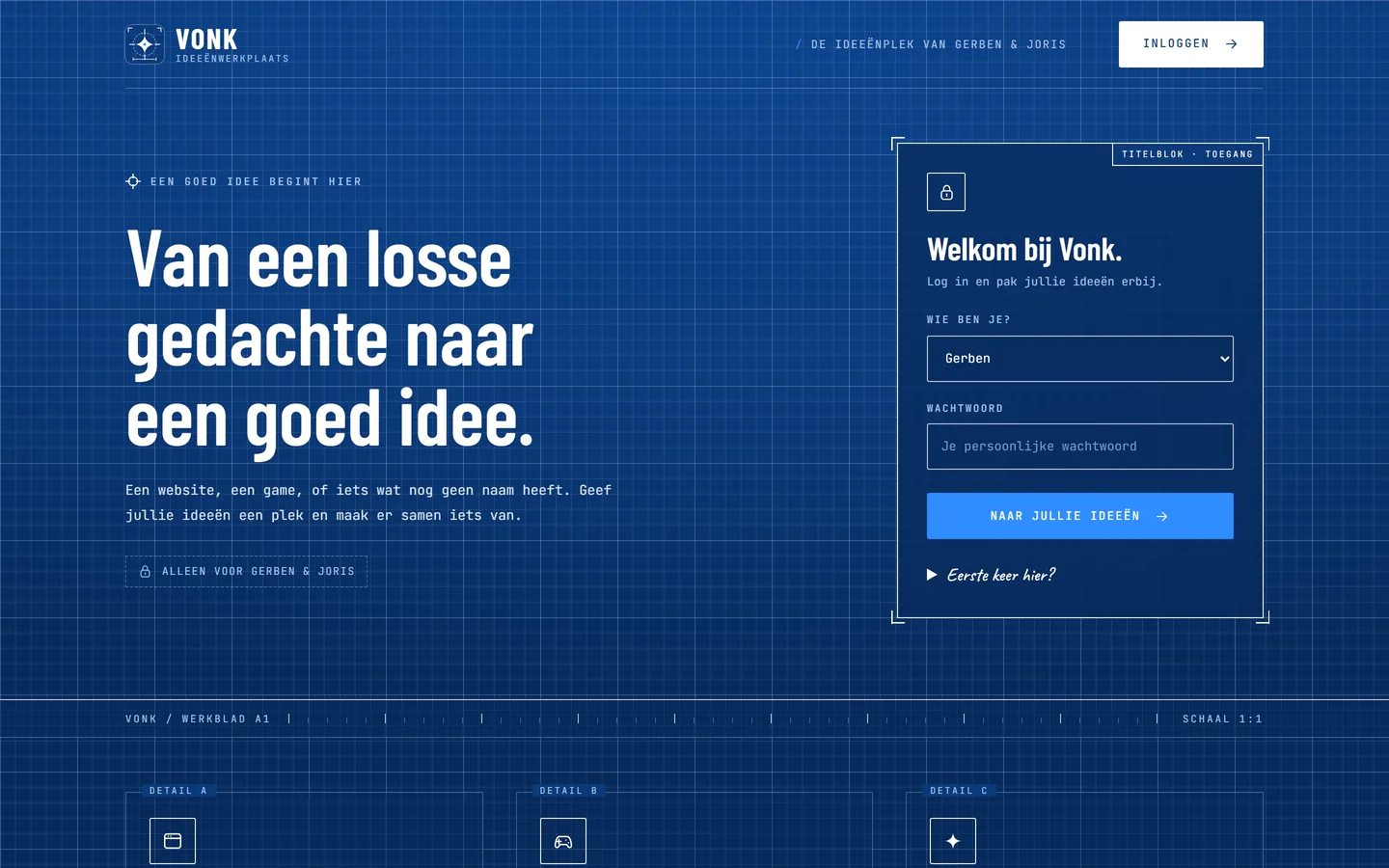
  • Just two accounts, each with its own password
  • Edit at the same time without overwriting each other
  • Node.js
  • Express
  • PostgreSQL
  • Vite
  • zod
  • helmet
  • Docker
Vonk: Screenshot of the live site
Scroll: this is the real site
  • Signing in to Vonk, in blueprint style
    Signing in to Vonk, in blueprint style
  • Ideas as numbered drawing sheets (with sample ideas)
    Ideas as numbered drawing sheets (with sample ideas)
  • Editing an idea: type, status, description and tags
    Editing an idea: type, status, description and tags

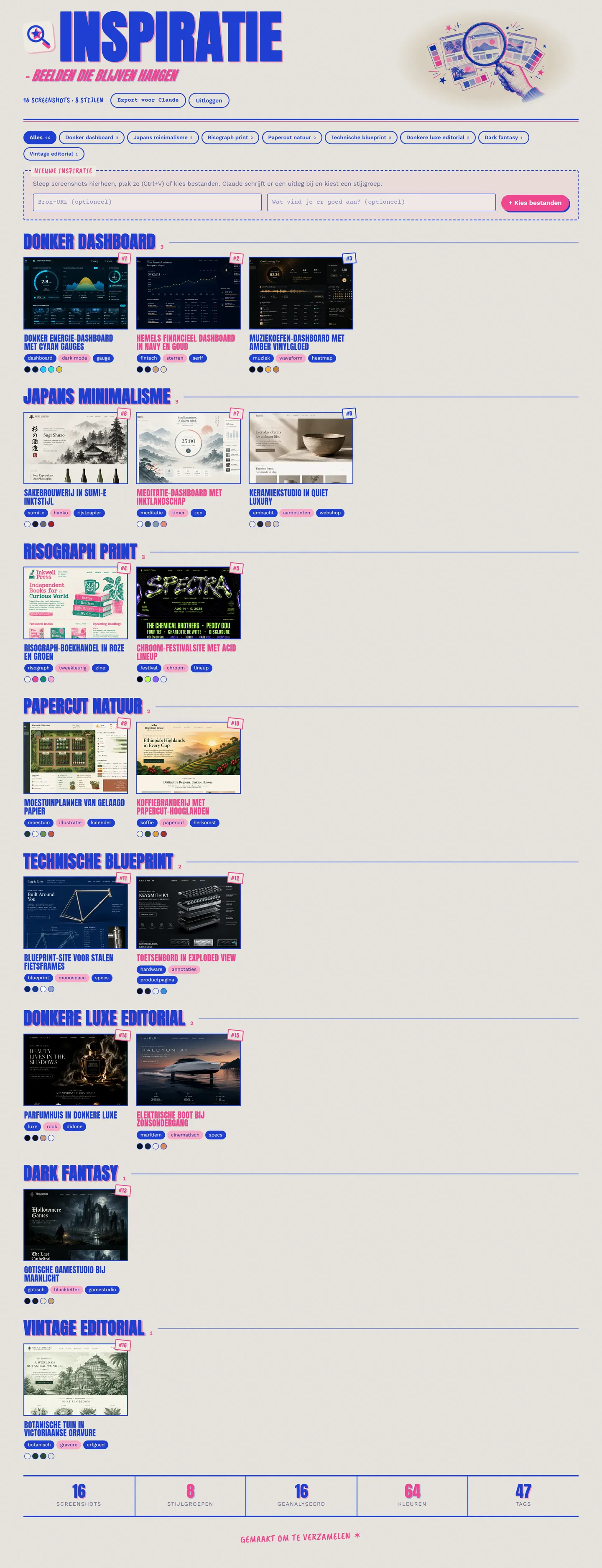
Inspiratie

My inspiration board, explained by Claude

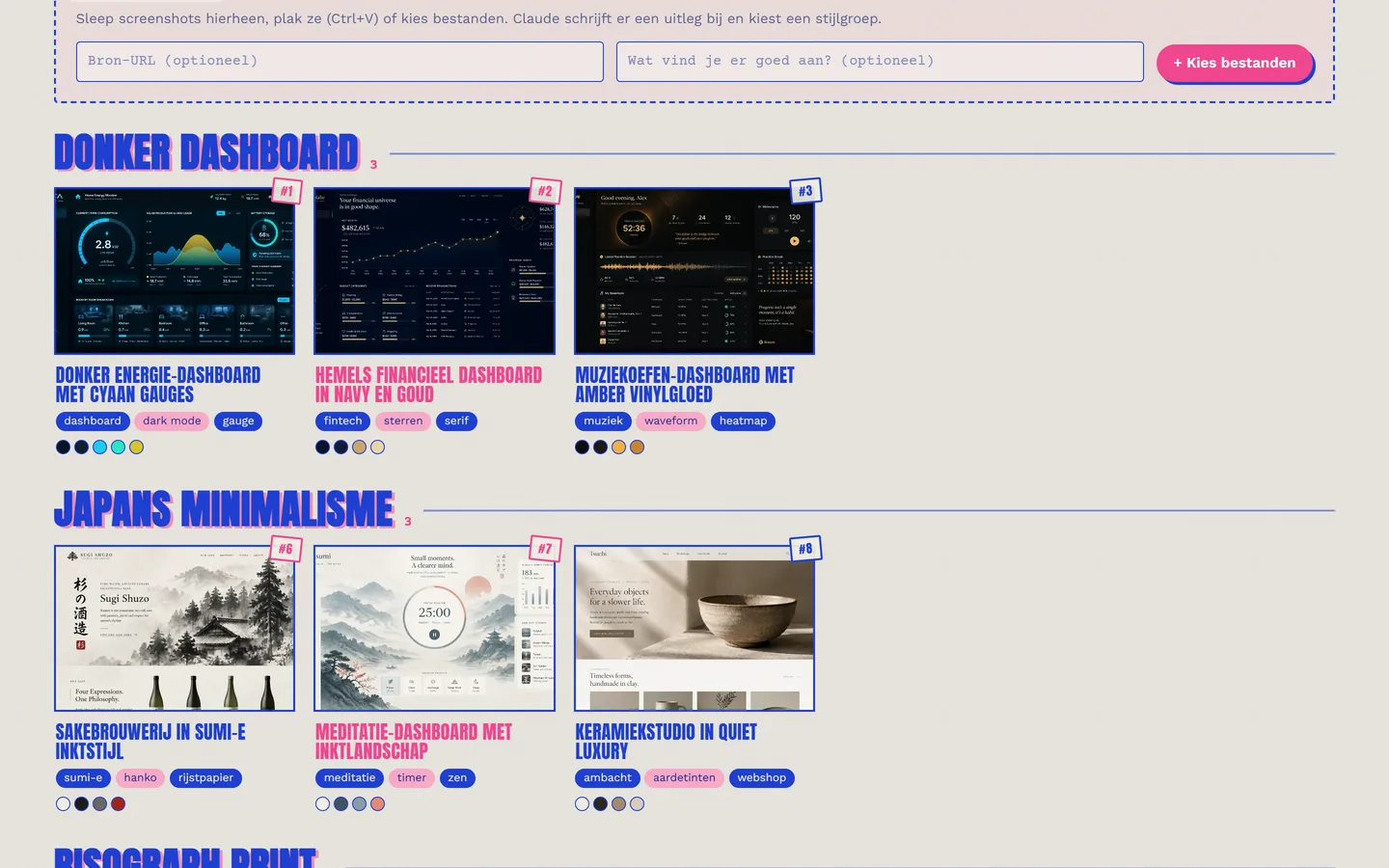
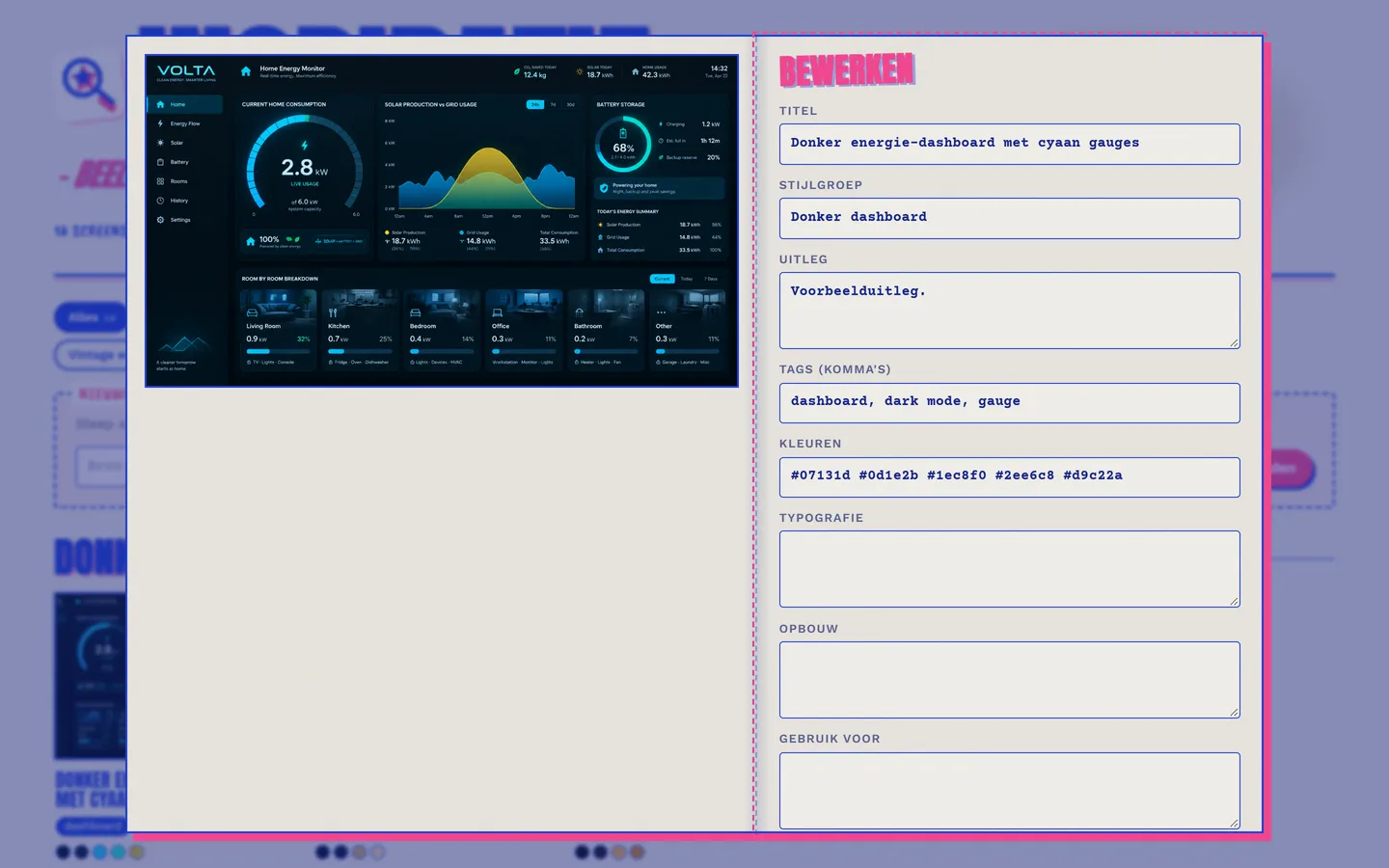
A board for screenshots of websites I like. Claude looks at every screenshot, writes down why it works and files it under a style group. Through its own MCP server, Claude can then use the board while designing.

  • Claude writes an explanation with colours and typography per screenshot
  • Sorted into style groups automatically
  • Its own read-only MCP server for design work with Claude
  • Node.js
  • Express
  • PostgreSQL
  • sharp
  • Anthropic API
  • MCP
  • Docker
Inspiratie: Screenshot of the live site
Scroll: this is the real site
  • The board by style group, with stamps and colours (sample screenshots)
    The board by style group, with stamps and colours (sample screenshots)
  • A screenshot with Claude’s explanation, as an open book
    A screenshot with Claude’s explanation, as an open book
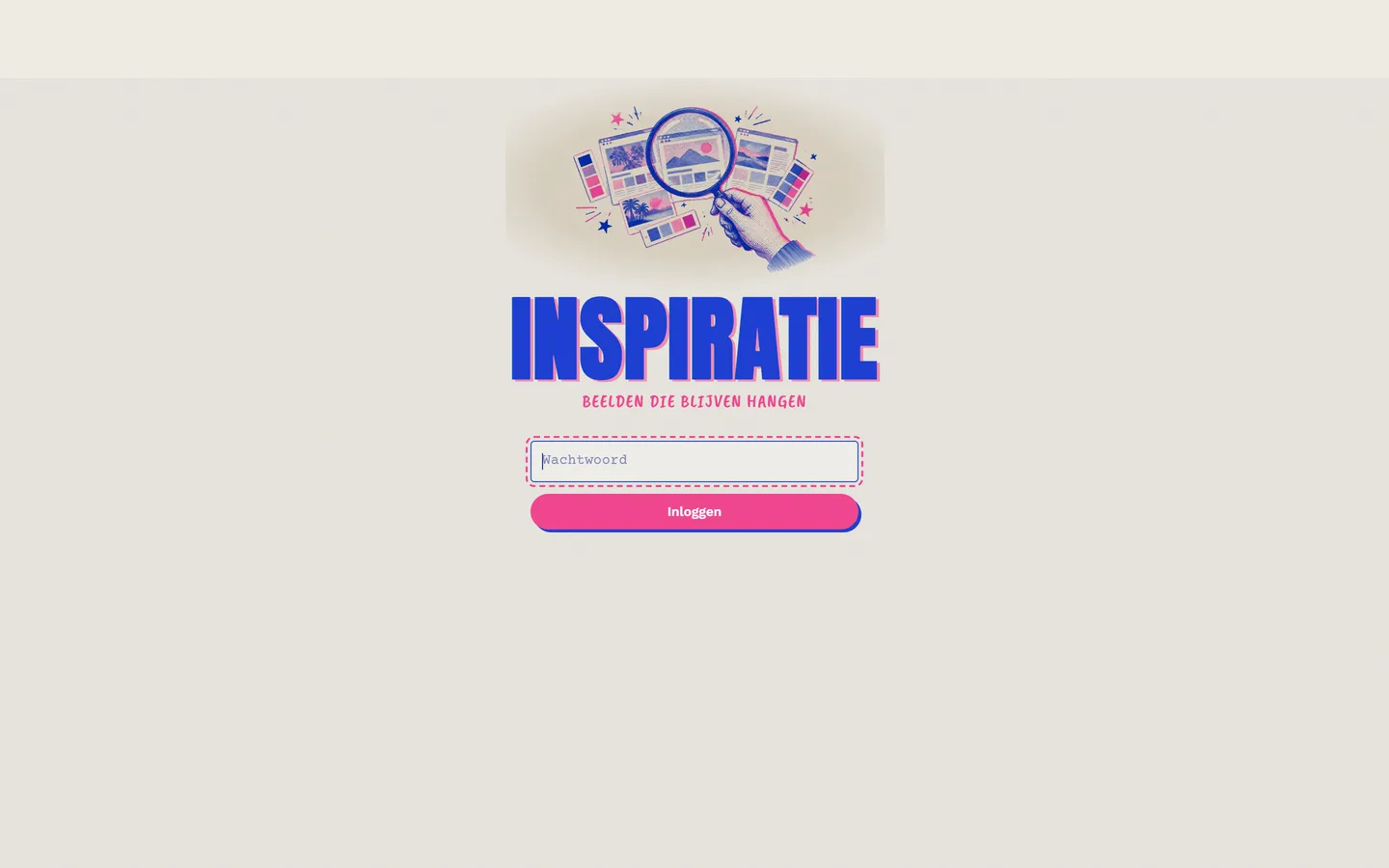
  • Signing in, with the risograph illustration
    Signing in, with the risograph illustration

Rentekompas

Every Dutch savings rate and term deposit in one place

An overview of every Dutch savings account, term deposit and promotional rate, with every rate change and my own banks side by side. Built when Spaarinformatie.nl shut down; the rates come in every hour from the public Spaarradar.nl API.

  • Almost 600 offers from 89 institutions, updated every hour
  • Switch your own banks on and off and compare them side by side
  • Rate changes, promotions and a deposit ladder
  • Node.js
  • Express
  • PostgreSQL
  • SVG
  • Docker
Rentekompas: Screenshot of the live site
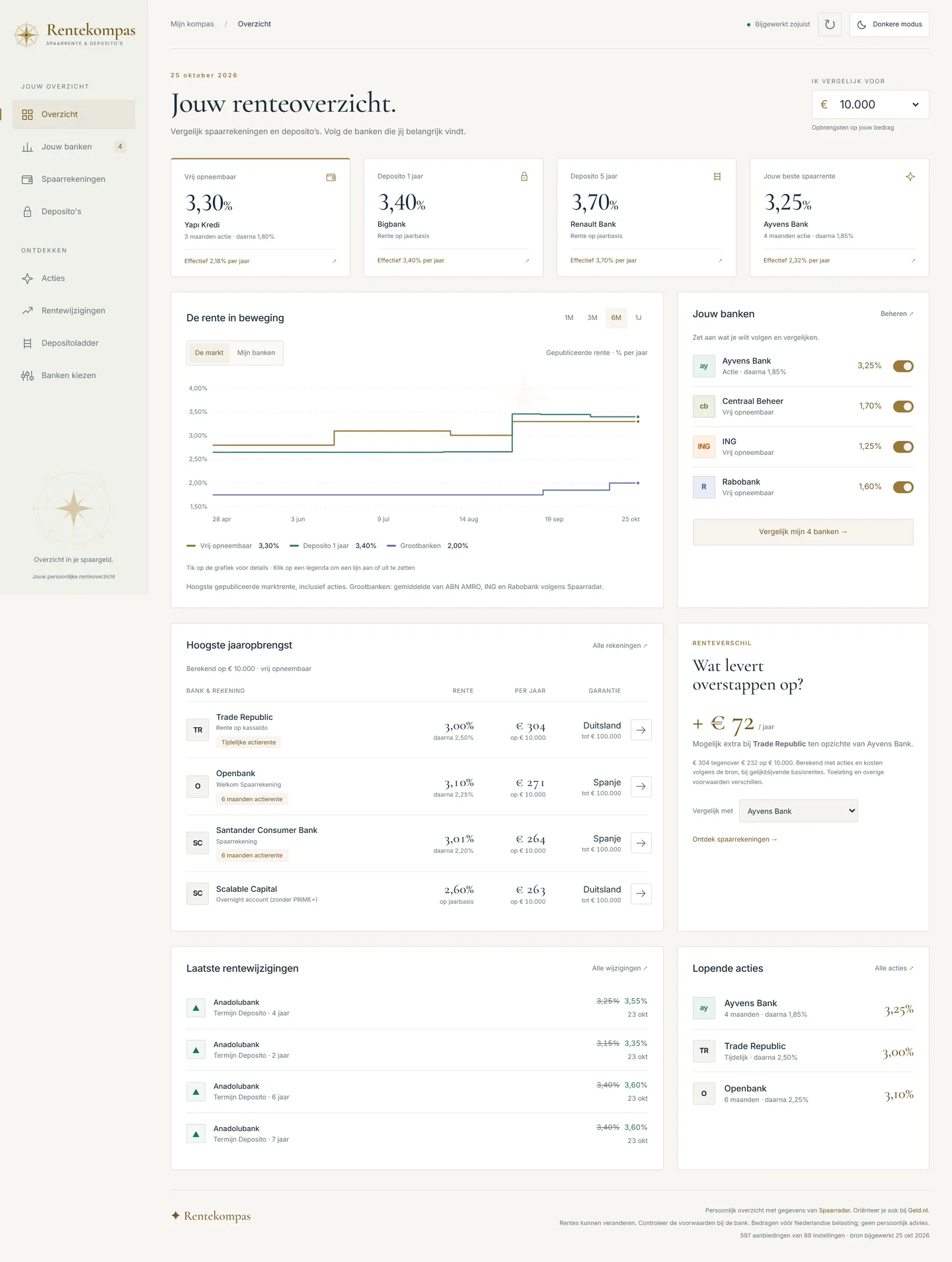
Scroll: this is the real site
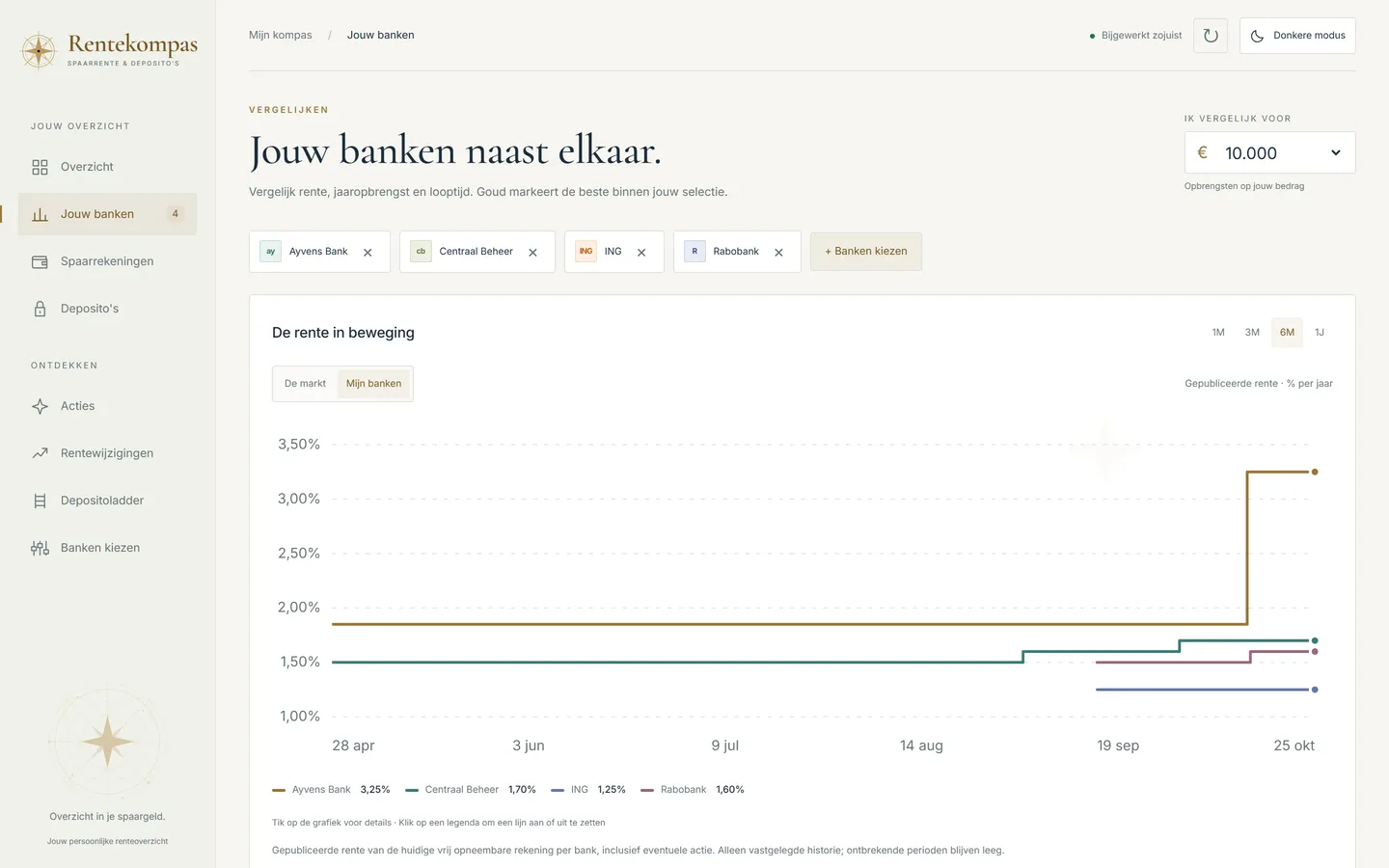
  • My banks side by side, the best per type in gold
    My banks side by side, the best per type in gold
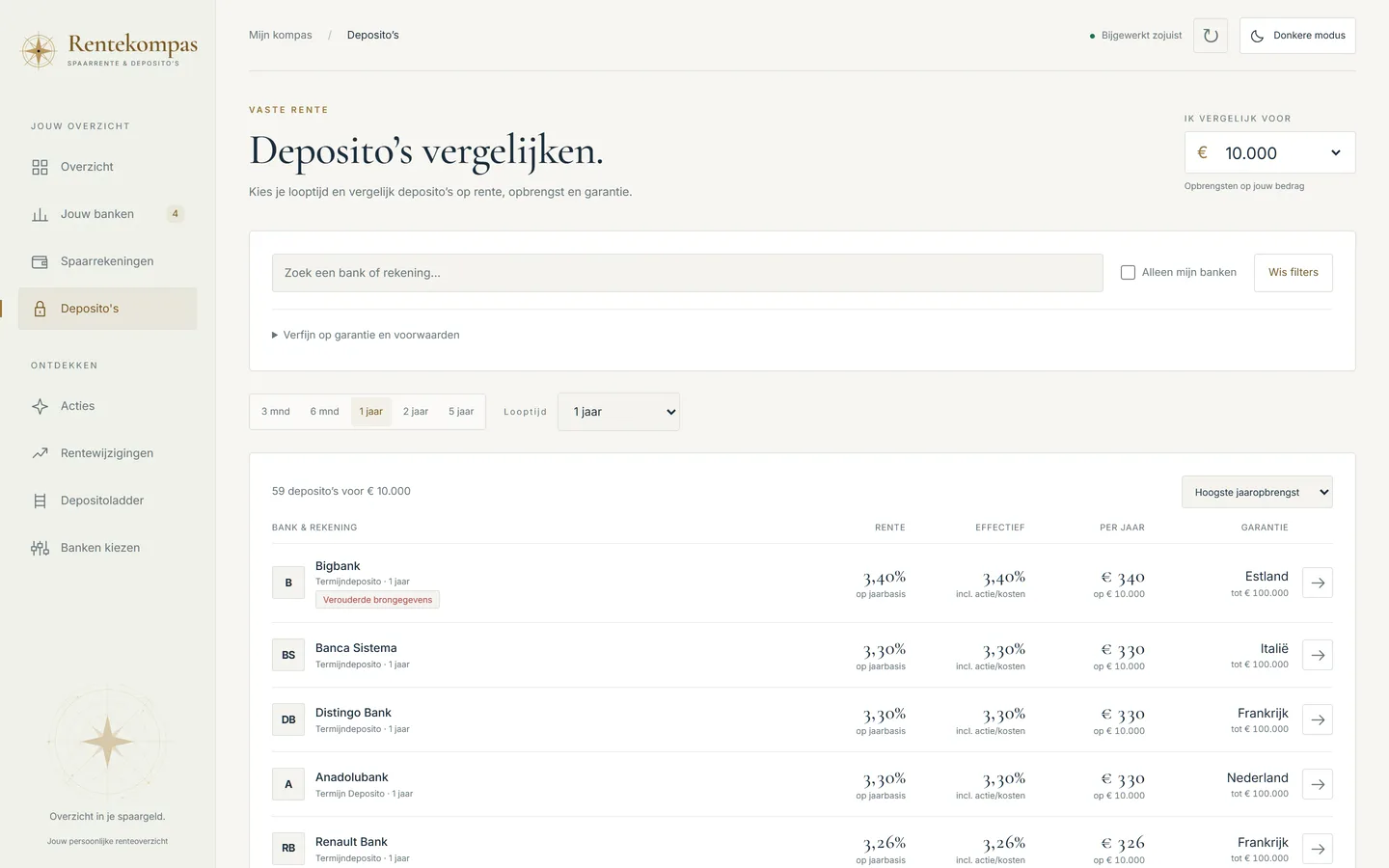
  • Term deposits by bank and term
    Term deposits by bank and term
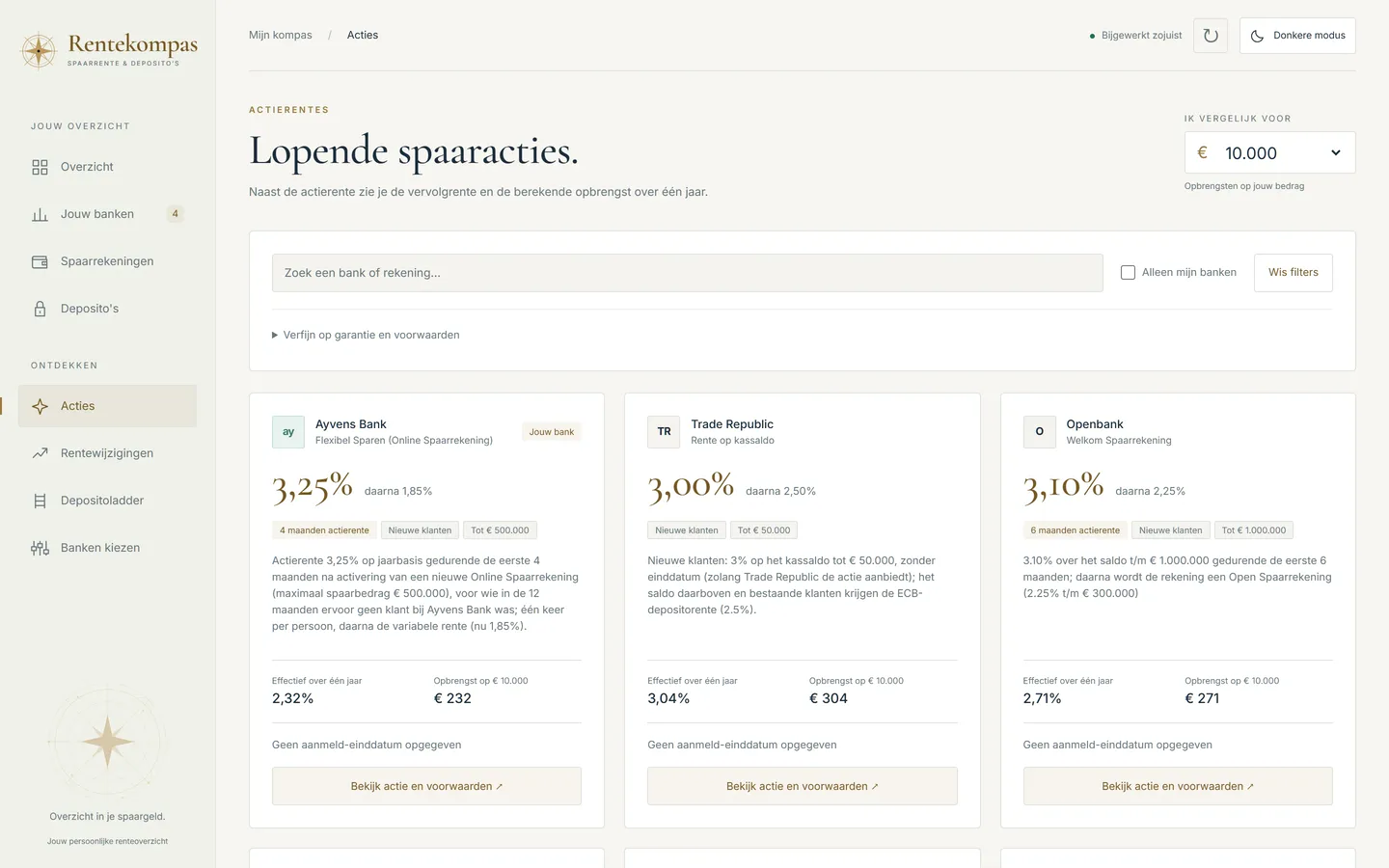
  • Current promotional rates with cap and end date
    Current promotional rates with cap and end date

Mindmap

My projects as a graph, with deadlines that change colour

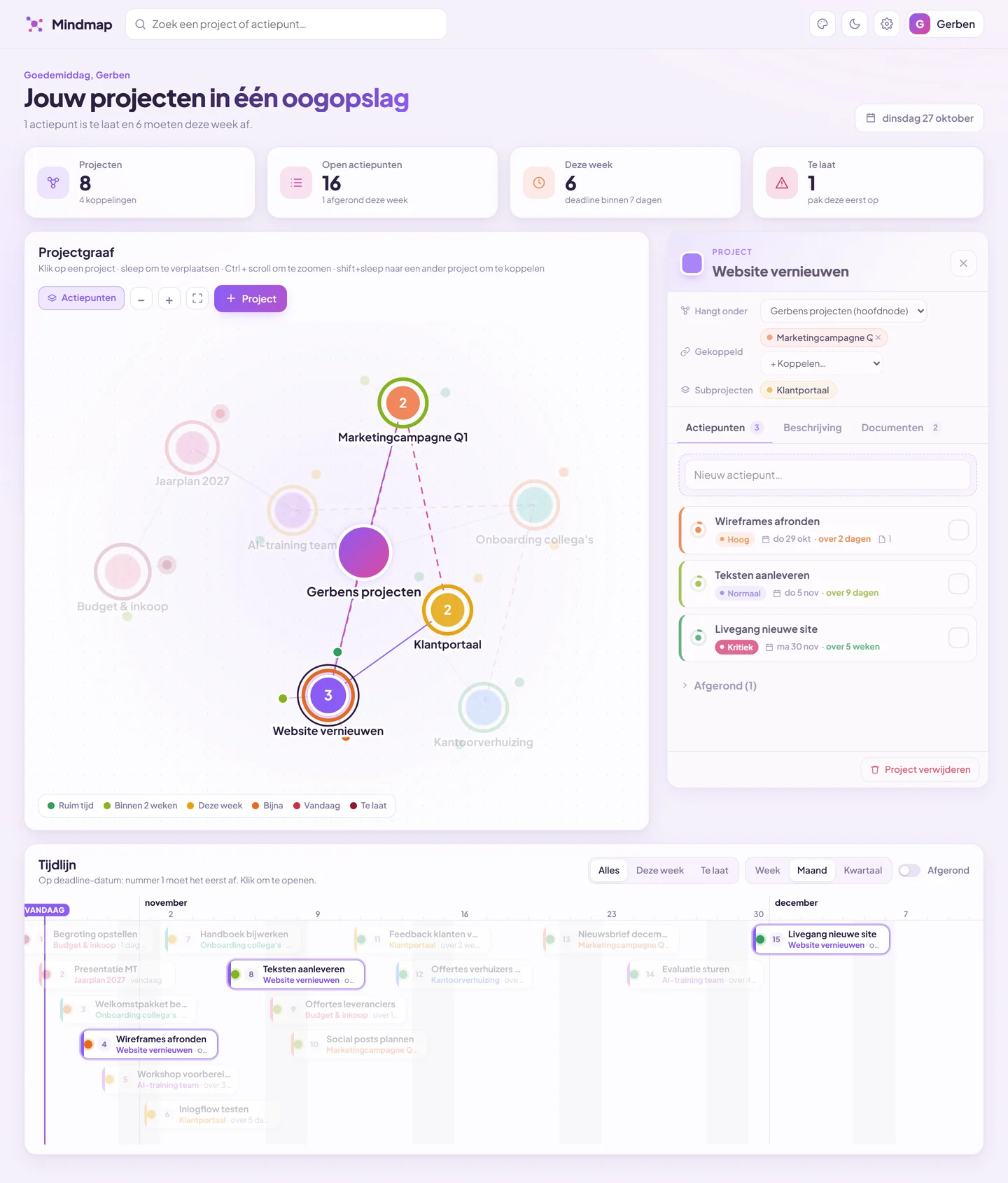
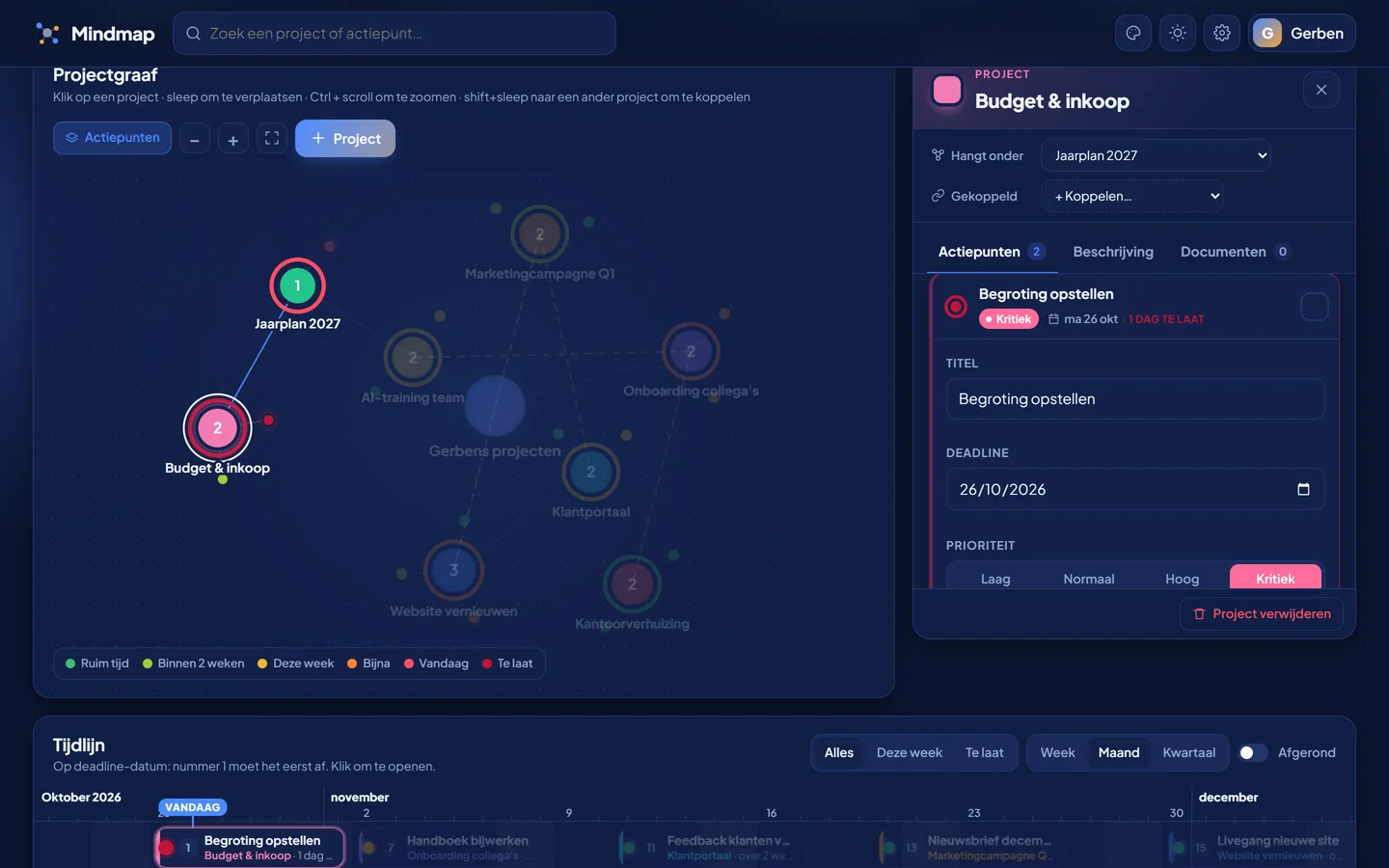
A private overview of all my projects as a graph, like in Obsidian. Click a project and its action items open beside it; a timeline below shows what is due first, and an email warns when a deadline comes close. The screens below show sample data.

  • Graph of projects, sub-projects and links
  • Deadlines from green to dark red, on a timeline
  • Sign in with an emailed code, no password
  • Node.js
  • PostgreSQL
  • Canvas
  • Resend
  • Docker
Mindmap: Screenshot of the live site
Scroll: this is the real site
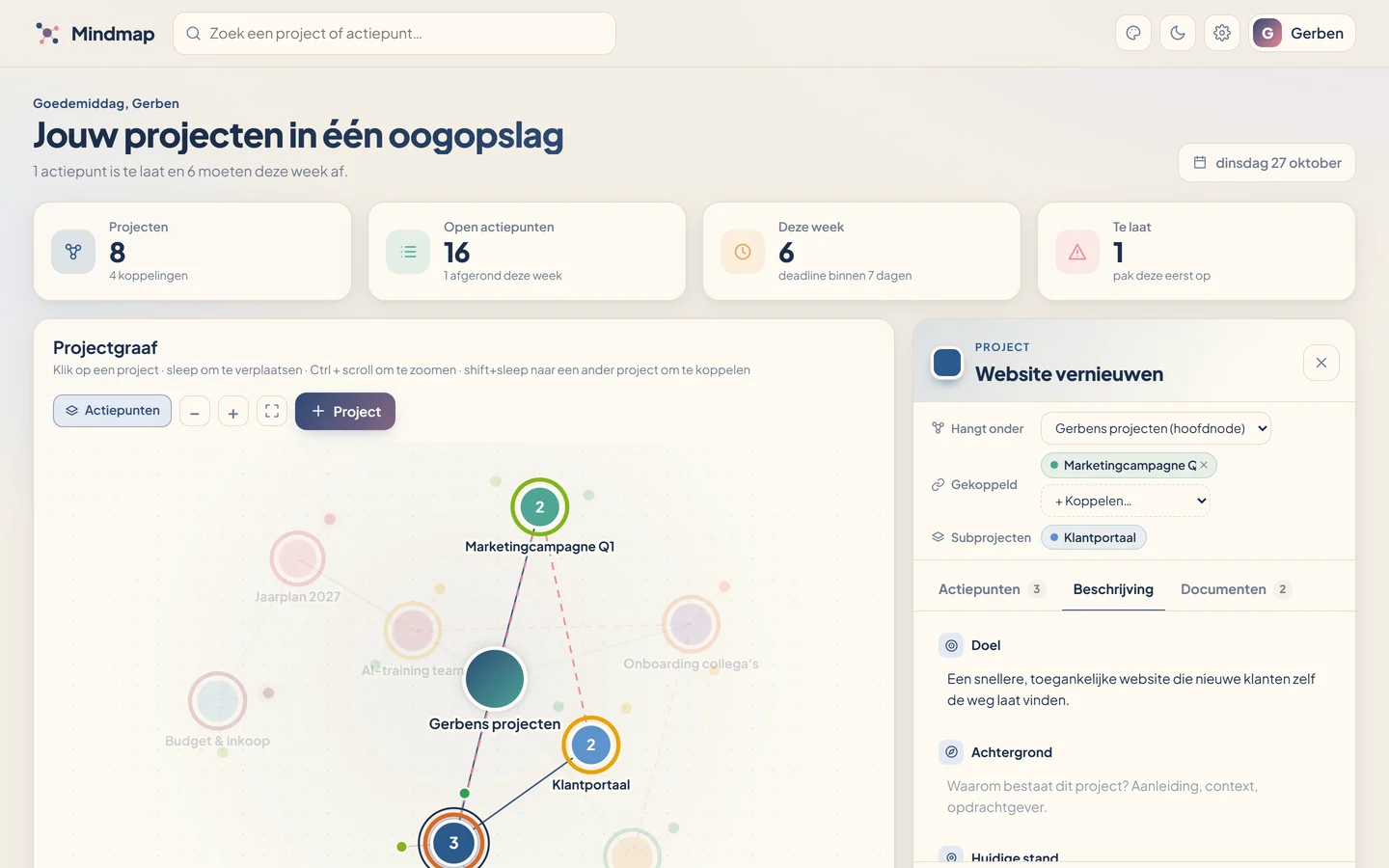
  • A project selected, with its overdue action item open (Vuurtoren theme, dark, sample data)
    A project selected, with its overdue action item open (Vuurtoren theme, dark, sample data)
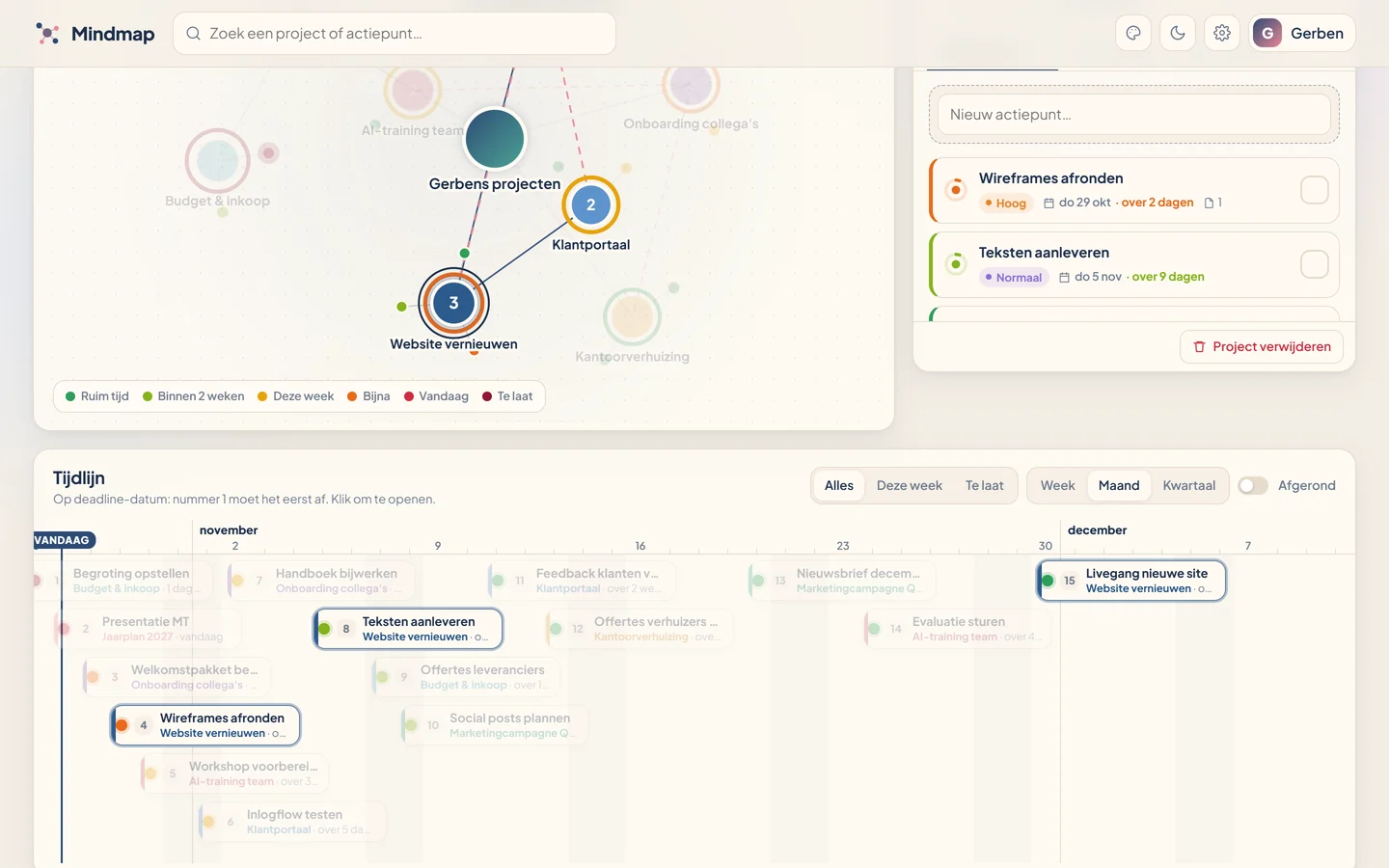
  • The timeline by deadline; the selected project's action items light up (Oceaan theme)
    The timeline by deadline; the selected project's action items light up (Oceaan theme)
  • A project's description under fixed headings
    A project's description under fixed headings

Bord

An online whiteboard where my team thinks and plans together

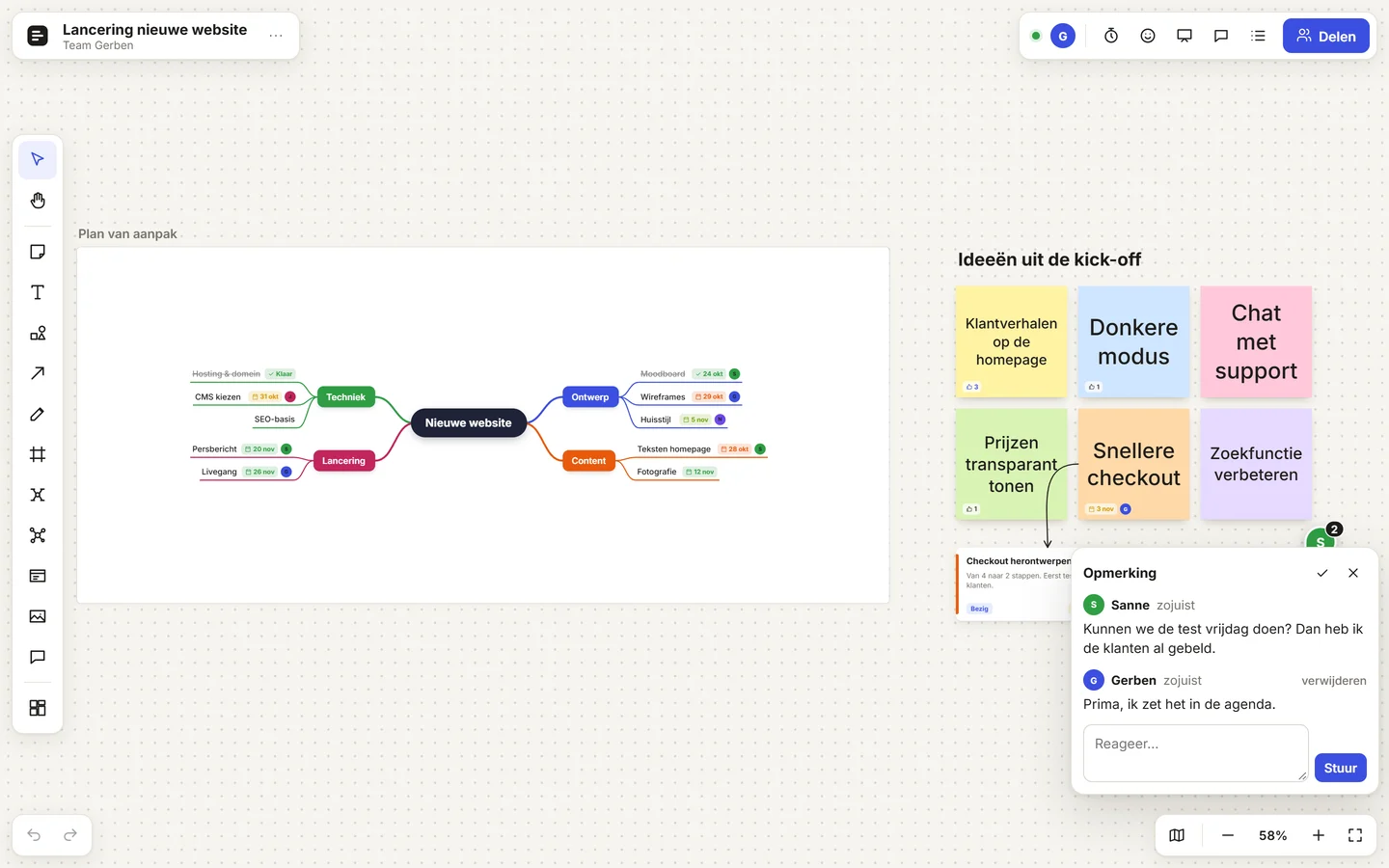
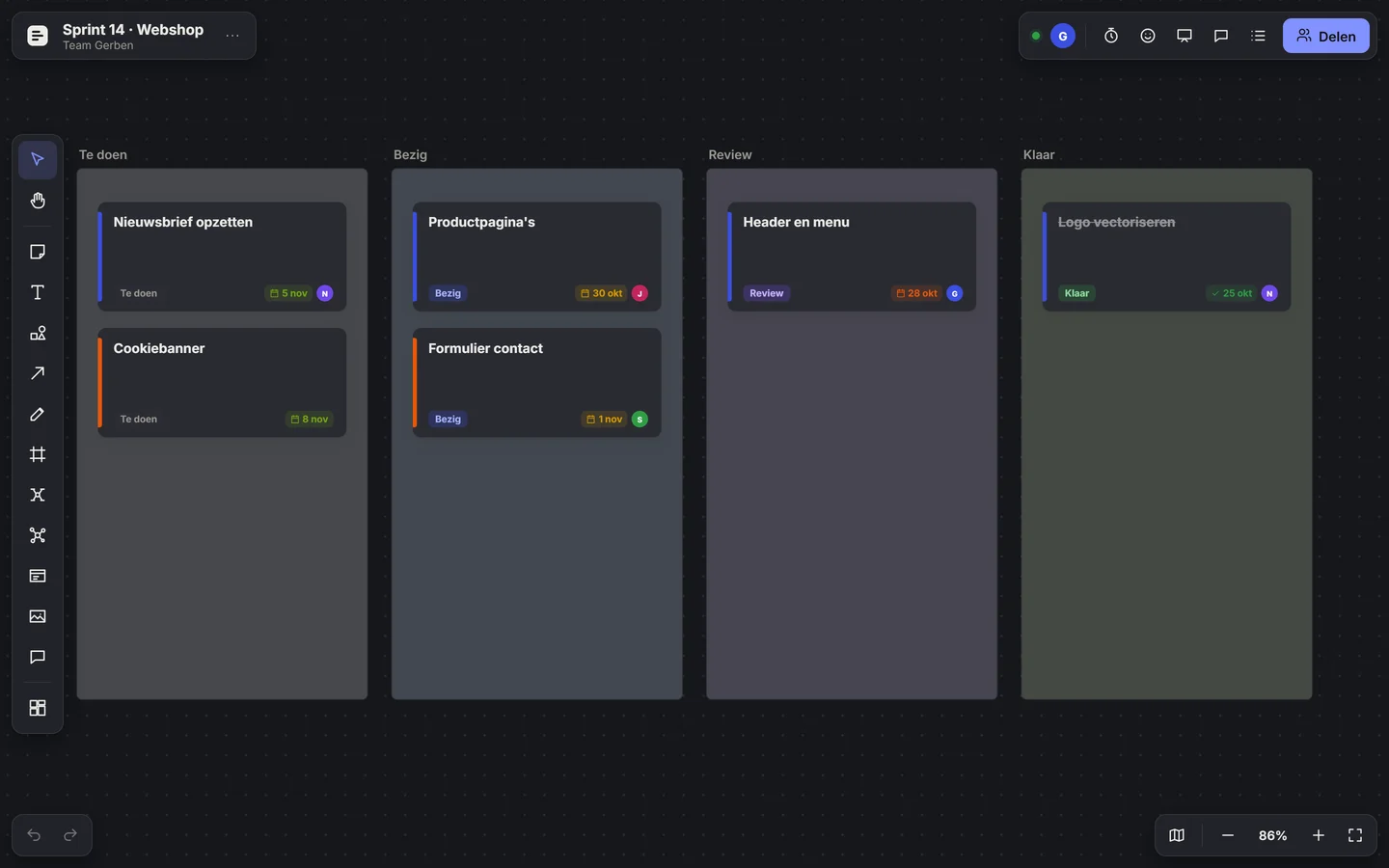
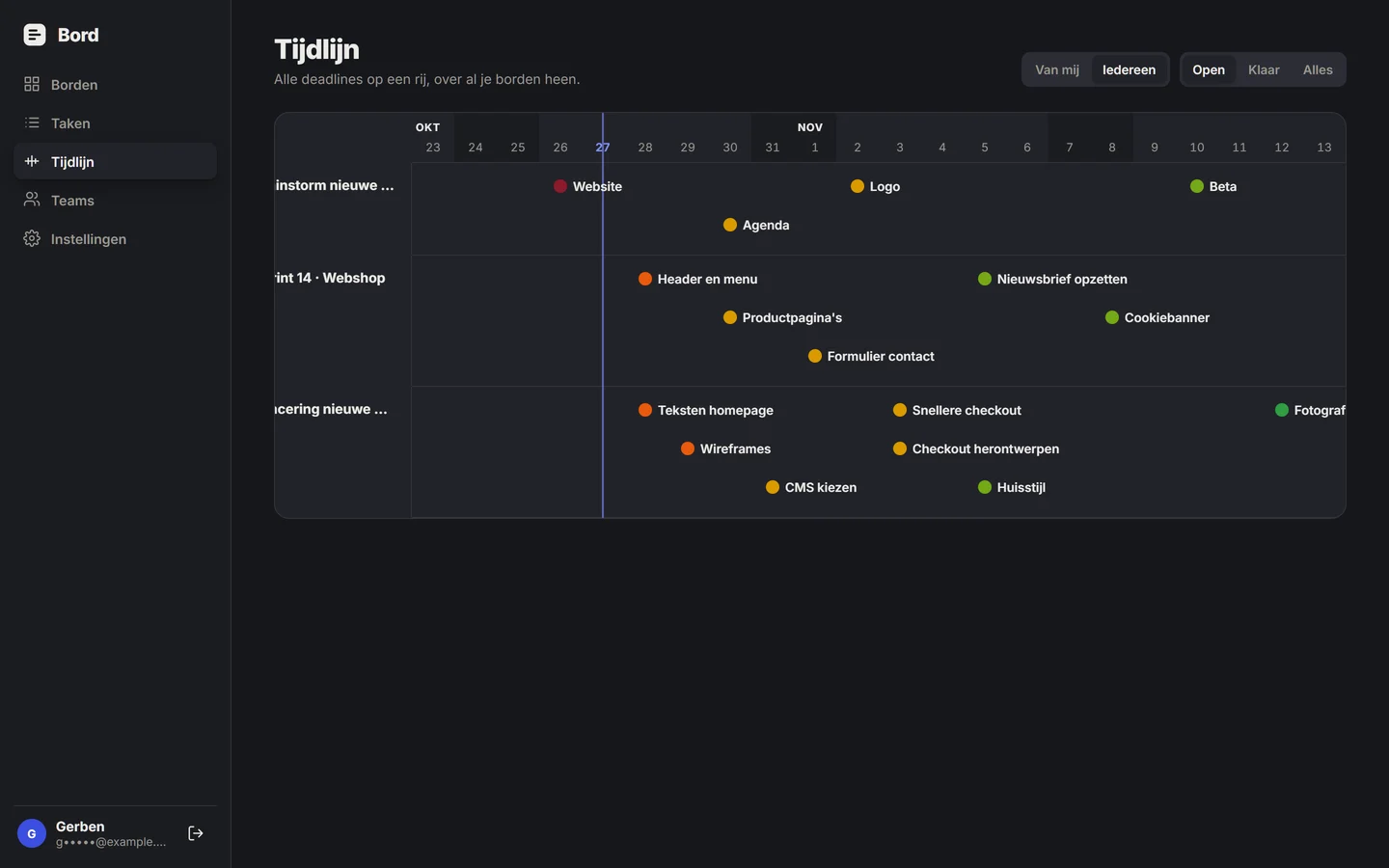
My own whiteboard in the spirit of Miro: notes, shapes, arrows, frames and mind maps on an infinite canvas, with everyone seeing each other's cursors and changes instantly. The features of my mind map are built in: deadlines that change colour, owners, a task overview and a timeline across all boards. The screens below show sample data.

  • Real-time collaboration with live cursors
  • Mind maps as a tree and as moving bubbles
  • Deadlines, tasks and a timeline across all boards
  • Node.js
  • WebSocket
  • PostgreSQL
  • Resend
  • Docker
Bord: Screenshot of the live site
Scroll: this is the real site
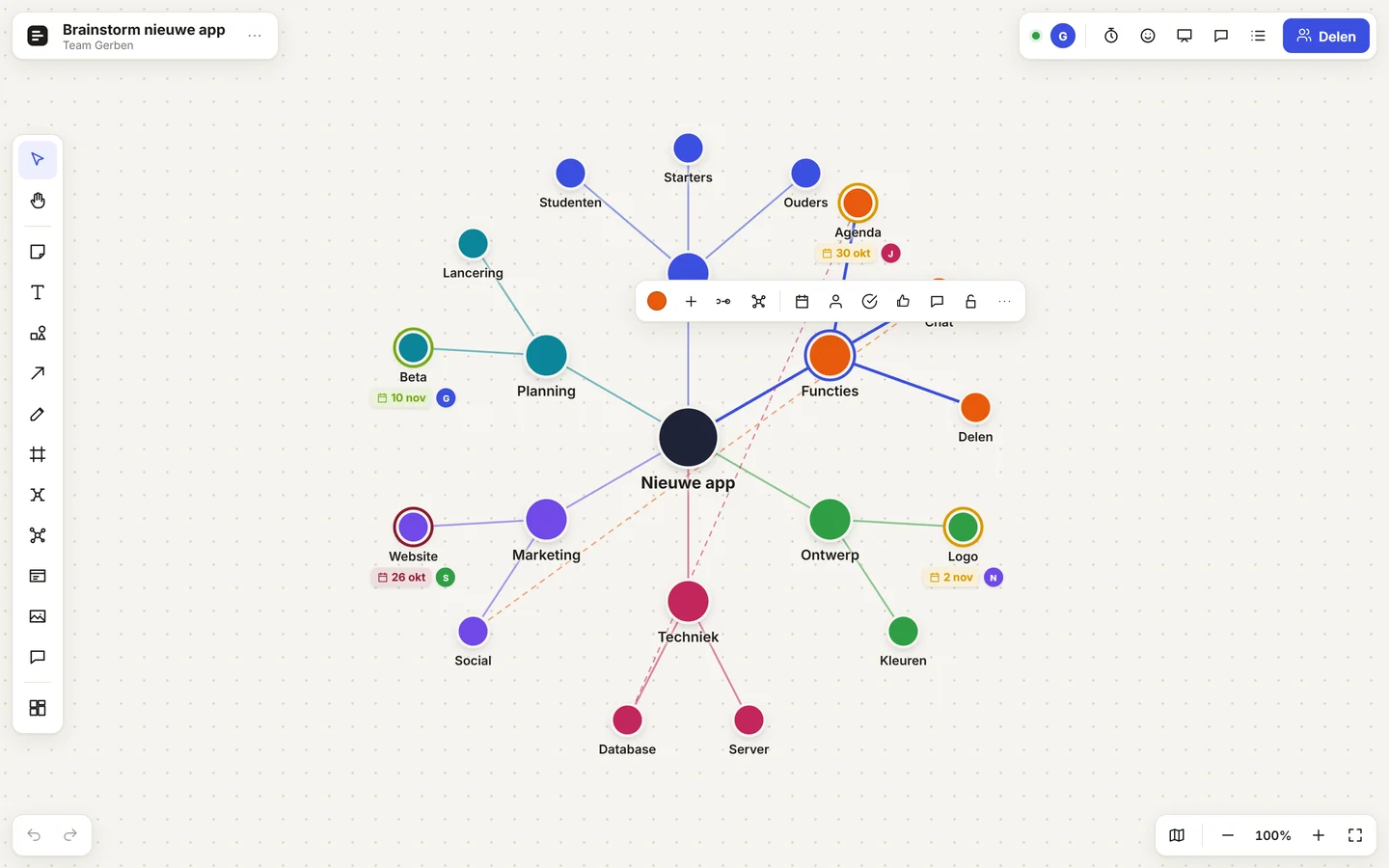
  • A bubble mind map with deadlines and owners; the selected bubble highlights its links (sample data)
    A bubble mind map with deadlines and owners; the selected bubble highlights its links (sample data)
  • A kanban board with task cards in dark mode
    A kanban board with task cards in dark mode
  • The timeline with every deadline from every board
    The timeline with every deadline from every board

Kennisbank

A wiki that shows how each project fits together

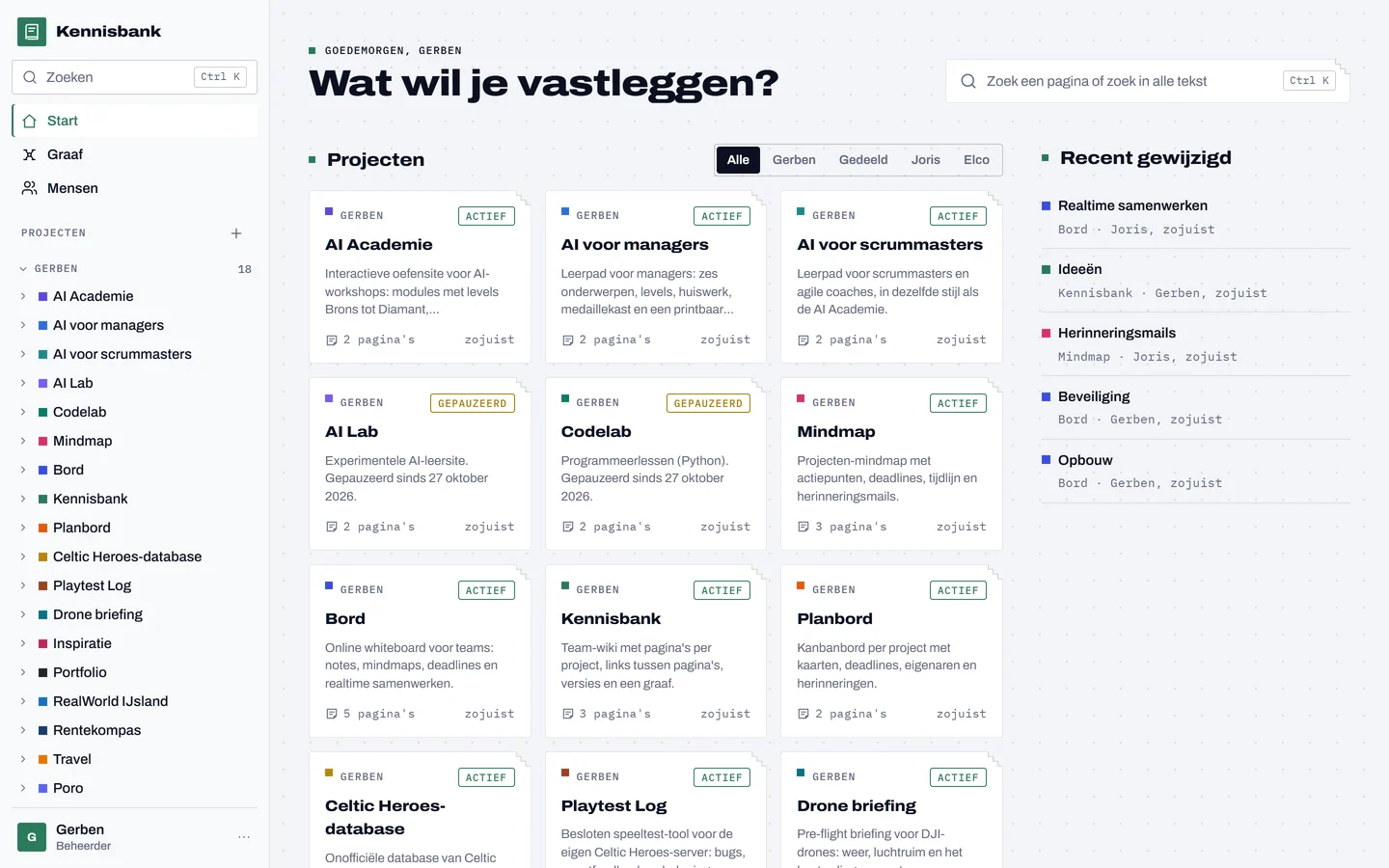
A shared knowledge base for me, Joris and Elco: pages per project in markdown, connected with [[links]], with versions, search and a graph of how everything relates. Every project automatically gets a code graph from the knowledge graph of all my code, and a page of diagrams: architecture, processes, sequences, UML and the data model. The screens below show sample data.

  • Pages with [[links]], versions and search
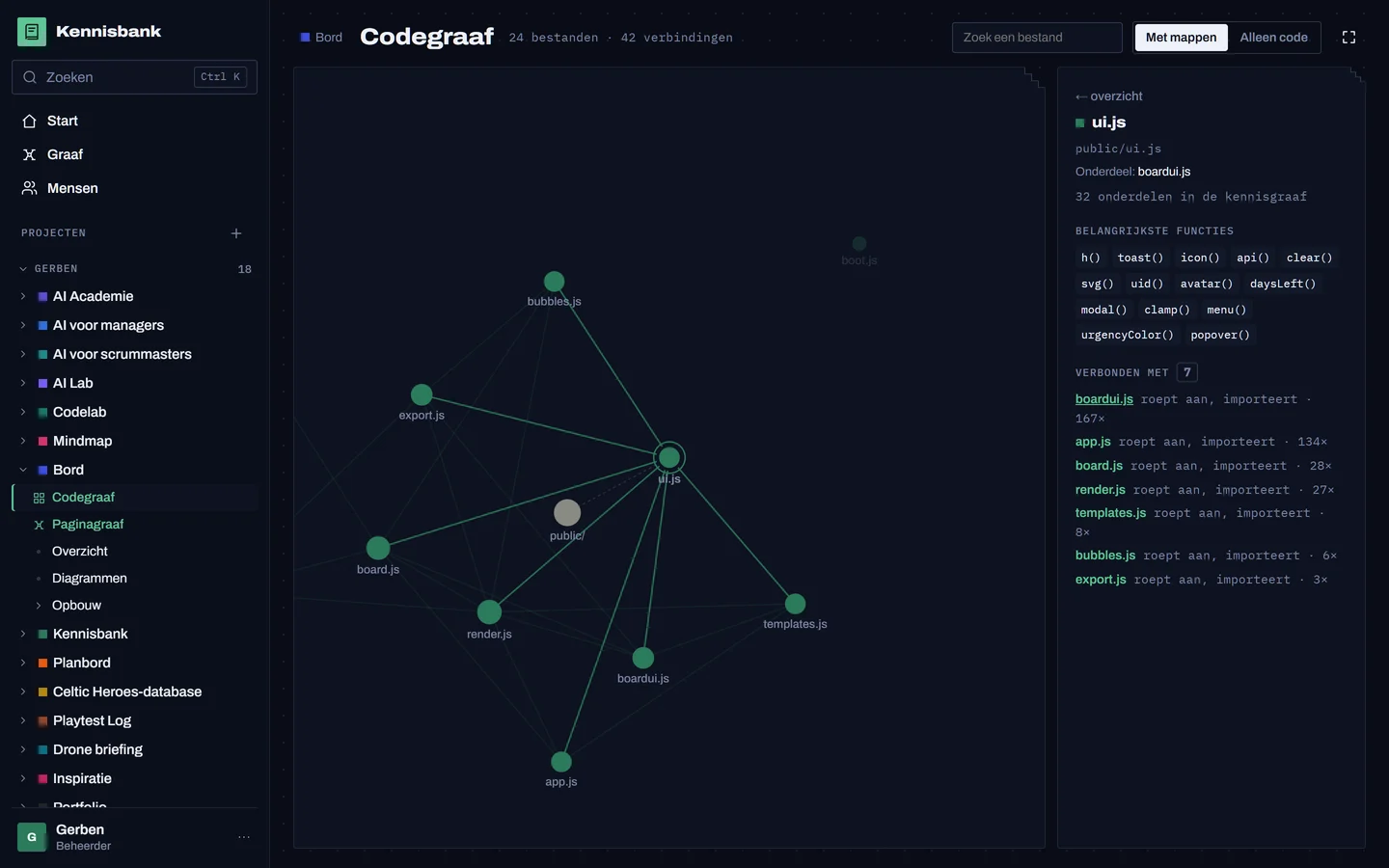
  • A code graph per project, generated automatically
  • Diagrams from text: processes, UML and data model
  • Node.js
  • PostgreSQL
  • SVG
  • Canvas
  • Resend
  • Docker
Kennisbank: Screenshot of the live site
Scroll: this is the real site
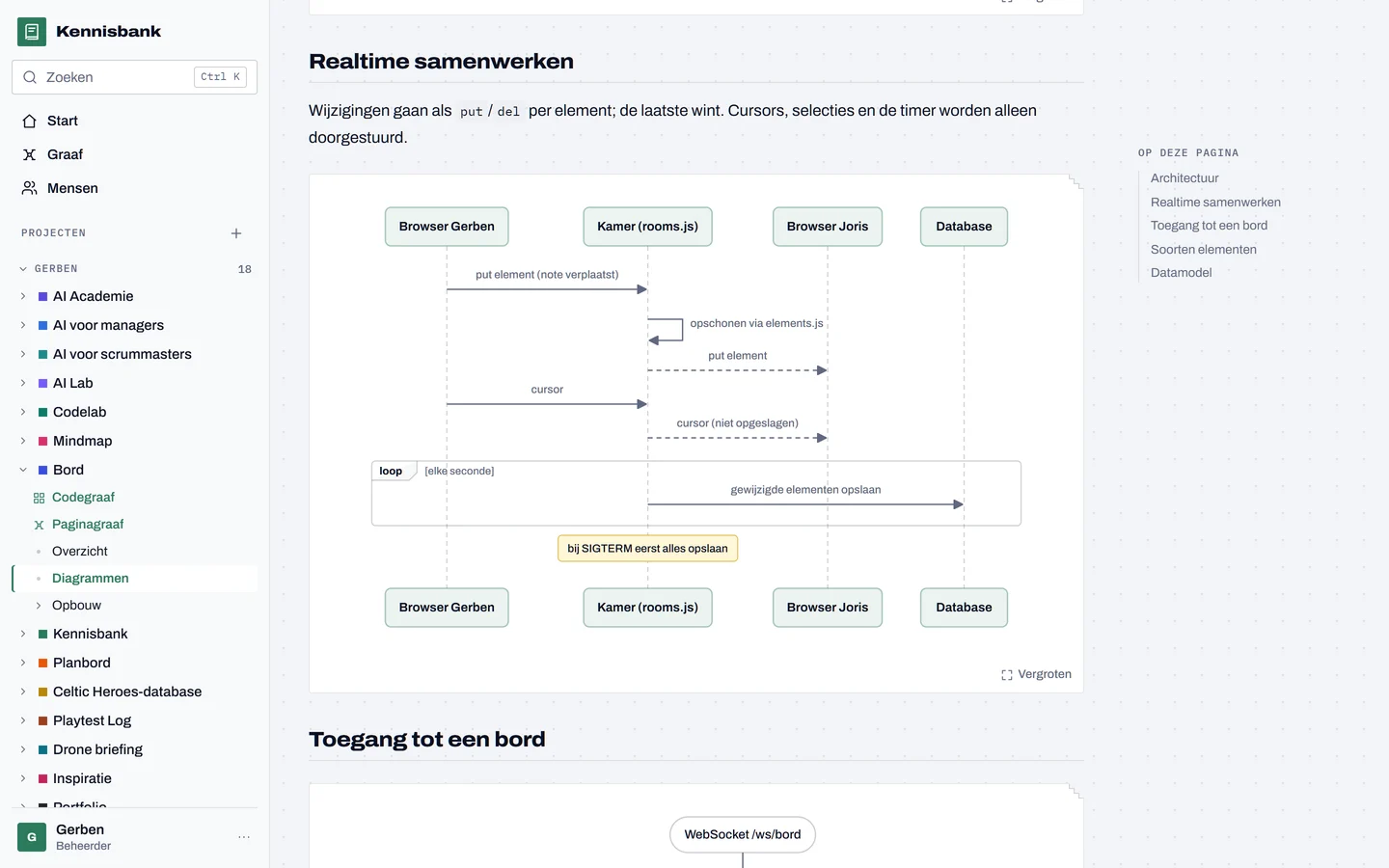
  • A sequence diagram on the Bord diagrams page
    A sequence diagram on the Bord diagrams page
  • A project's code graph, with the functions and links of the selected file (dark)
    A project's code graph, with the functions and links of the selected file (dark)
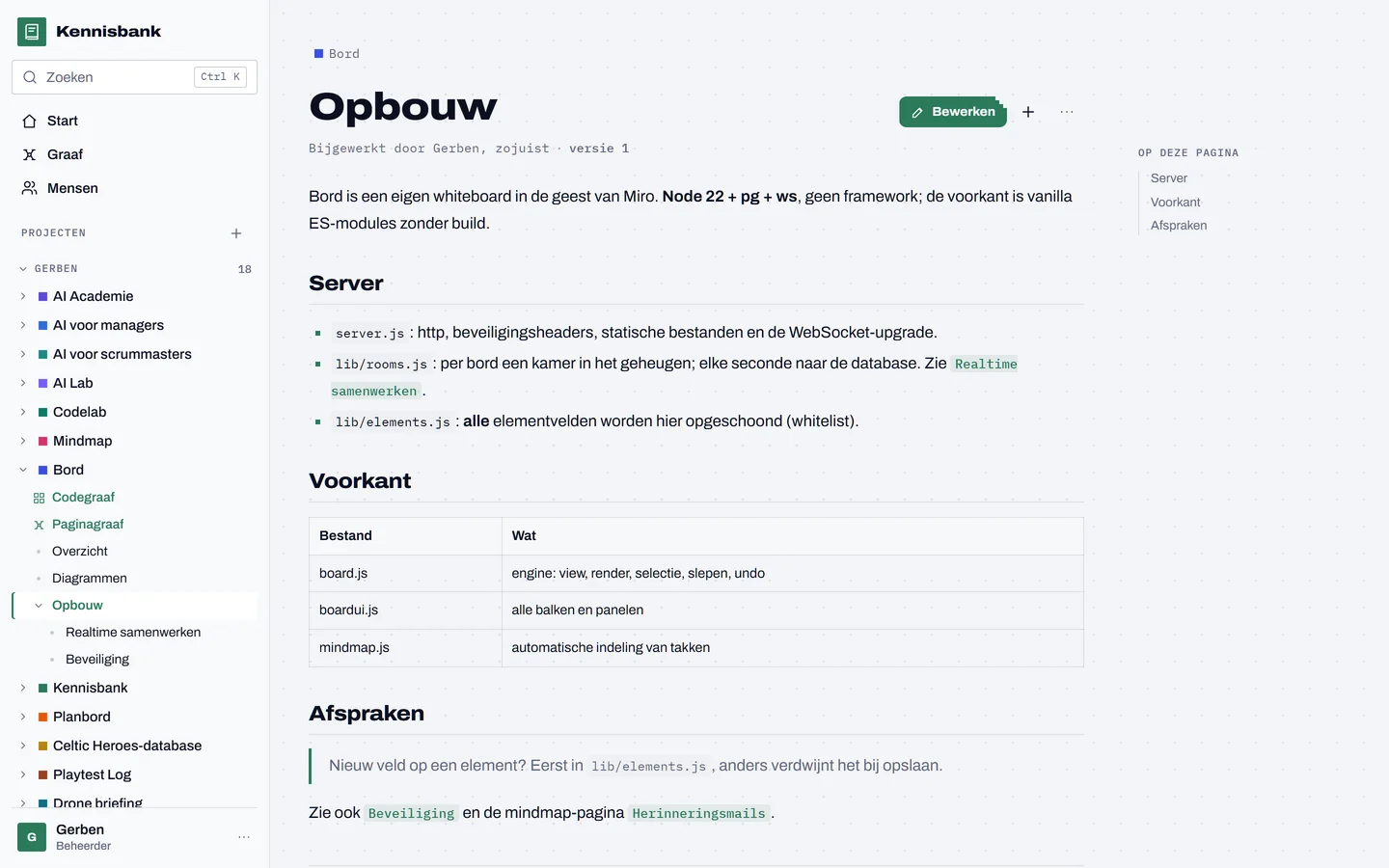
  • A page with a table of contents, a table and wiki links (sample data)
    A page with a table of contents, a table and wiki links (sample data)

Planbord

A kanban board per project, with deadlines you won't forget

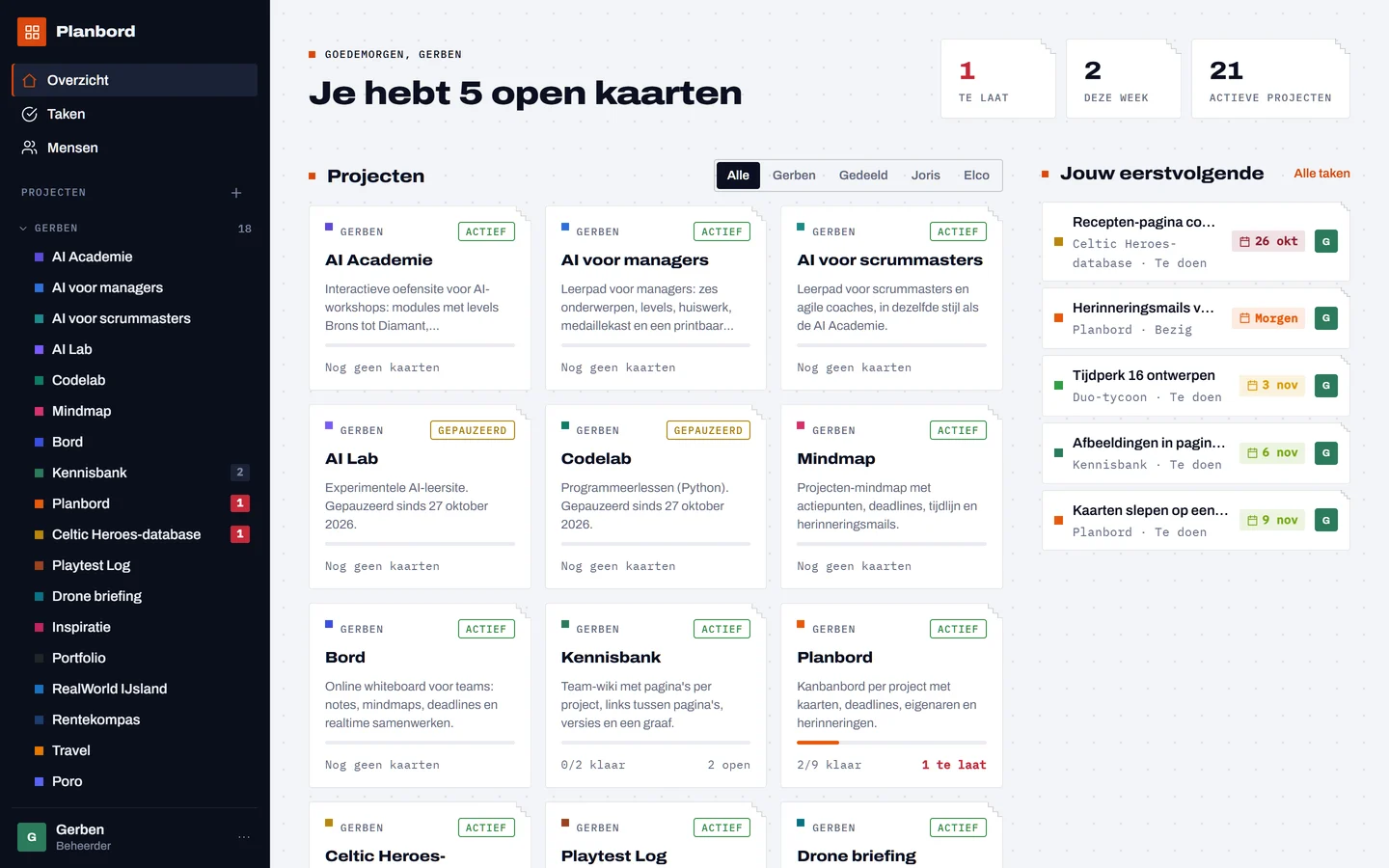
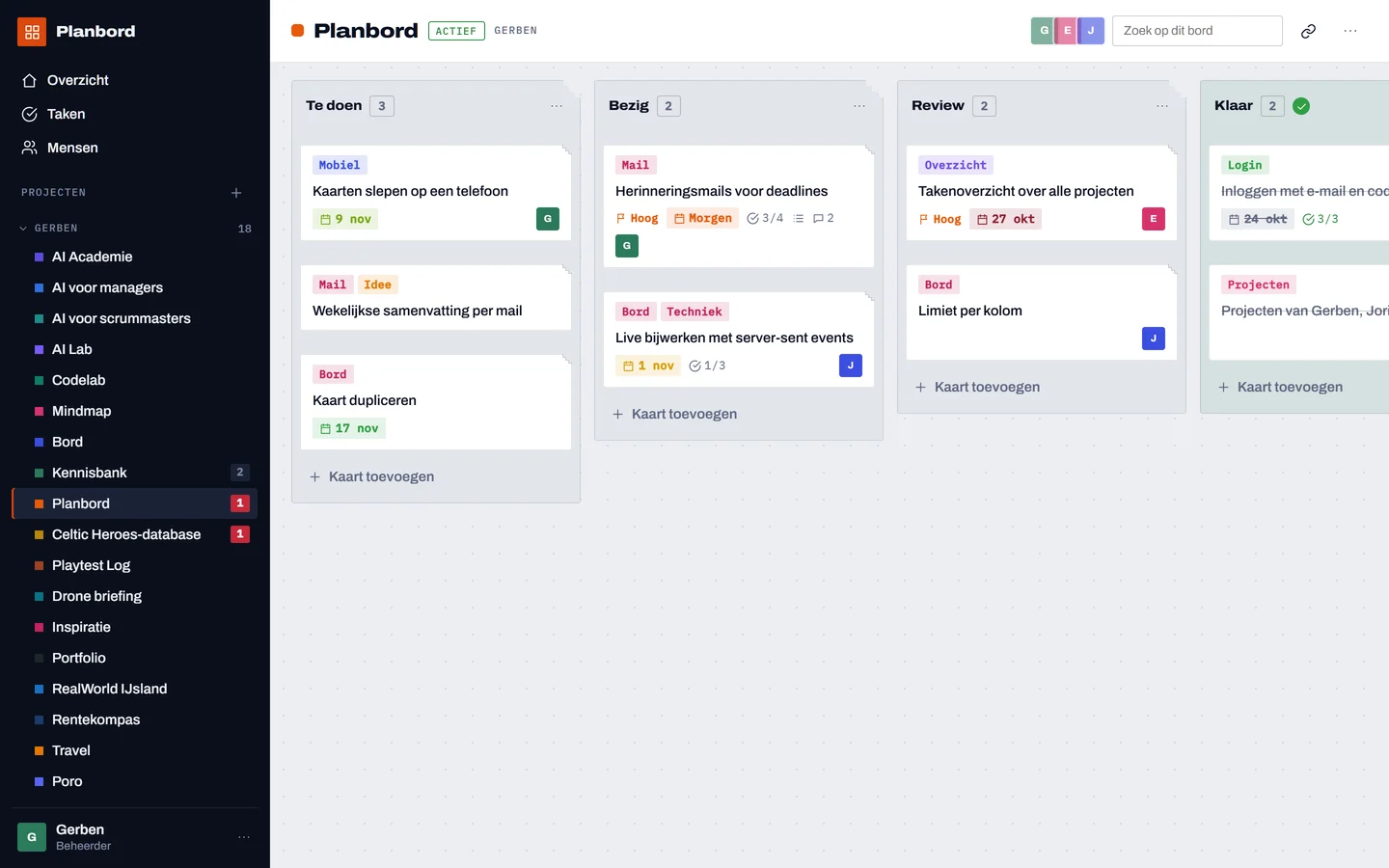
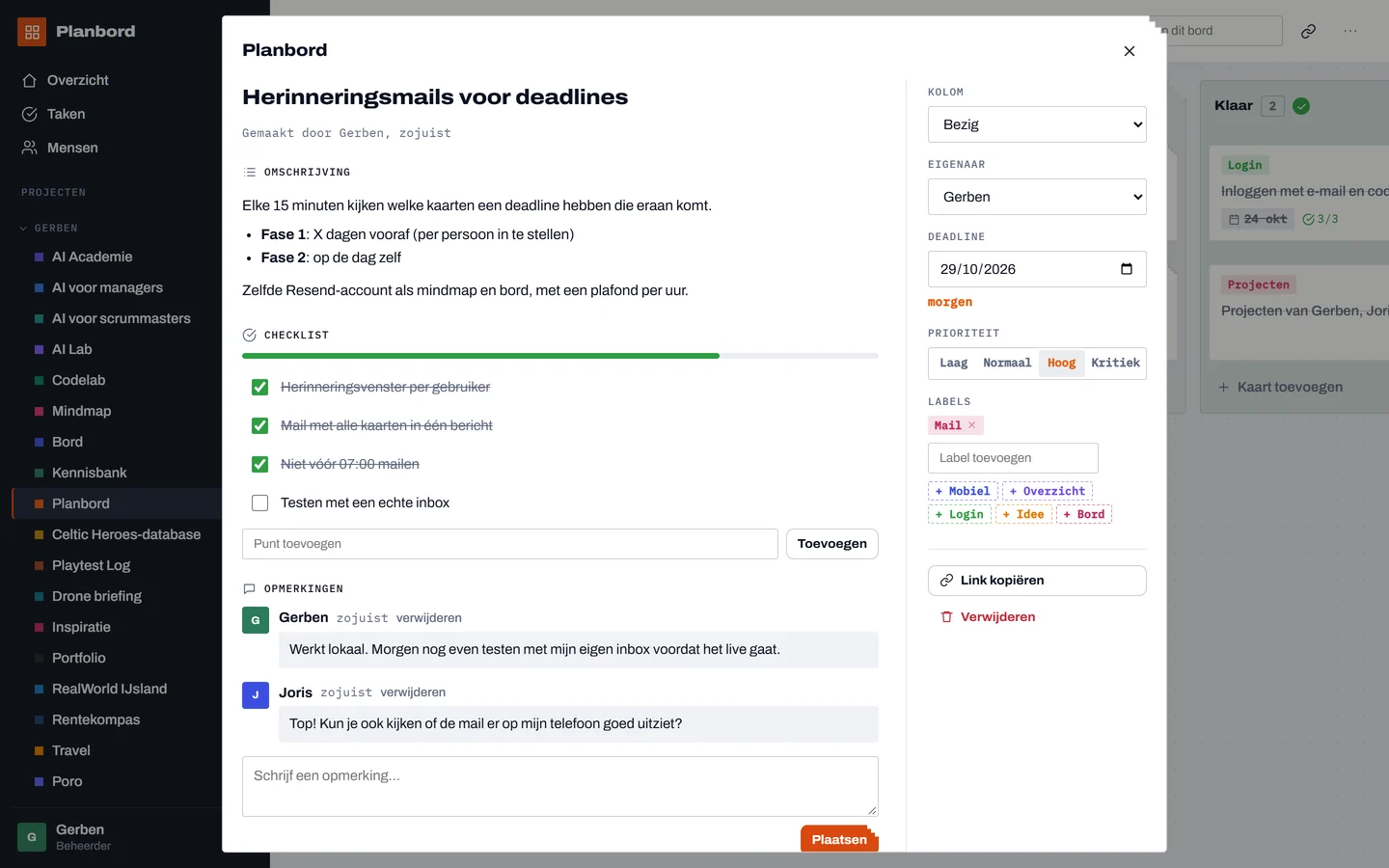
A planning board for me, Joris and Elco: per project, columns of cards you drag around, with a deadline, owner, priority, labels, checklist and comments. You see what others change straight away, an overview shows the open tasks of every project, and an email reminder arrives before a deadline. The screens below show sample data.

  • Drag cards, with live updates from others
  • Deadlines that turn from green to red
  • One task overview across all projects
  • Node.js
  • Server-Sent Events
  • PostgreSQL
  • Resend
  • Docker
Planbord: Screenshot of the live site
Scroll: this is the real site
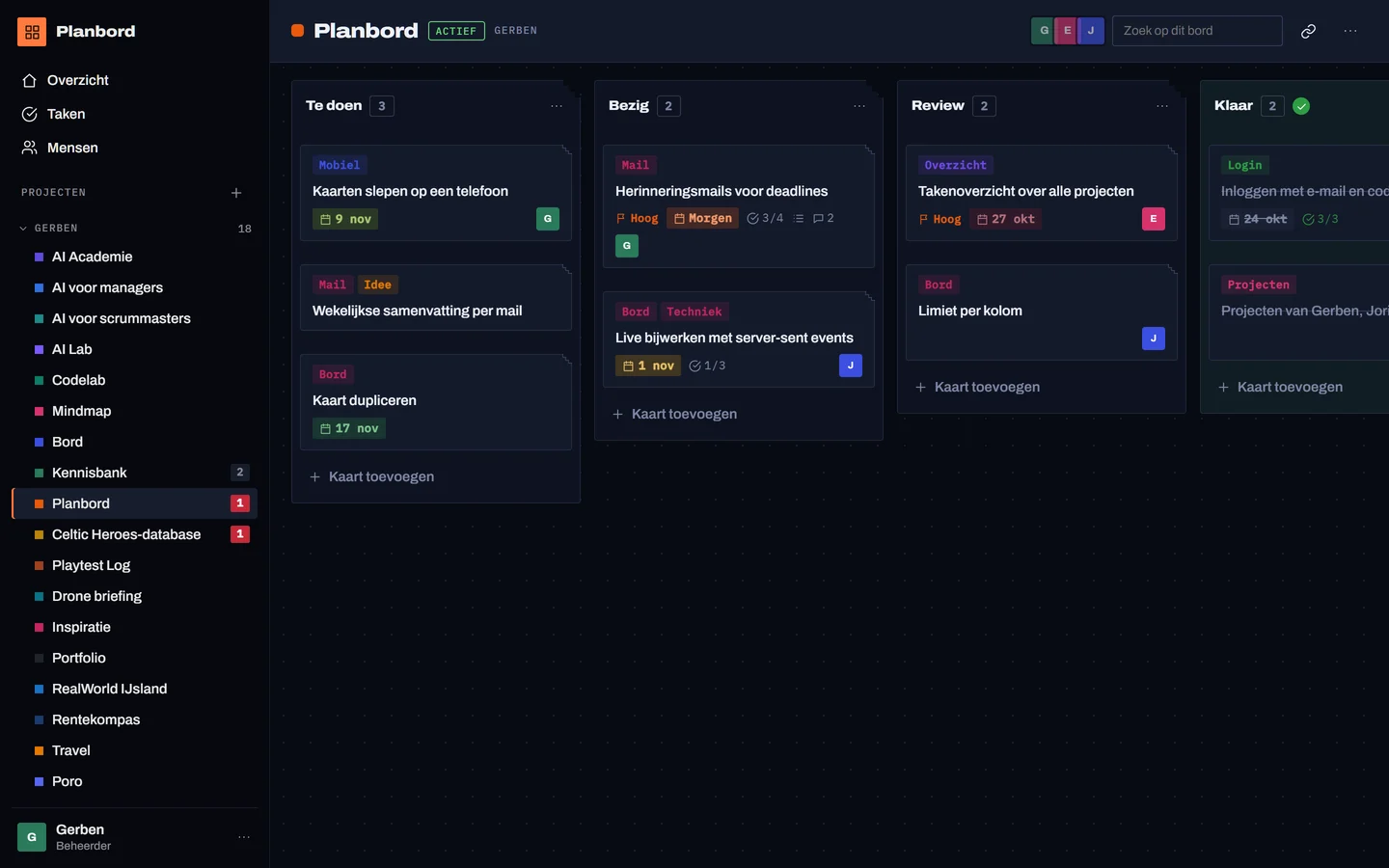
  • A project board with four columns and cards (sample data)
    A project board with four columns and cards (sample data)
  • A card with description, checklist, comments and owner
    A card with description, checklist, comments and owner
  • The same board in dark mode
    The same board in dark mode

Ochtendbord

See over coffee whether all my apps and servers are fine

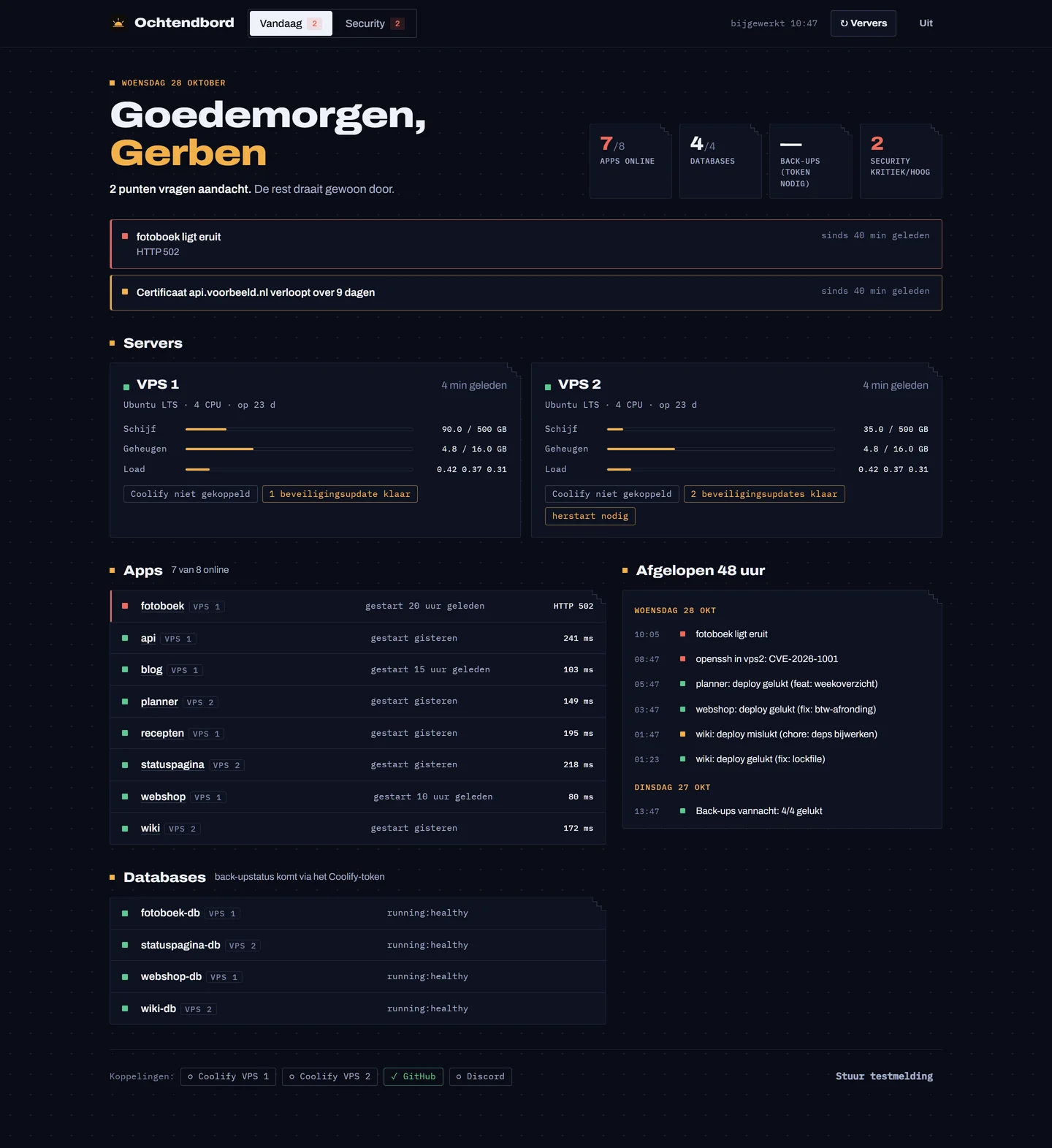
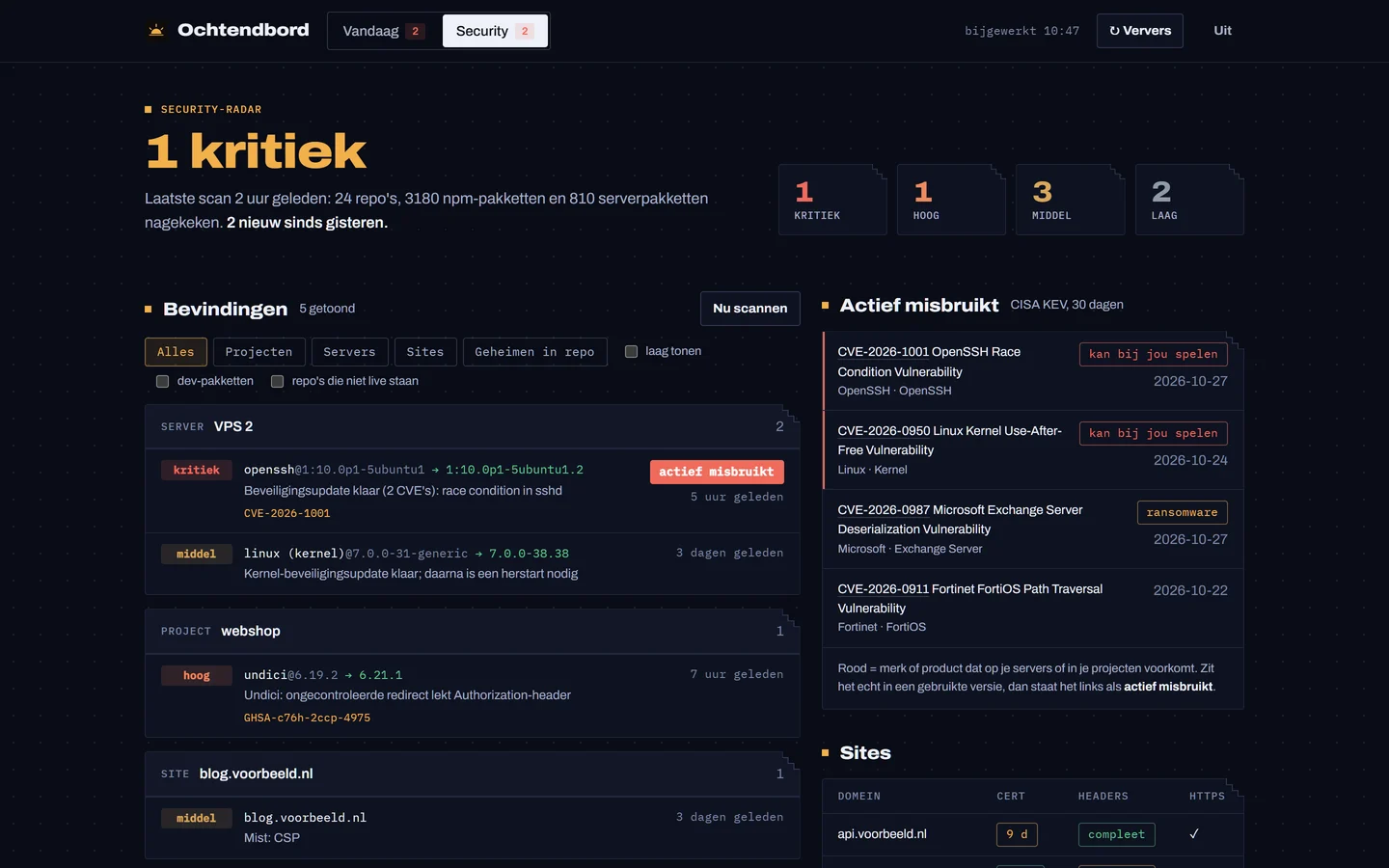
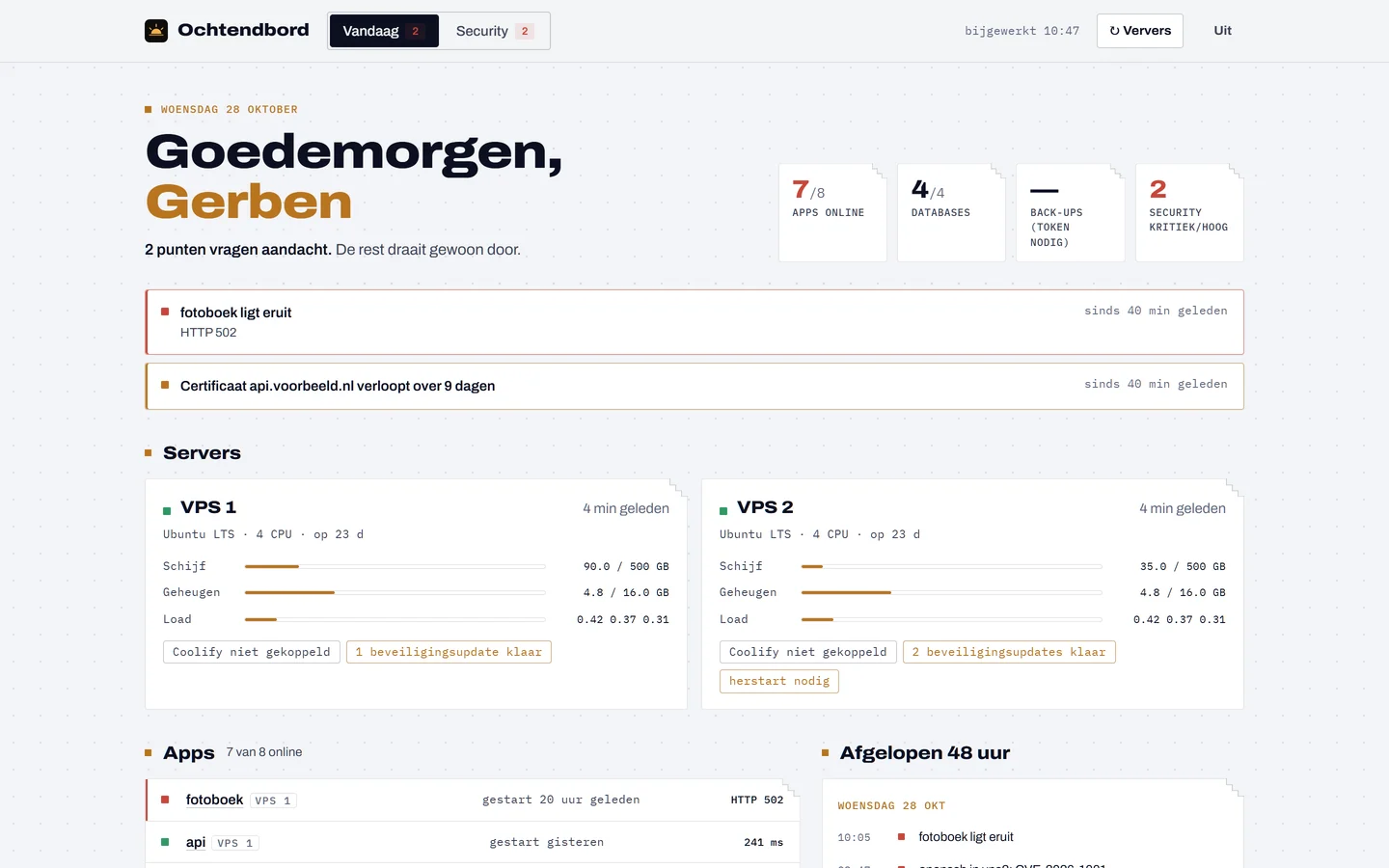
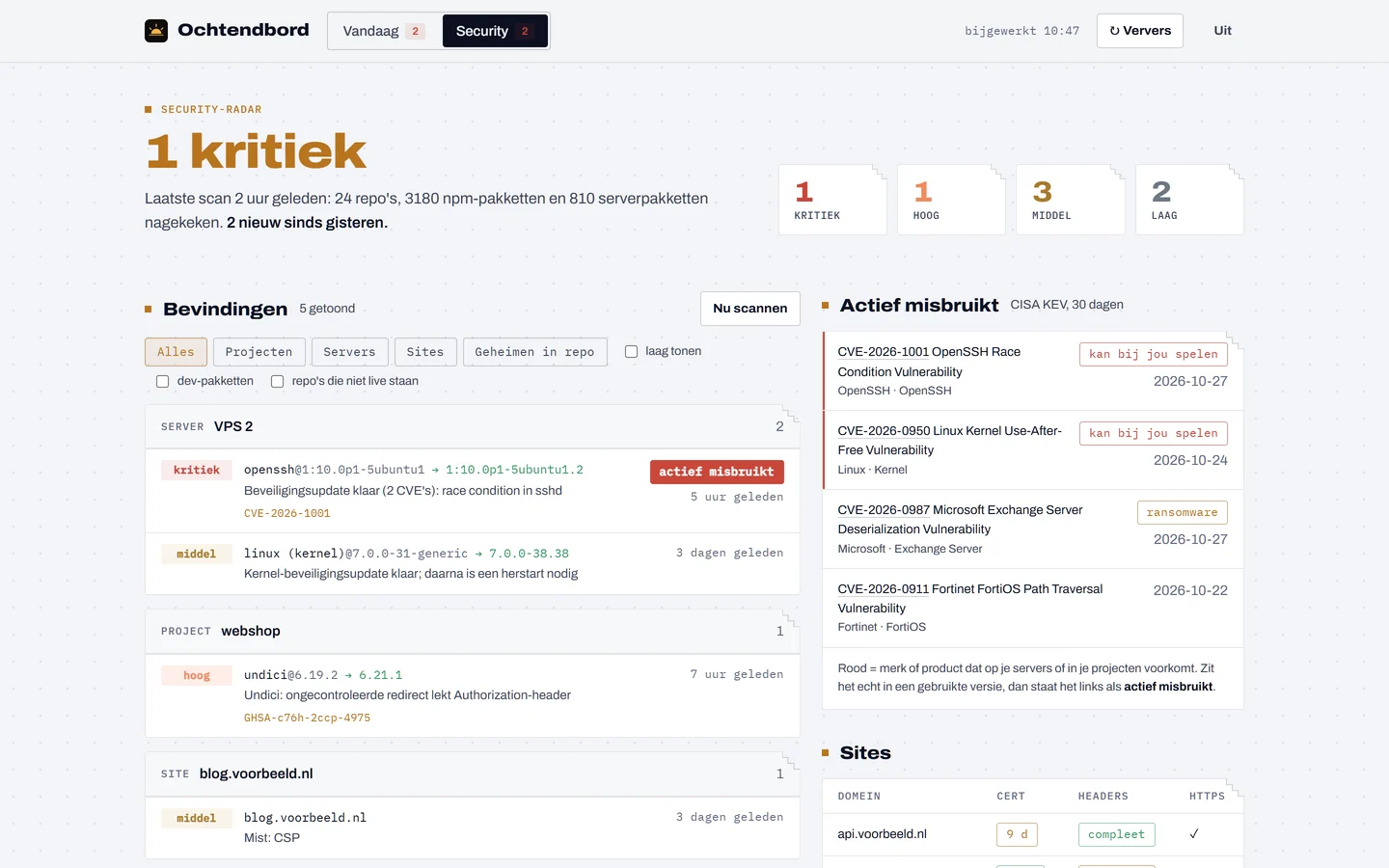
One page that shows how all my apps, databases, backups and both servers are doing, with a security radar that looks for known vulnerabilities in my projects' packages and on the servers. If something breaks, or a flaw turns up that is being actively exploited, I get a message on my phone. The board is private; the screens below show sample data.

  • Every app, deploy and backup in one place
  • Vulnerabilities in projects and on the servers
  • A message when something breaks, and a summary every morning
  • Node.js
  • PostgreSQL
  • Python
  • OSV.dev
  • Discord-webhooks
  • Docker
Ochtendbord: private, sample data
Scroll: this is the real site
  • The security radar with findings per server and project (sample data)
    The security radar with findings per server and project (sample data)
  • Today's overview in the light theme
    Today's overview in the light theme
  • Actively exploited flaws and the site checks
    Actively exploited flaws and the site checks

Status

The uptime of every app on my two servers, open for anyone to see

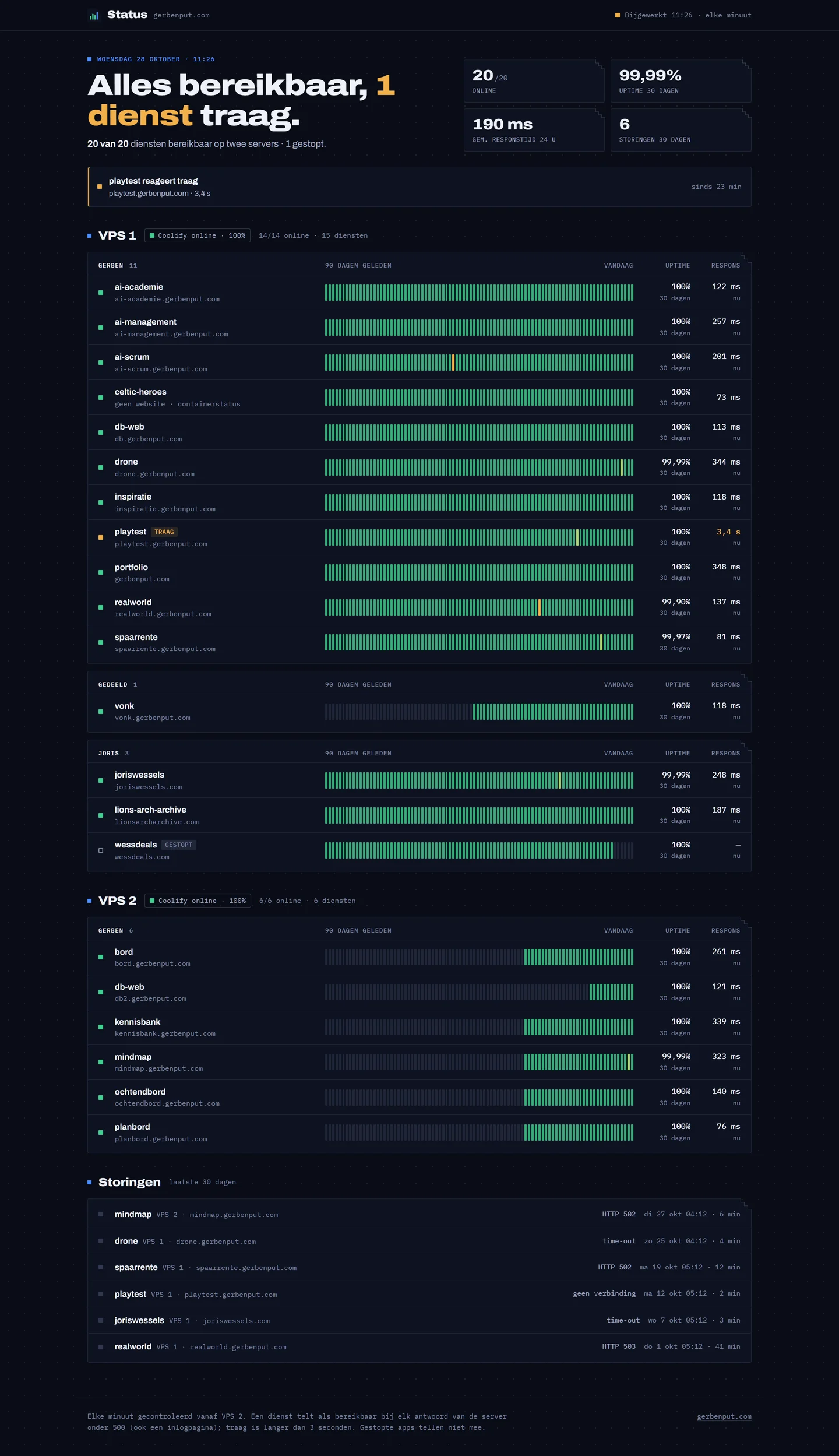
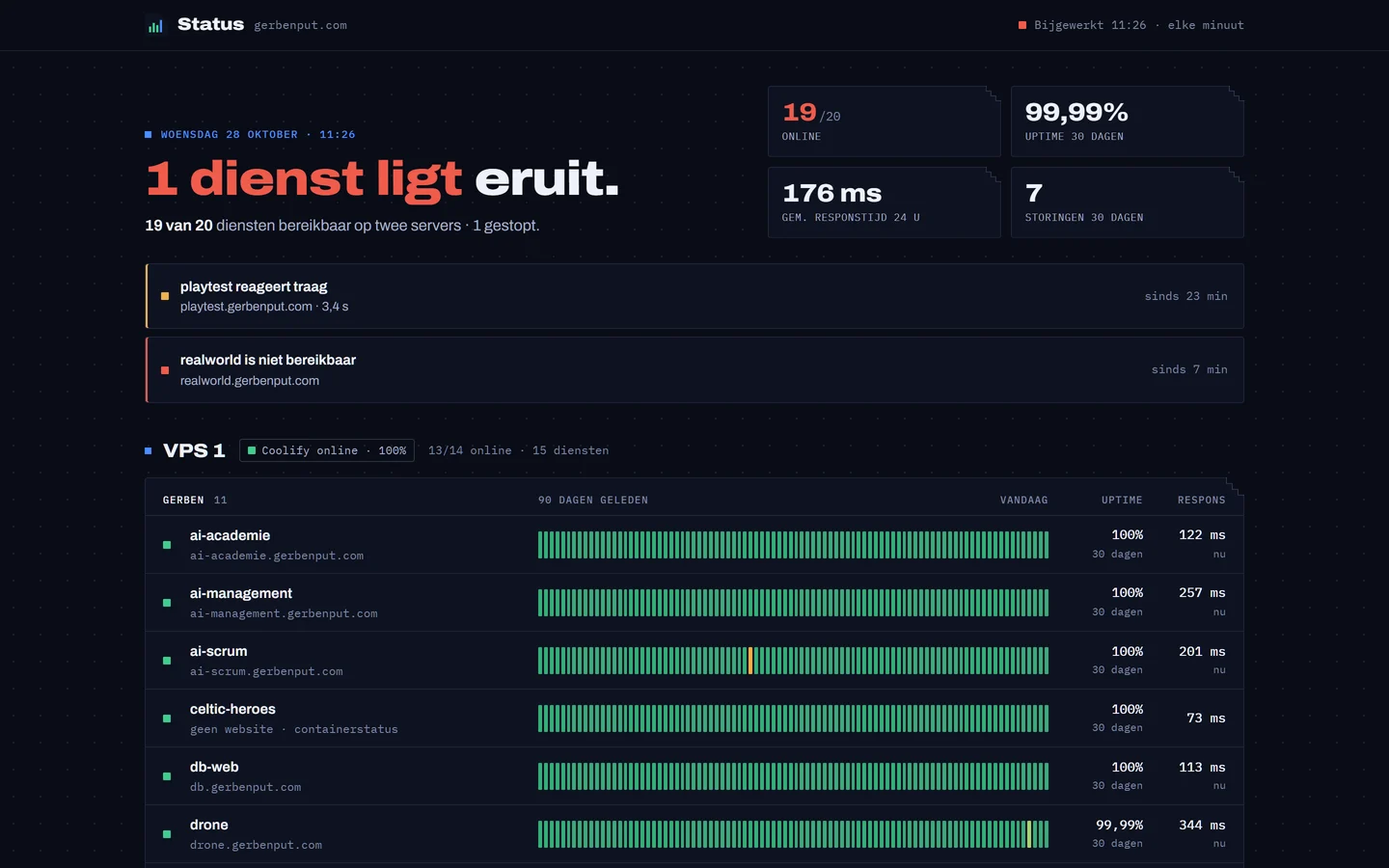
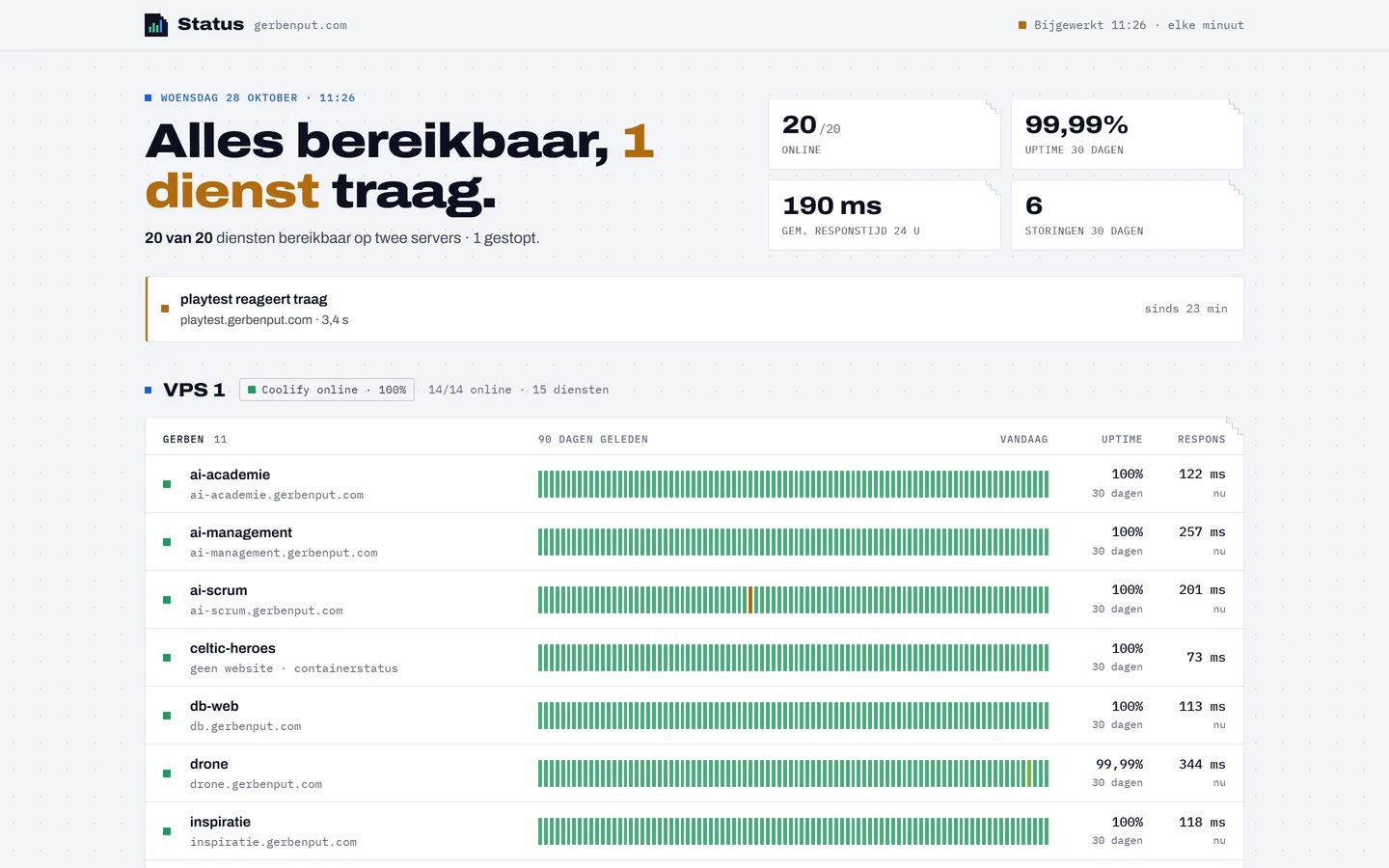
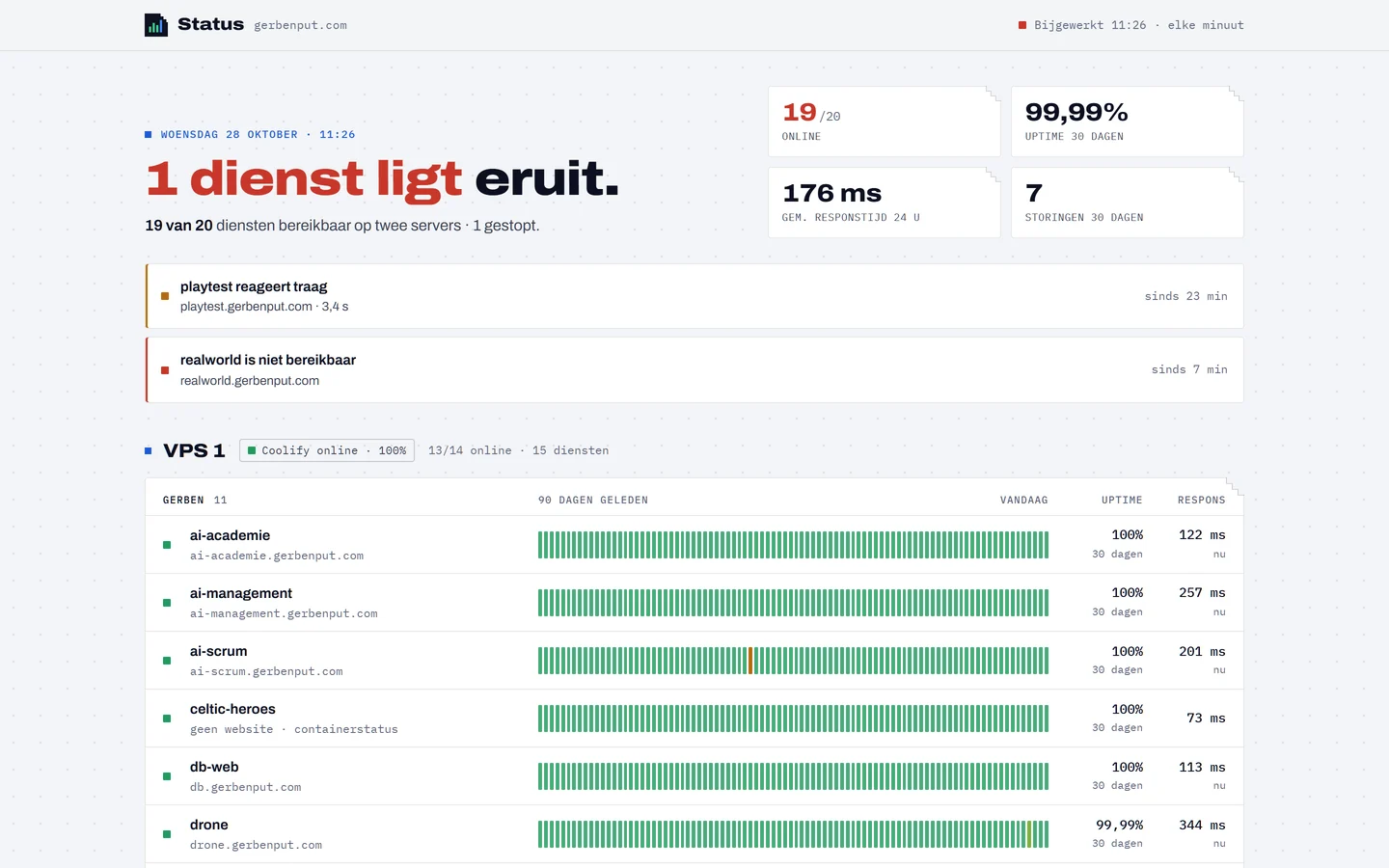
A public status page for every app on my two servers, including those of Joris and Elco. Every app is checked every minute; per server and per owner you see whether it is reachable, how fast it responds and how it did over the past 90 days. Outages are listed below with cause and duration. The history in the screens below is sample data.

  • Every app checked every minute
  • 90 days of uptime per app in a single bar
  • Outages with cause and duration
  • Node.js
  • PostgreSQL
  • Coolify-API
  • Docker
Status: Screenshot of the live site
Scroll: this is the real site
  • The page during an outage: one app down and one slow (sample data)
    The page during an outage: one app down and one slow (sample data)
  • Everything running, in the light theme
    Everything running, in the light theme
  • The same outage in the light theme
    The same outage in the light theme
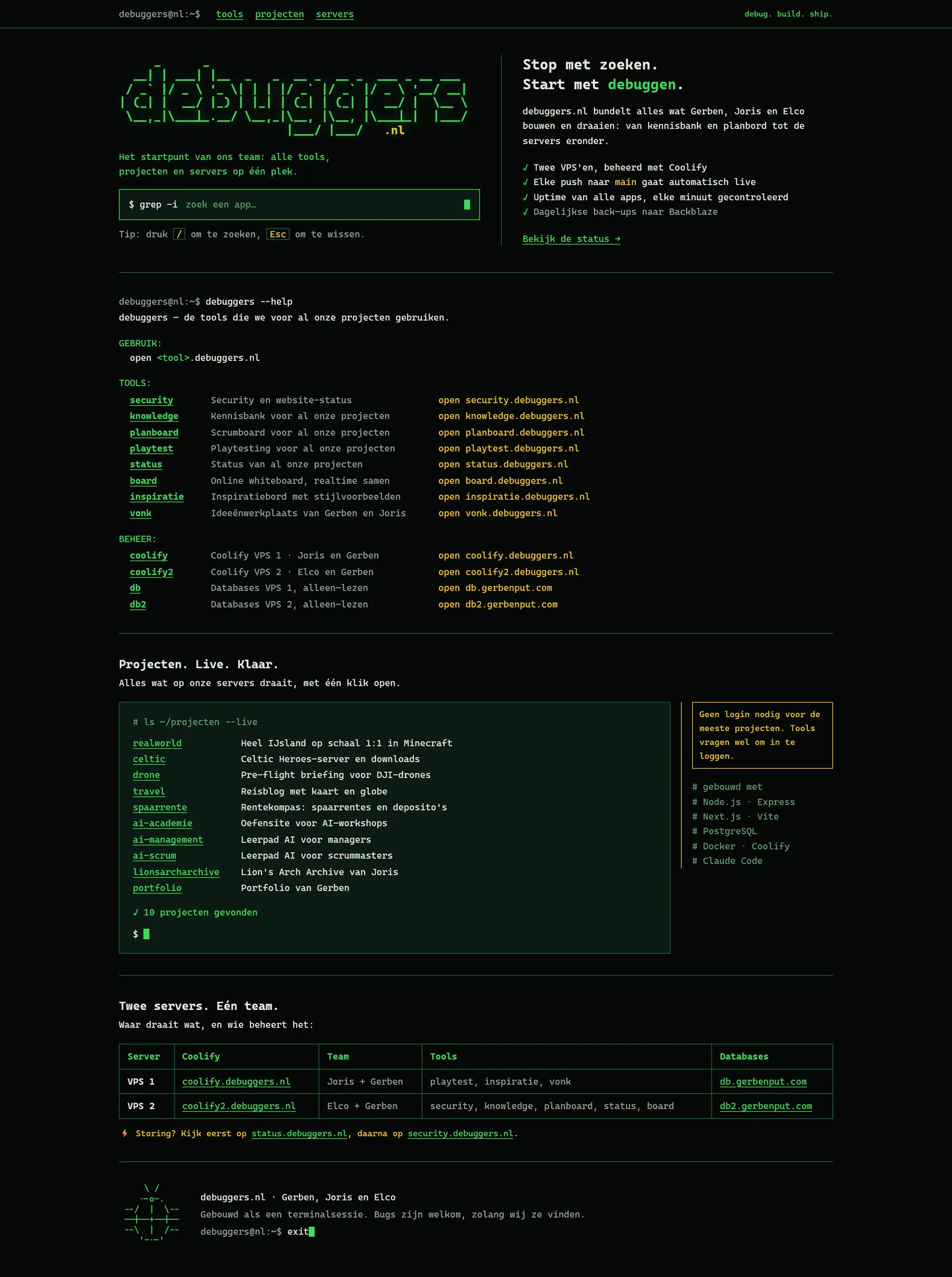
debuggers.nl

Our team's front door, styled as a terminal session

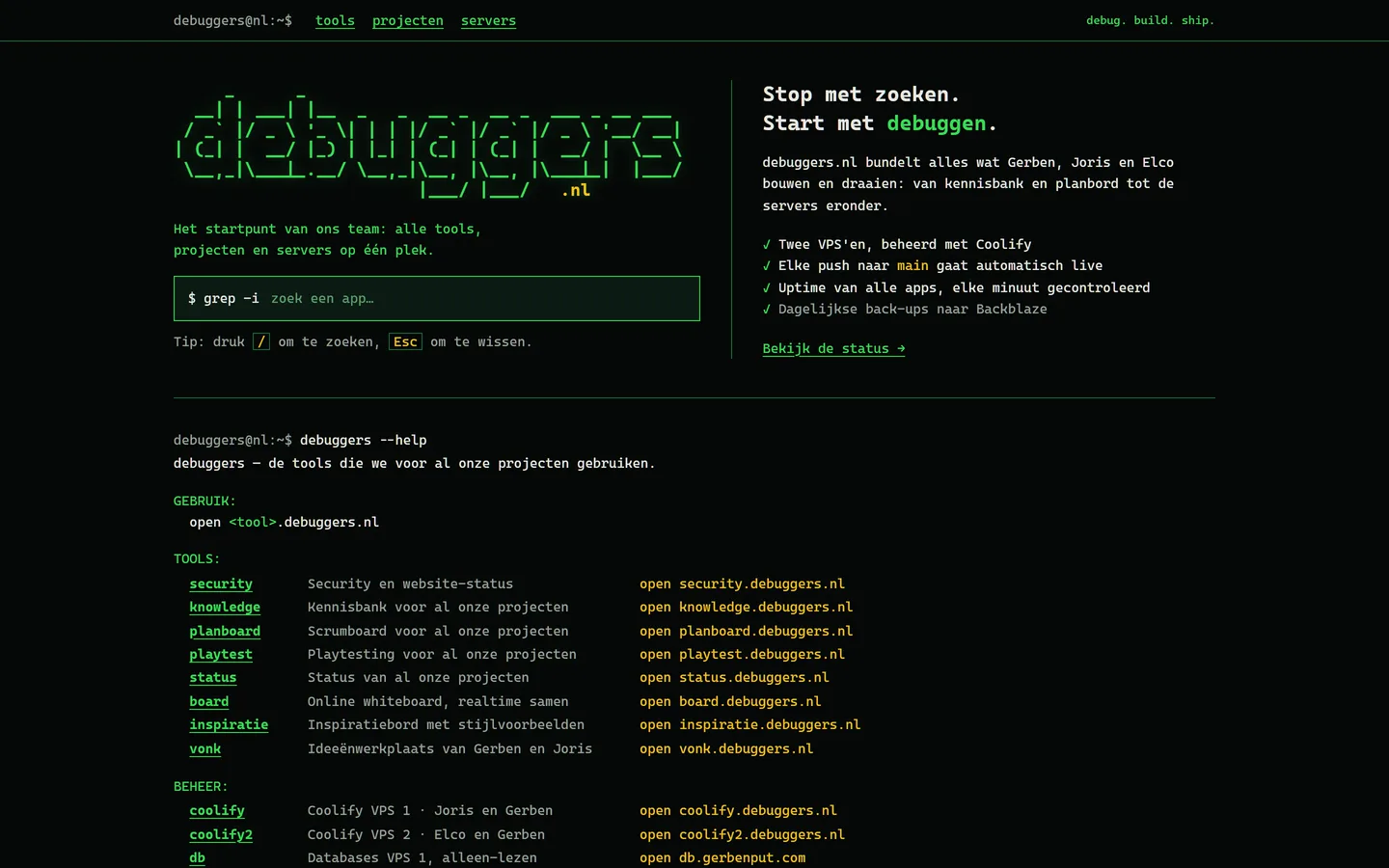
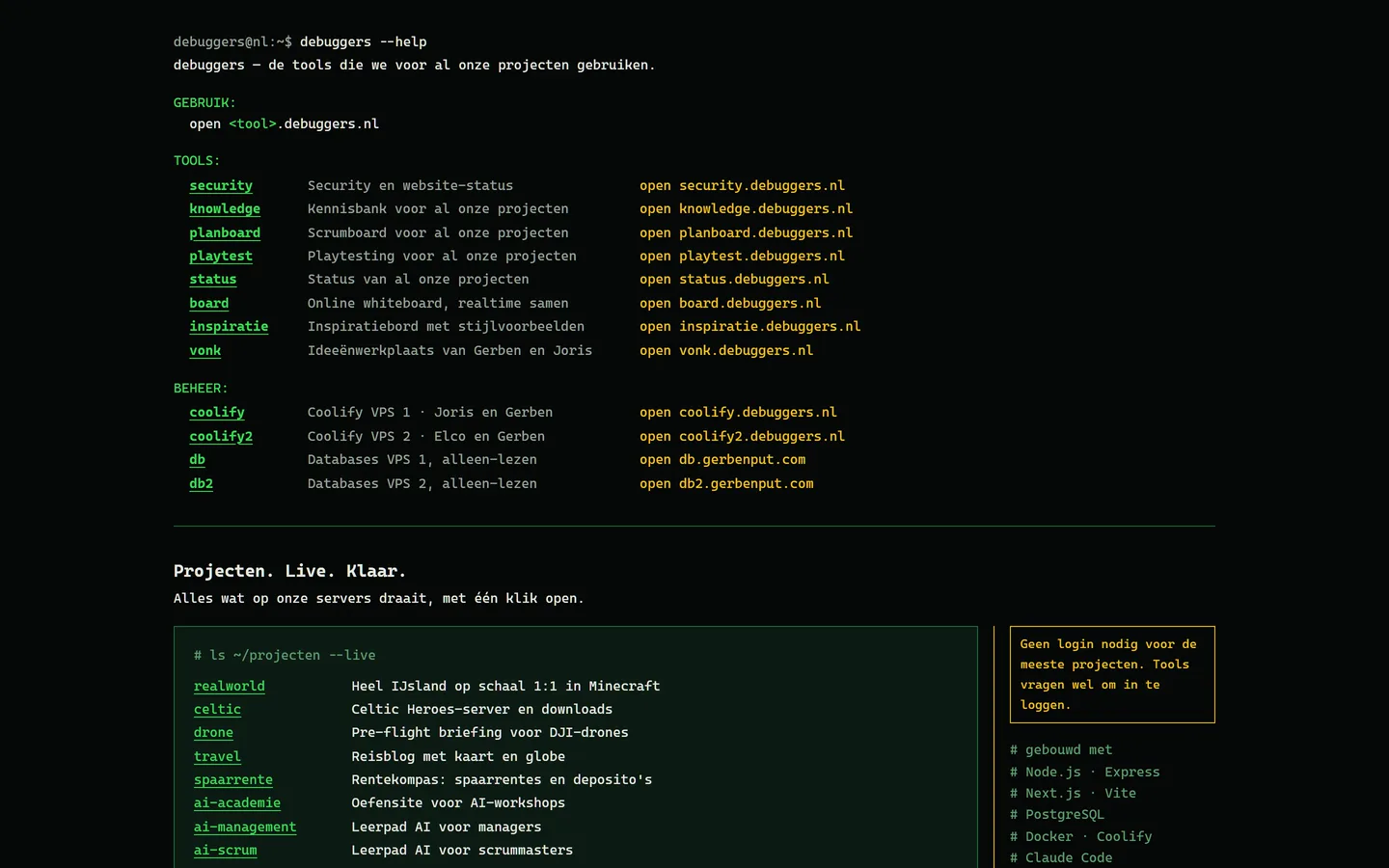
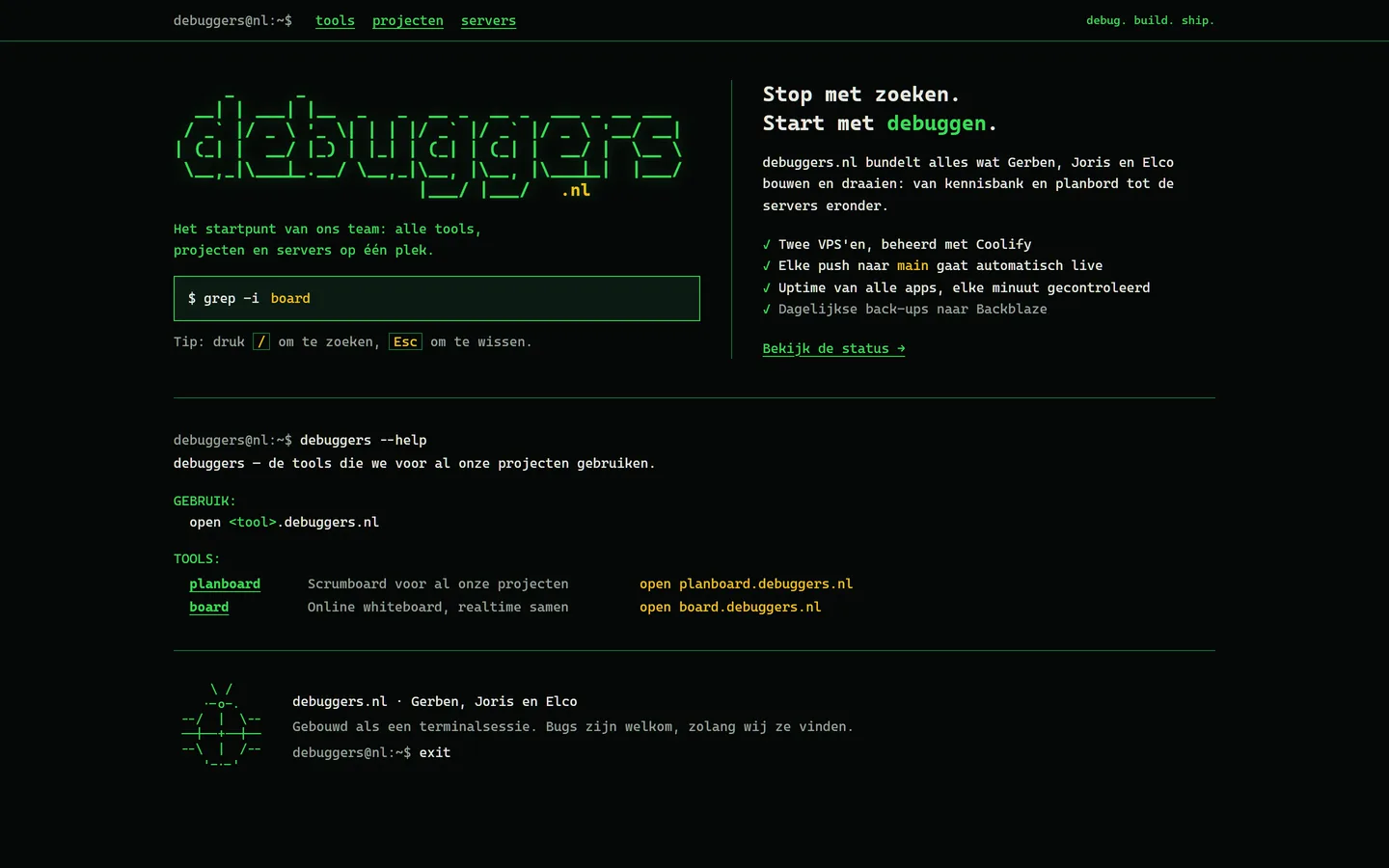
The home page of debuggers.nl: every tool, project and server of Joris, Elco and me in one place. The page looks like a terminal, with an ASCII logo, a --help overview of our tools and a search field that filters every link like grep.
  • Every tool, project and both servers on one page
  • Search field that filters every link, keyboard included
  • Static, with no framework and no dependencies
  • HTML
  • CSS
  • JavaScript
  • Node.js
  • Docker
debuggers.nl: Screenshot of the live site
Scroll: this is the real site
  • Home page with the ASCII logo and the search field
    Home page with the ASCII logo and the search field
  • The tools as --help output, with admin and projects below
    The tools as --help output, with admin and projects below
  • Searching for 'board' leaves only the matching links
    Searching for 'board' leaves only the matching links

CodeFlight

Websites, apps and hosting, with a plane that leaves a cloud of ASCII

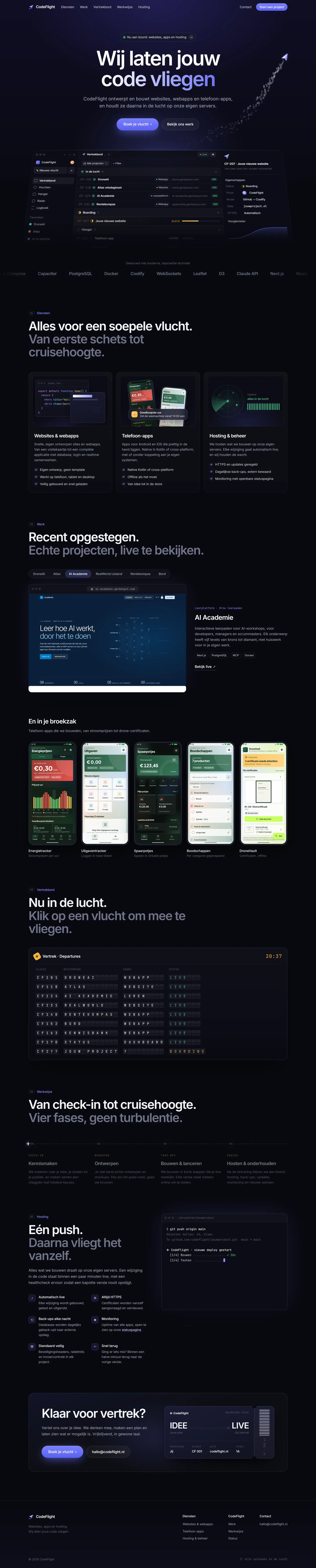
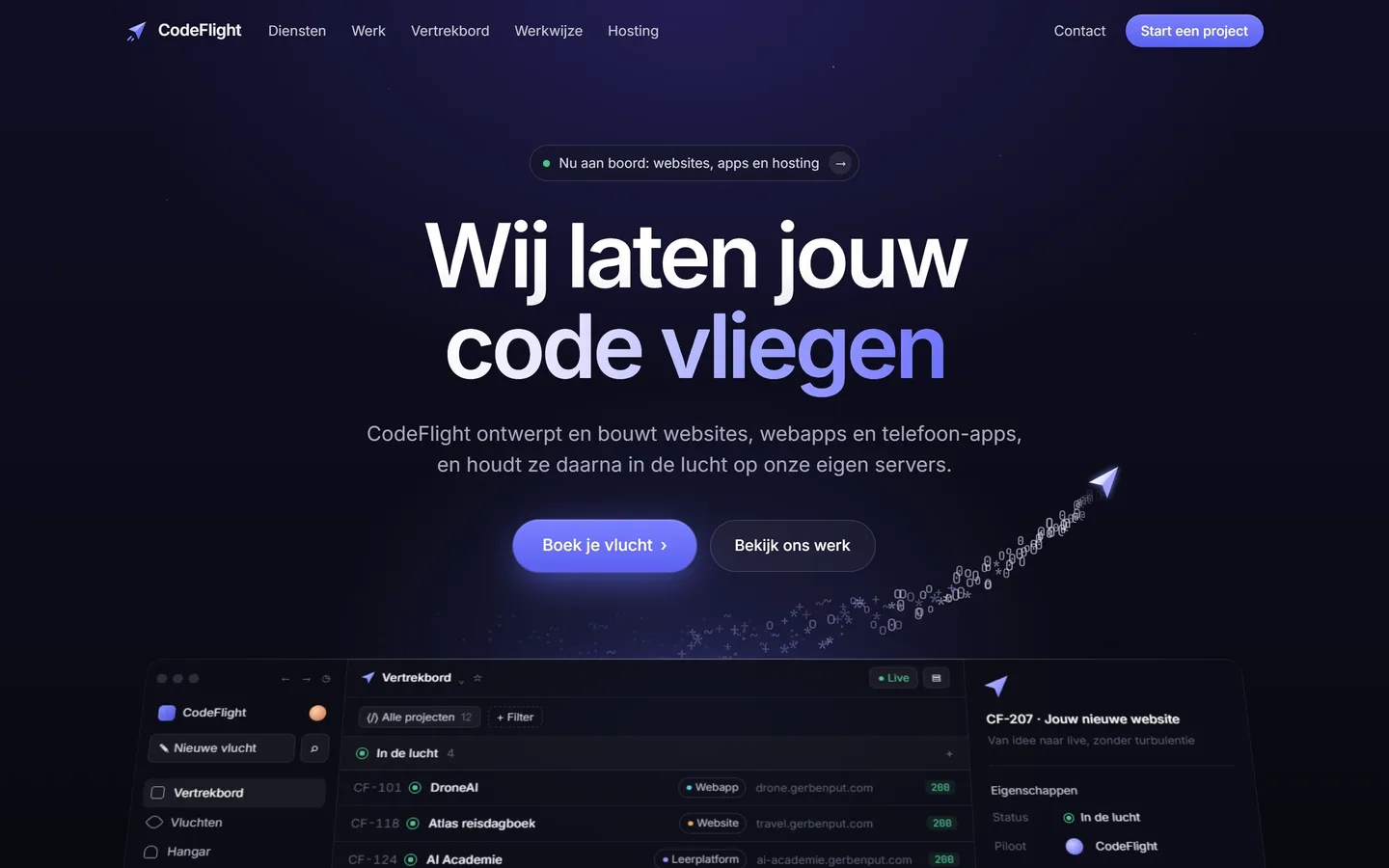
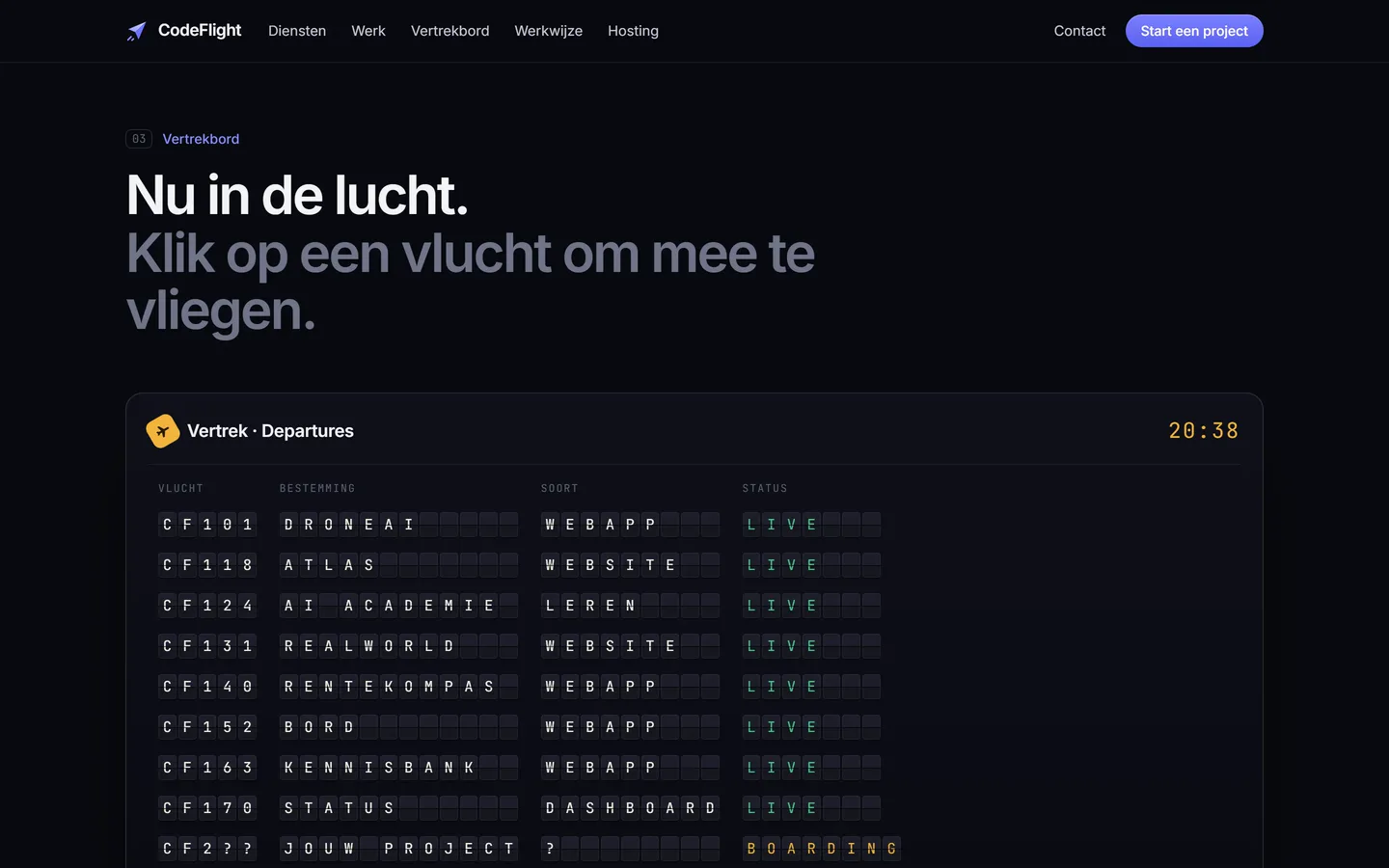
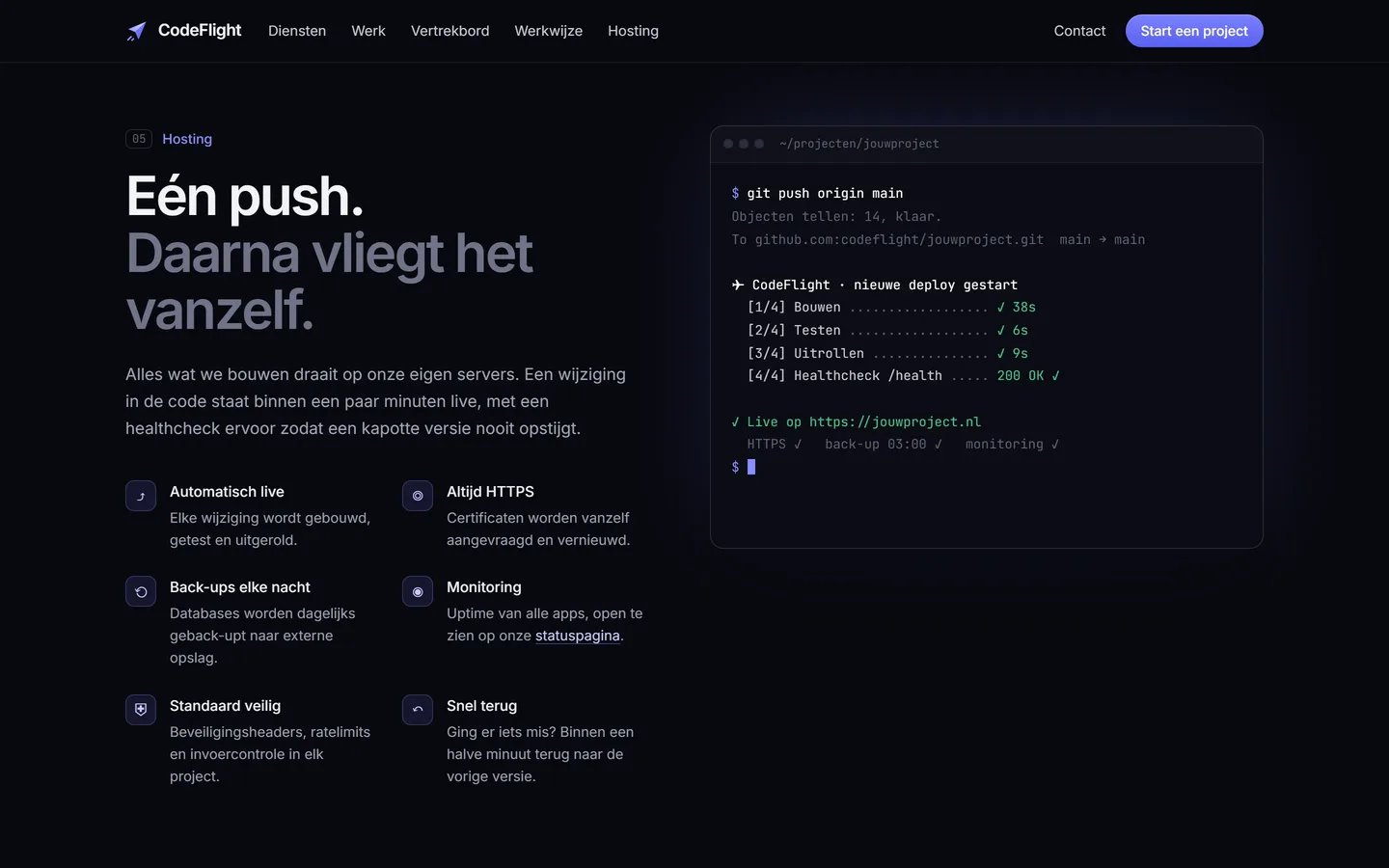
The website of CodeFlight, through which I build websites, web apps and phone apps and then host them on my own servers. One dark page in the style of modern product sites, with a flight theme: a plane that leaves a cloud of ASCII characters, a dashboard where projects are flights and a split-flap departures board linking to the live sites.

  • A plane with an ASCII contrail in the hero
  • Split-flap departures board linking to real projects
  • Static, with no framework and no dependencies
  • HTML
  • CSS
  • JavaScript
  • SVG
  • Node.js
  • Docker
CodeFlight: Screenshot of the live site
Scroll: this is the real site
  • The hero with the plane, its ASCII cloud and the Flight Deck
    The hero with the plane, its ASCII cloud and the Flight Deck
  • The split-flap departures board
    The split-flap departures board
  • Hosting, with a deploy that types itself in the terminal
    Hosting, with a deploy that types itself in the terminal

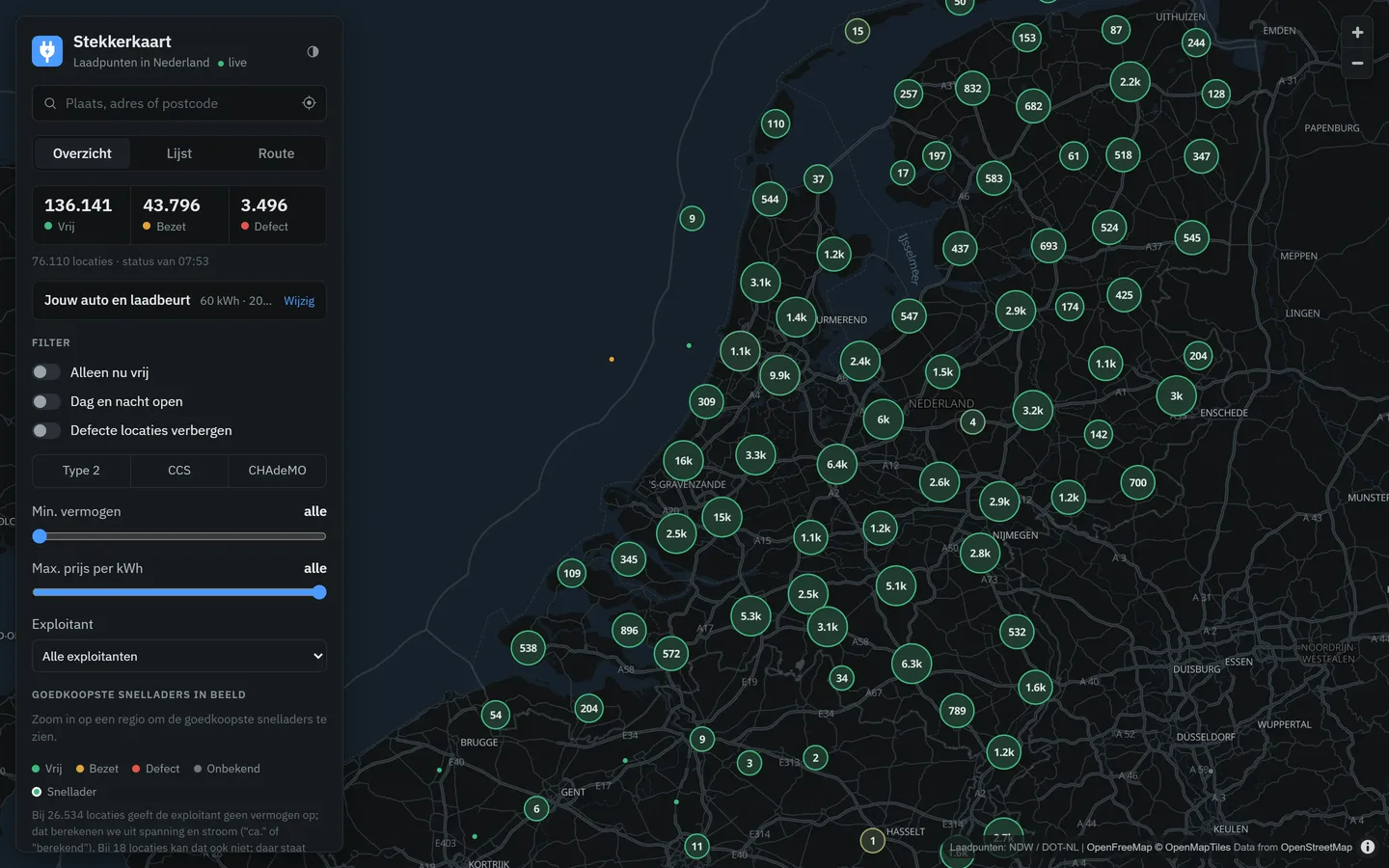
Stekkerkaart

Every public charge point in the Netherlands on one map, with live status, price and a charging plan for your route

Stekkerkaart shows every public charge point in the Netherlands: around 80,000 locations with 200,000 charge points. For each point you see whether it is free, busy or broken, its power and plugs, and what your charging session costs without a subscription, following the real tariff rules. For a trip it plans charging stops and warns you when your stop fills up. The data comes from the NDW, which has published all charge points openly since the European AFIR rules, refreshed every minute.

  • 200,000 charge points with live status, refreshed every minute
  • Cost per charging session with your own car, following the real tariff rules
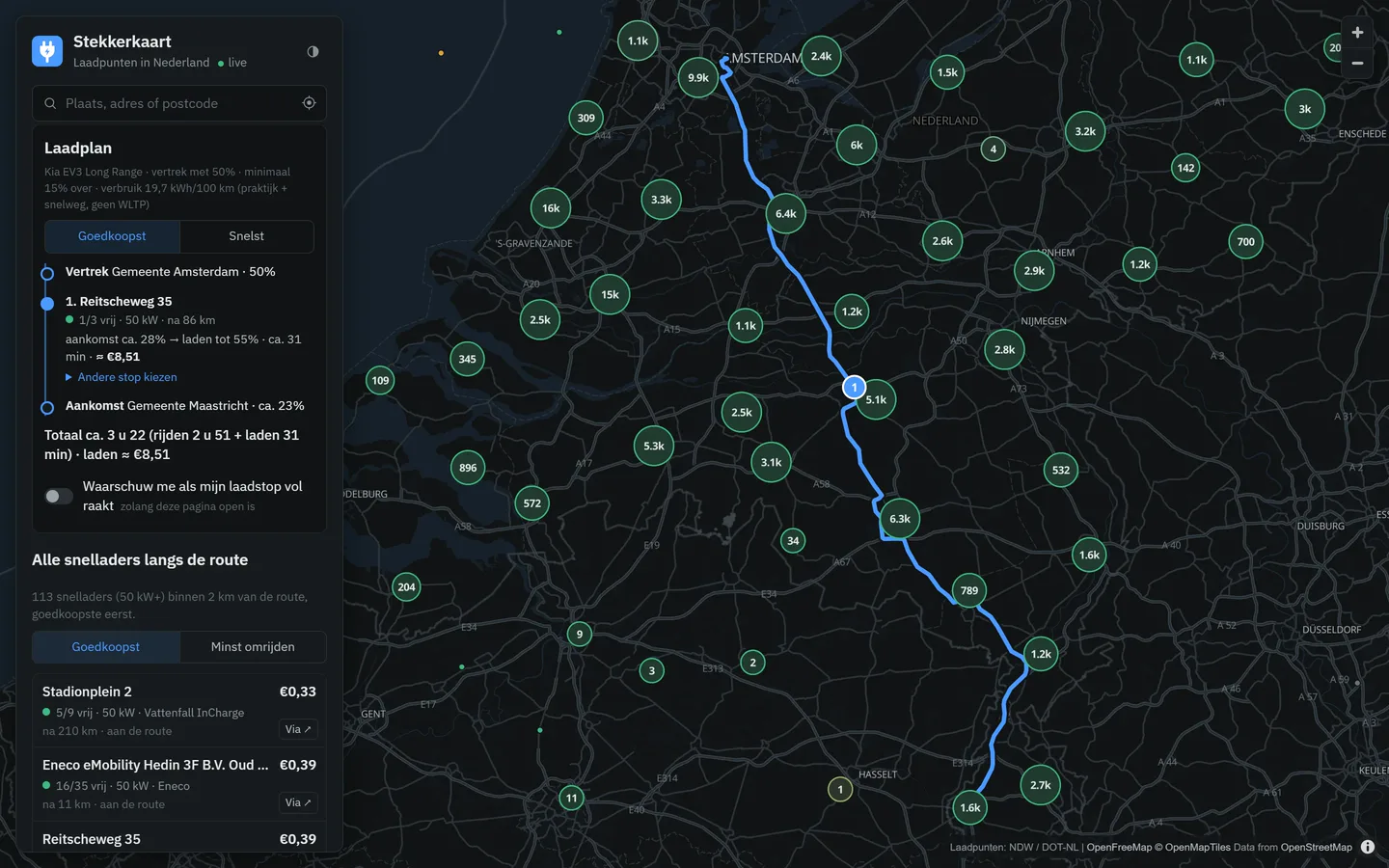
  • A charging plan for your route, with an alert when your stop fills up
  • Node.js
  • PostgreSQL
  • MapLibre
  • OpenFreeMap
  • OSRM
  • PDOK
  • Docker
Stekkerkaart: Screenshot of the live site
Scroll: this is the real site
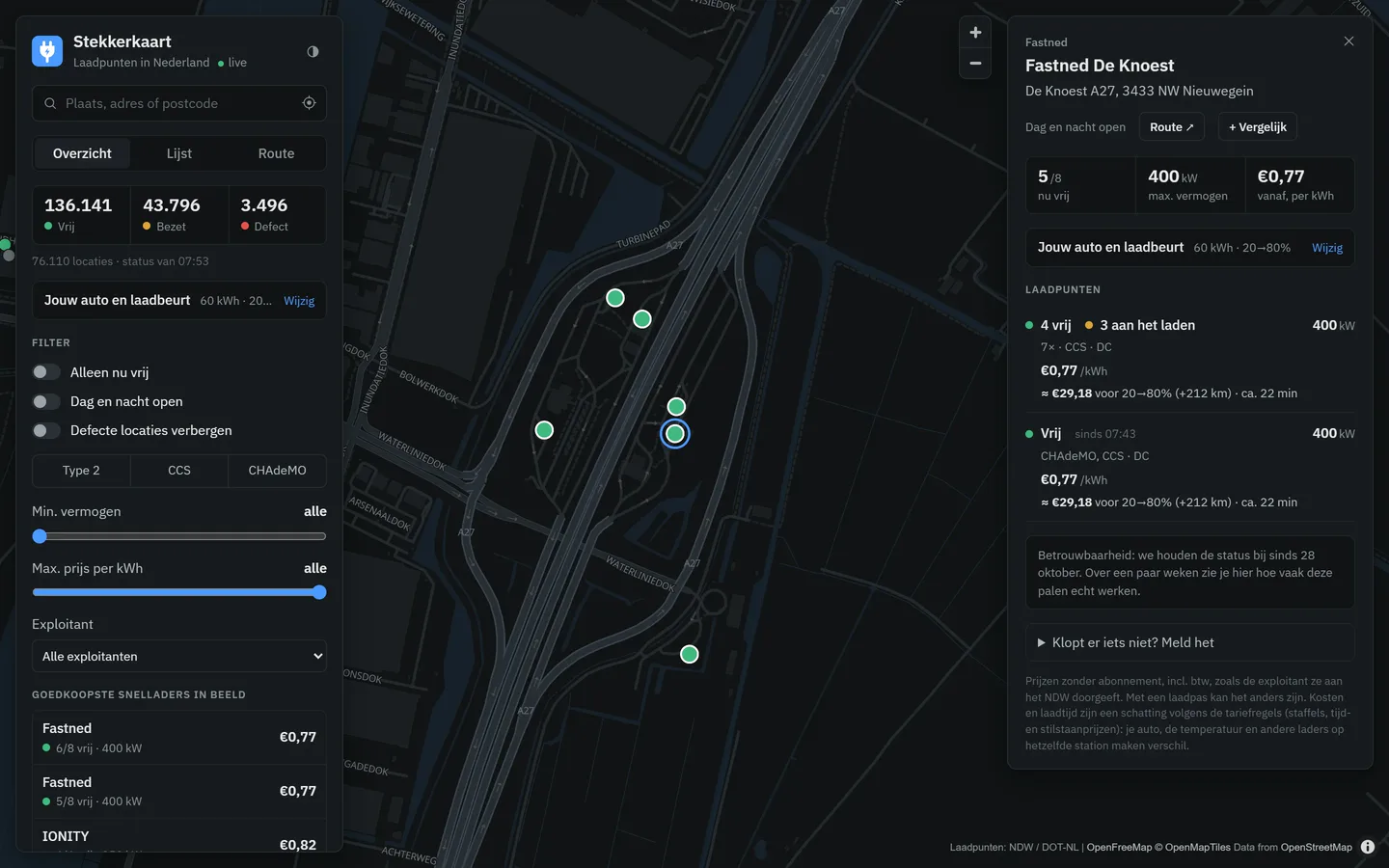
  • A fast-charging station with 16 points: how many are free, the power and the price per kWh
    A fast-charging station with 16 points: how many are free, the power and the price per kWh
  • Charging plan from Amsterdam to Maastricht: one stop, charging time, cost and arrival %
    Charging plan from Amsterdam to Maastricht: one stop, charging time, cost and arrival %
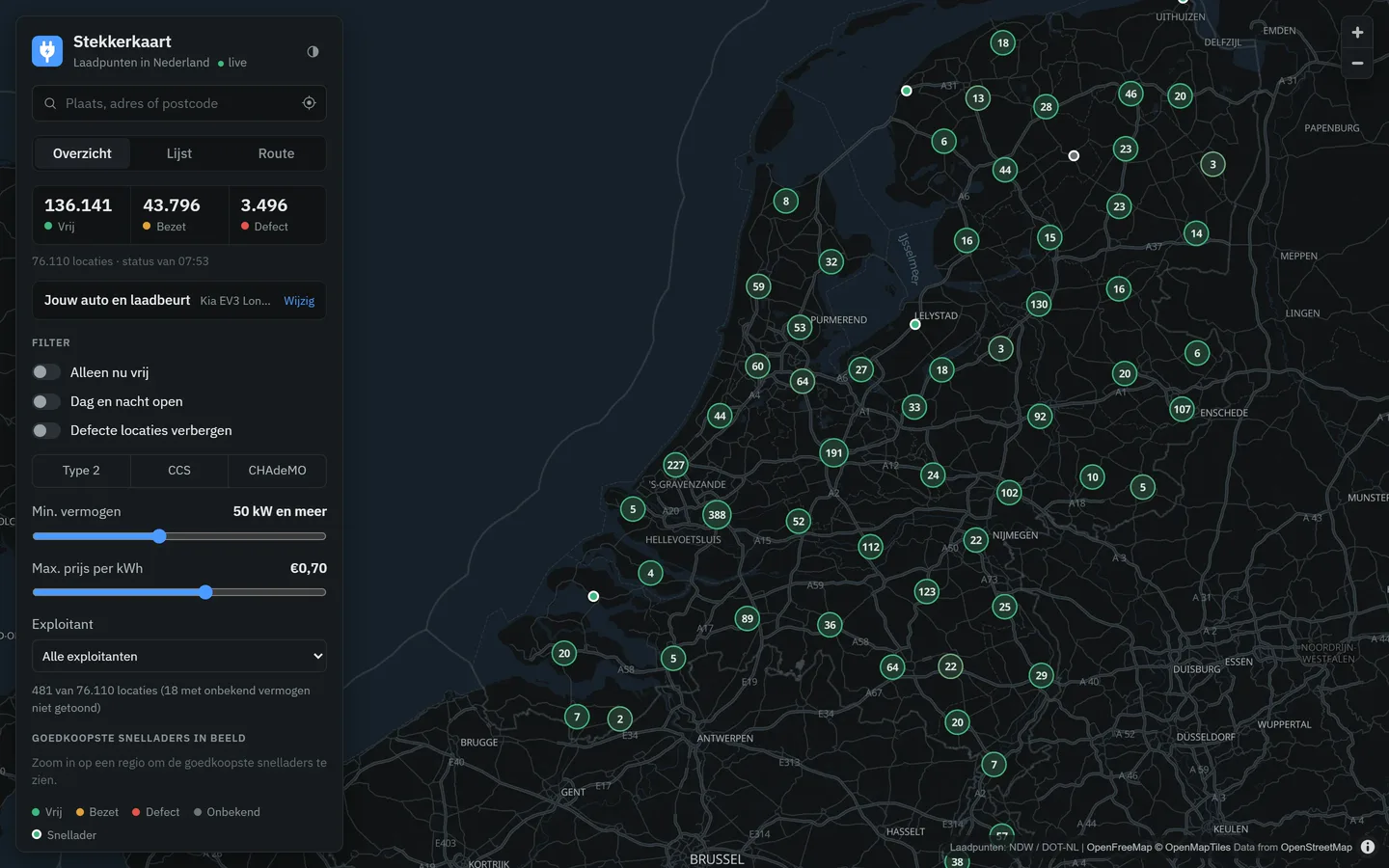
  • Only fast chargers up to €0.70 per kWh
    Only fast chargers up to €0.70 per kWh

Codelab

Learn programming by writing code yourself

A programming workspace with explanations, runnable examples and exercises with immediate feedback. The first version is live: 108 Python lessons run without an account, directly in the browser. The rest of the platform is still in development.

  • 108 Python lessons without an account
  • Write, run and improve your own code
  • Progress saved in the same browser
  • Next.js
  • TypeScript
  • React
  • CodeMirror
  • Pyodide
  • Python
  • Docker
Codelab: Screenshot of the live site
Scroll: this is the real site
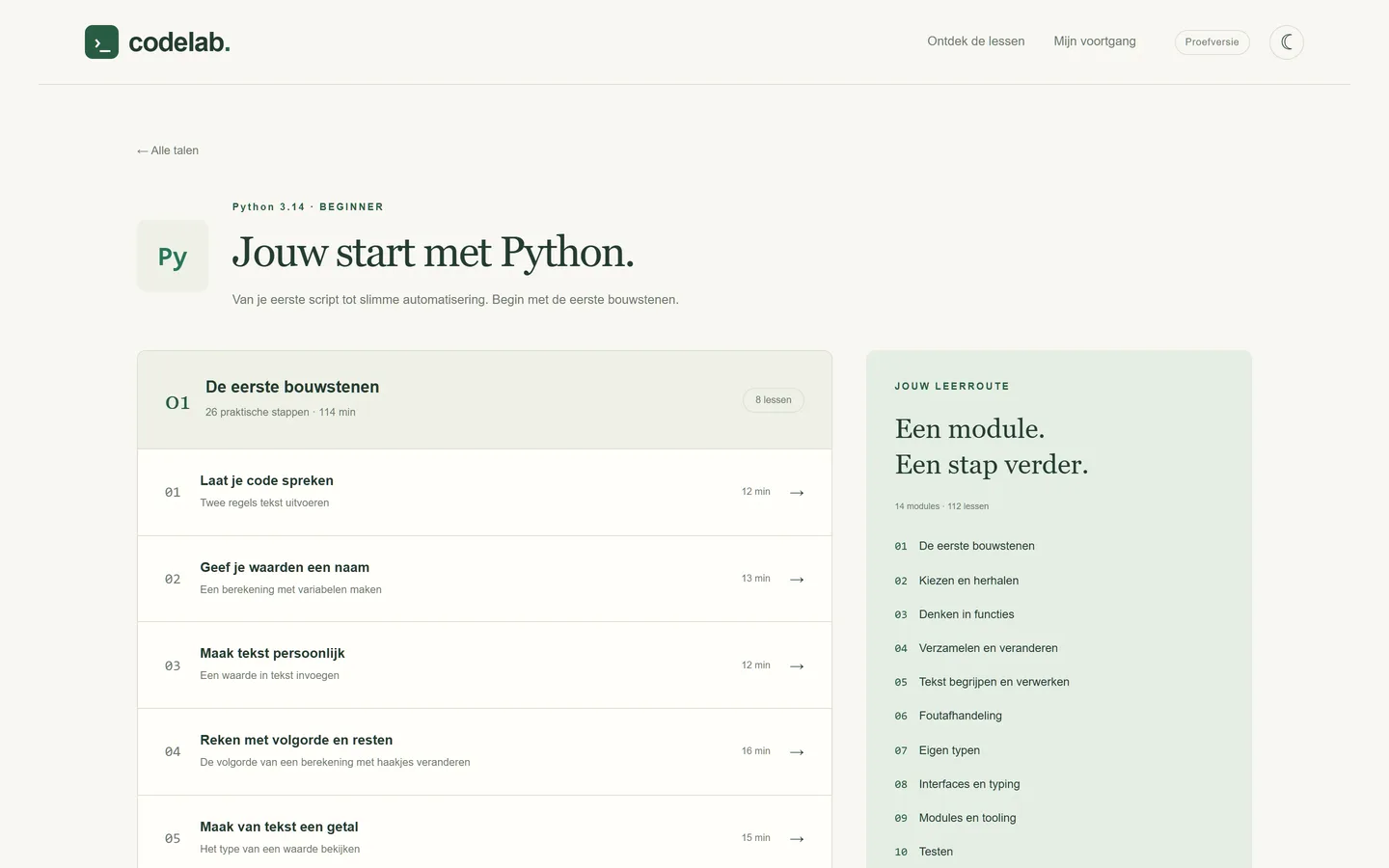
  • The Python learning path with modules and lessons
    The Python learning path with modules and lessons
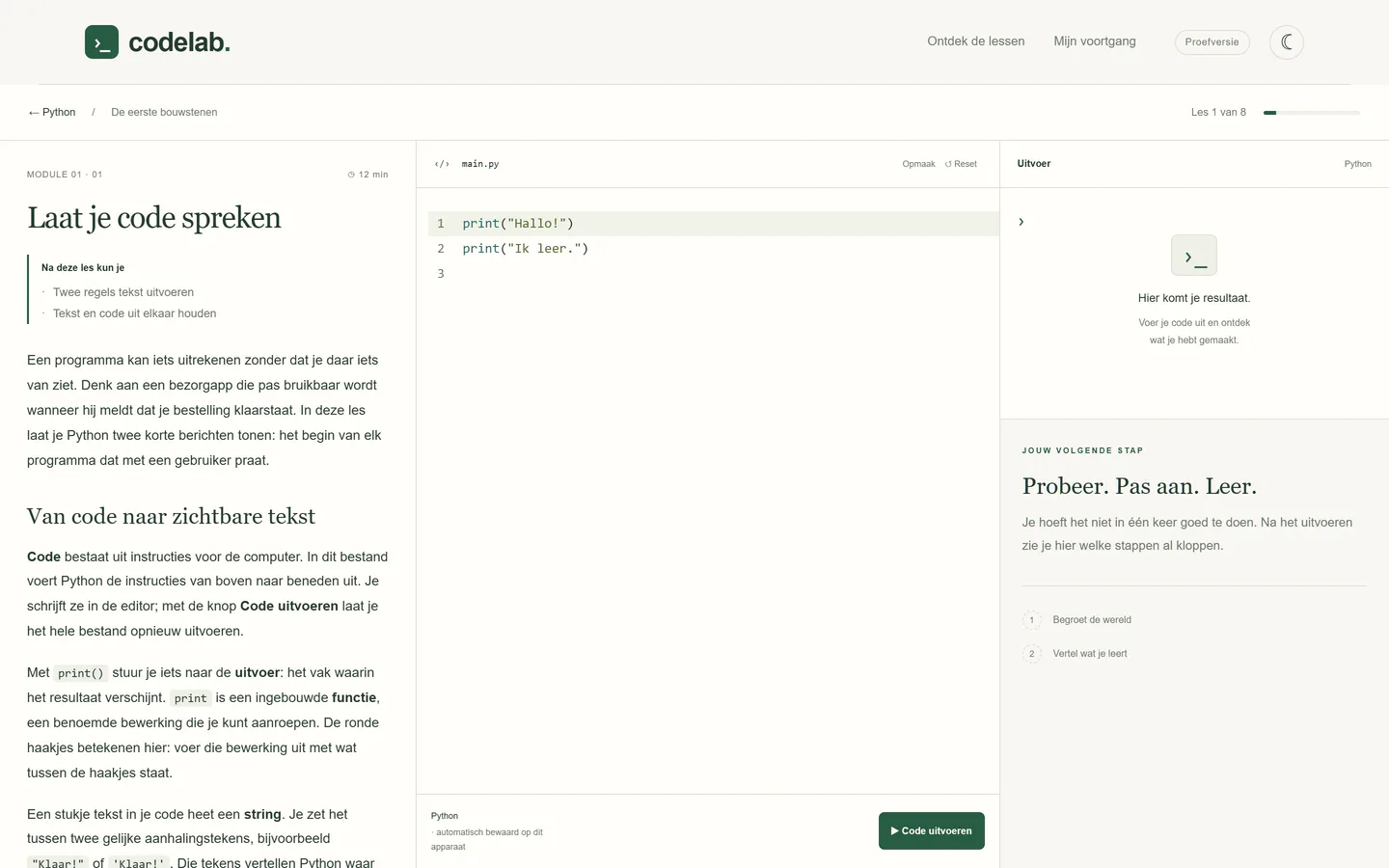
  • A lesson with explanations, code editor and output side by side
    A lesson with explanations, code editor and output side by side
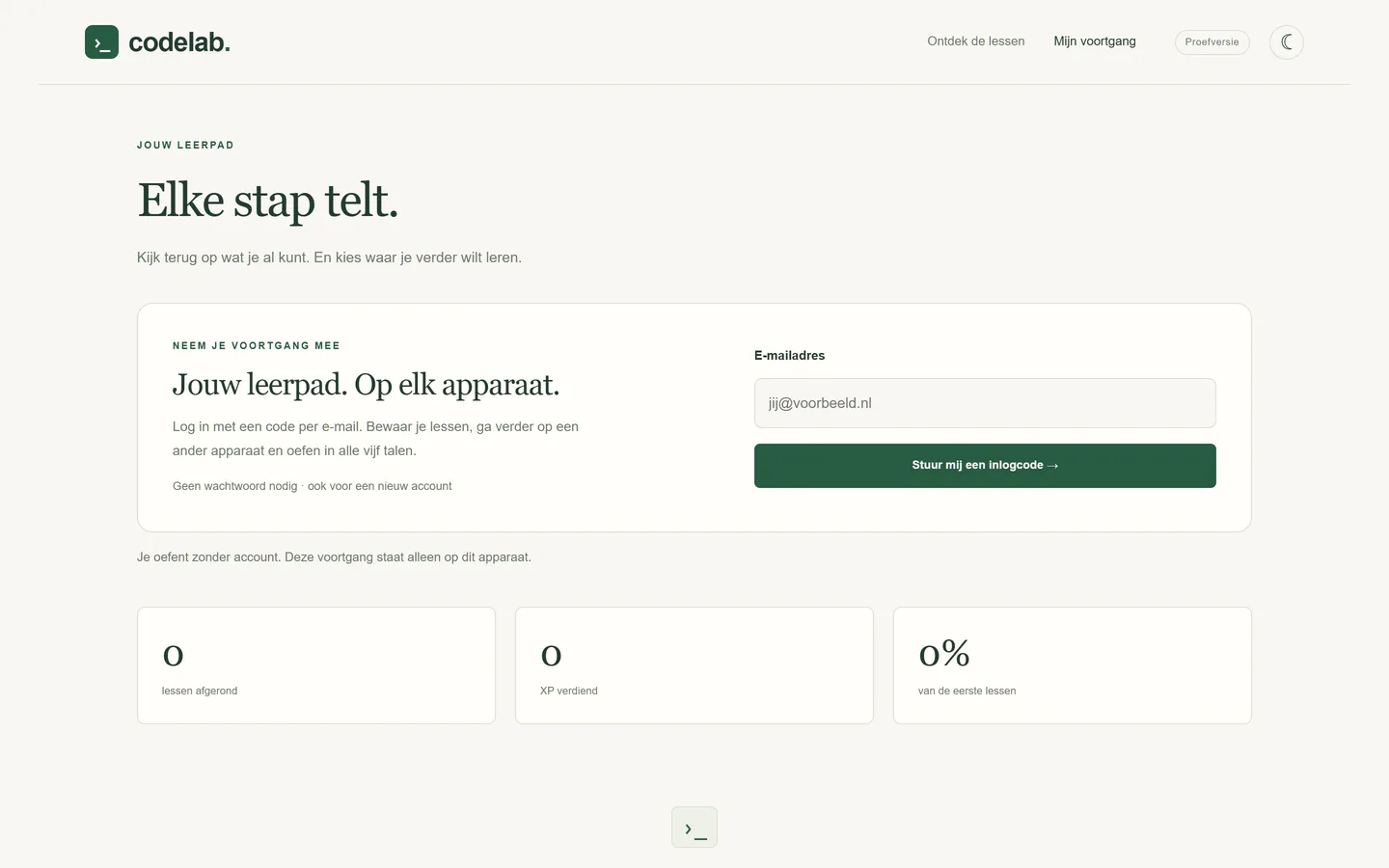
  • The progress screen explaining storage on this device
    The progress screen explaining storage on this device

AI-lab

Understand AI from the inside. Build it yourself.

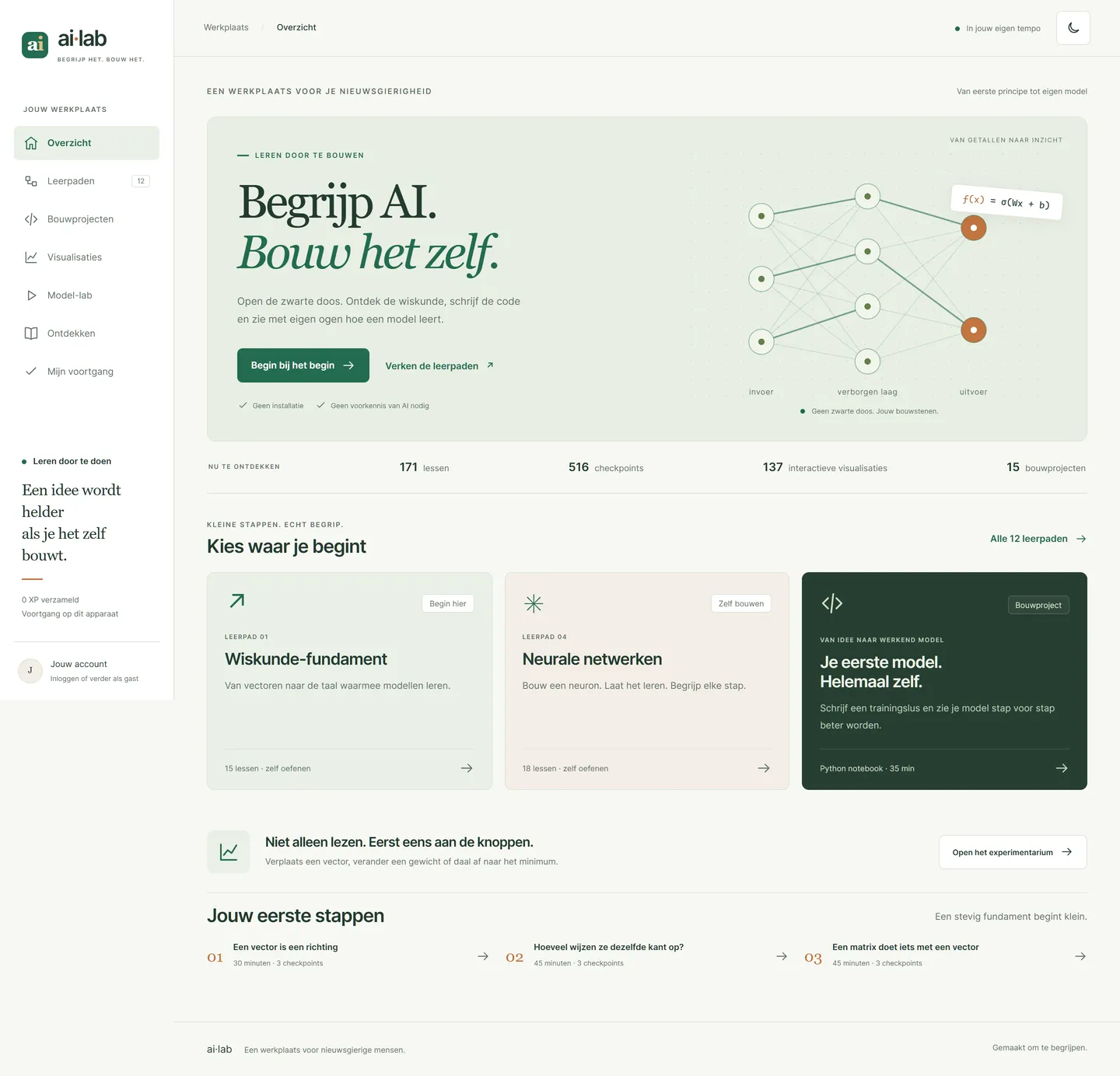
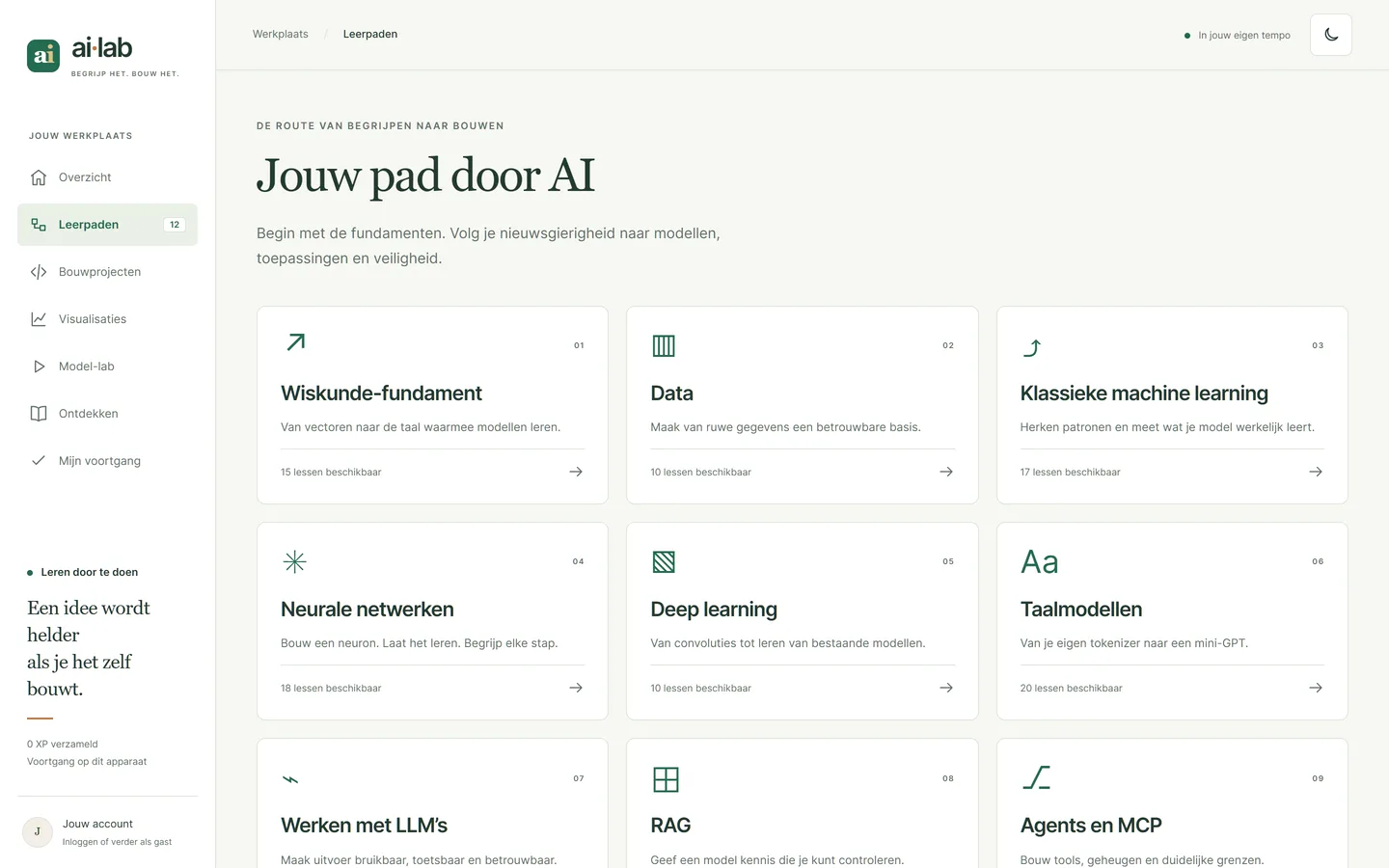
A Dutch-language workspace with twelve learning paths about how AI works. From vectors and derivatives to building a neural network, tokenizer and mini-GPT. Explanations, interactive visualisations and real Python code come together in the browser. Guests can start immediately, with progress saved on their device.

  • Twelve paths from maths to AI security
  • Python, plots and models in the browser
  • Fifteen projects to build yourself
  • Next.js
  • TypeScript
  • React
  • CodeMirror
  • Pyodide
  • Python
  • NumPy
  • Transformers.js
  • Docker
AI-lab: Screenshot of the live site
Scroll: this is the real site
  • The overview of the twelve AI learning paths
    The overview of the twelve AI learning paths
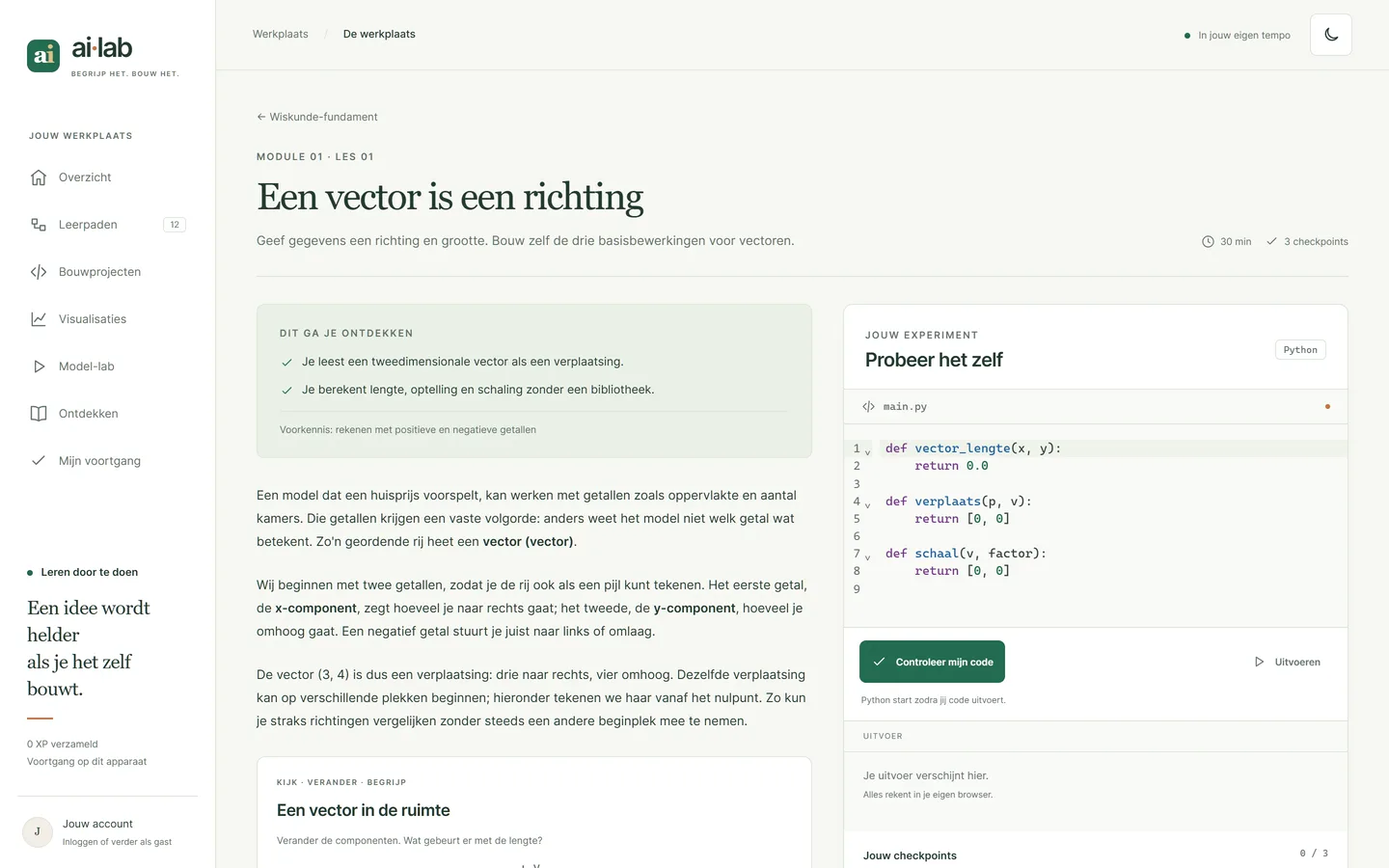
  • Vector explanations, an interactive visualisation and the Python editor
    Vector explanations, an interactive visualisation and the Python editor
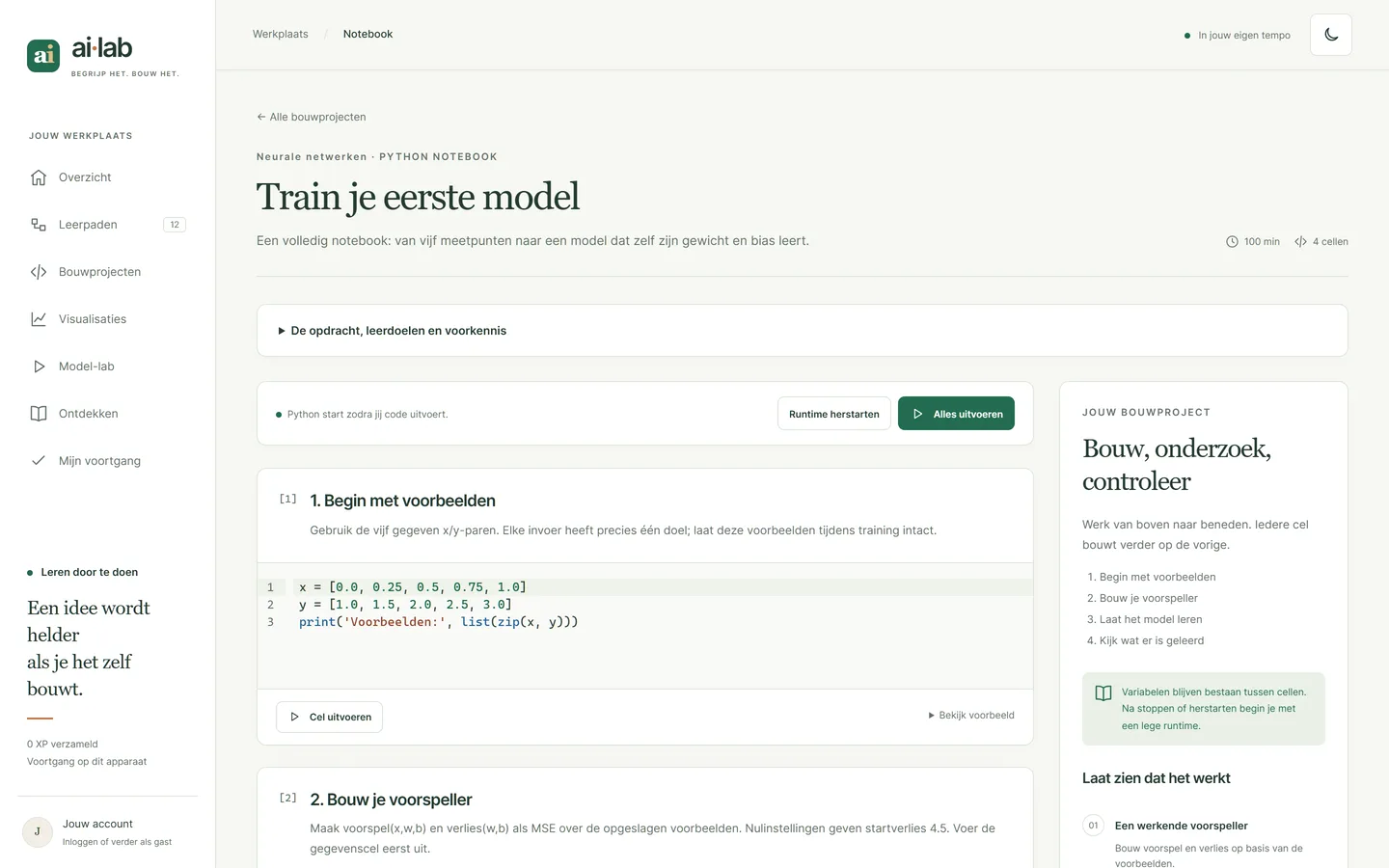
  • The notebook for building your first model
    The notebook for building your first model

Eten

A weekly menu for two that does its own maths

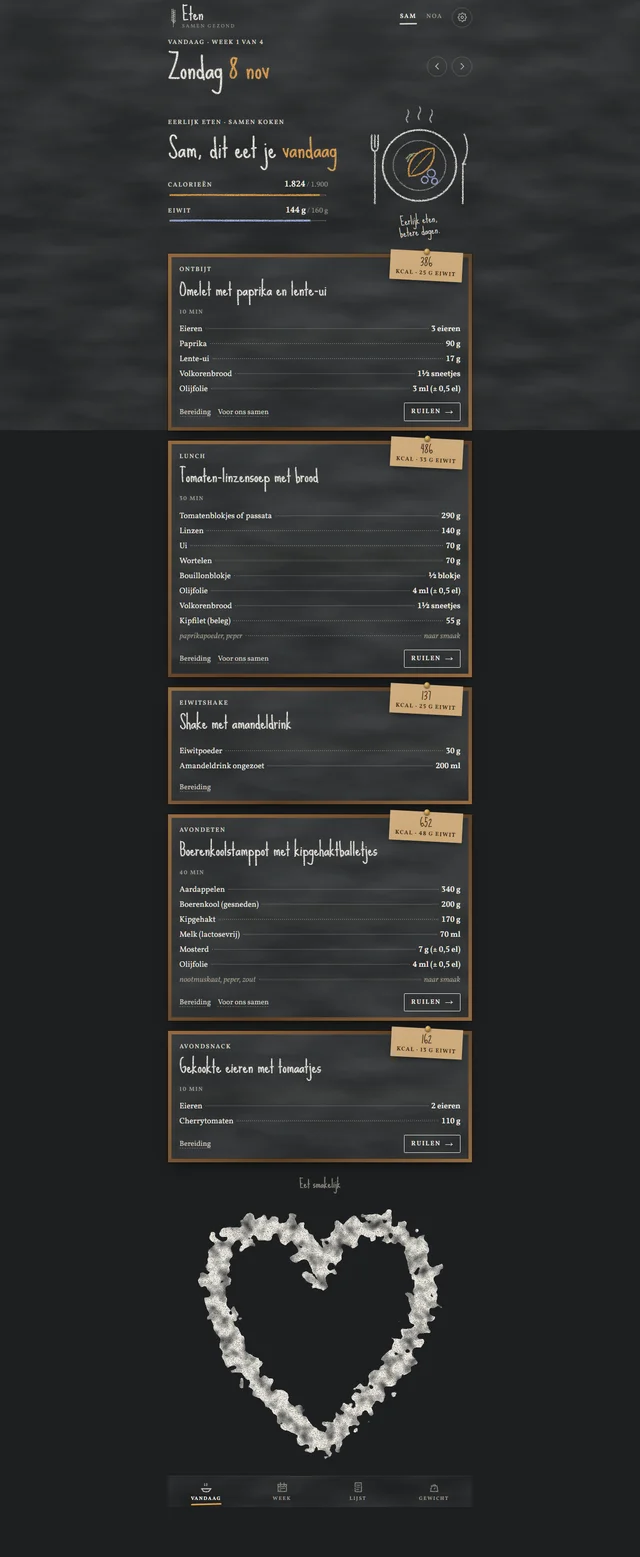
A private app for our household: a four-week menu that repeats every month, with breakfast, lunch, dinner and an evening snack. You eat the same dish, but the app works out each person's portion by calories and protein. Plus a weekly shopping list with the supermarket's offers, and weight tracking with an expected goal date. The screens below show sample data.

  • One dish, portions calculated per person
  • Weekly shopping list with supermarket offers
  • Works as a phone app, even offline
  • Node.js
  • PostgreSQL
  • PWA
  • Playwright
  • Docker
Eten: private, sample data
Scroll: this is the real site
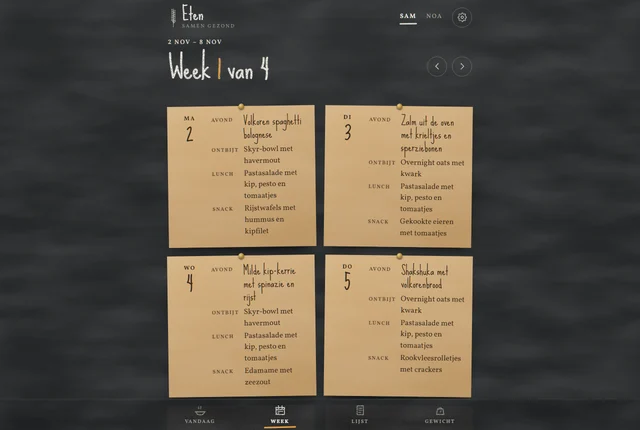
  • The week as kraft paper cards (sample data)
    The week as kraft paper cards (sample data)
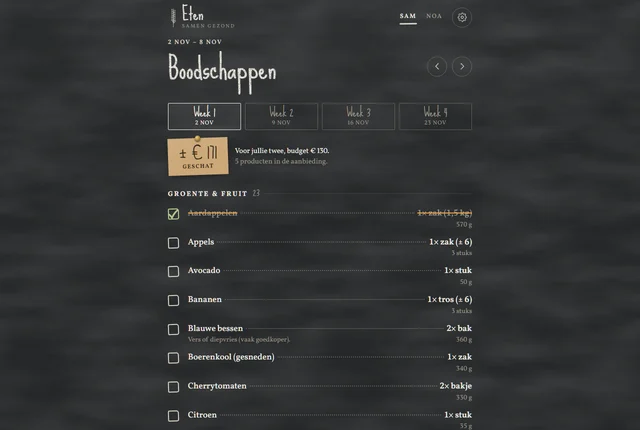
  • The weekly shopping list, by aisle and with offers
    The weekly shopping list, by aisle and with offers
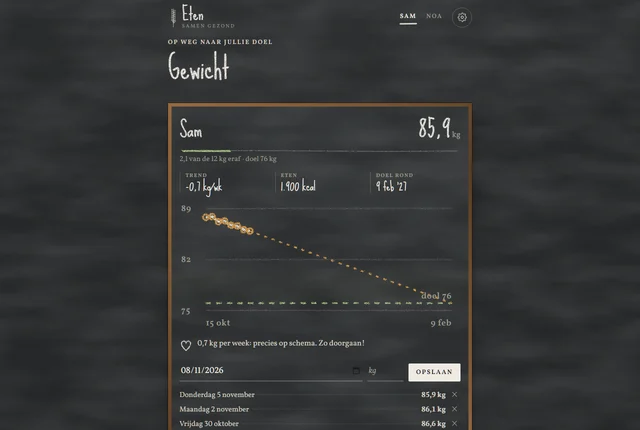
  • Weight with trend, expected goal date and advice
    Weight with trend, expected goal date and advice

Workflow

From AI-generated code to software you can maintain

A technical handbook for building with AI, from the first idea to maintenance. Follow seven steps with worked examples, explore tools and skills, and use the guidance on design, modularity, security and testing. Available in Dutch and English, with interactive visual explanations and a local example app to try yourself.

  • Seven steps with one continuous worked example
  • Visual explanations you control step by step
  • Downloadable web app, prompts and checklists
  • Node.js
  • JavaScript
  • HTML
  • CSS
  • Docker
  • Coolify
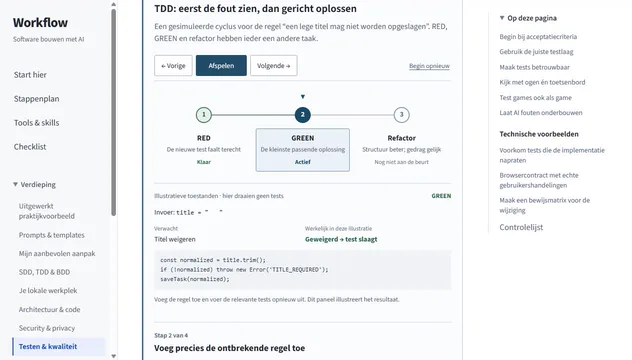
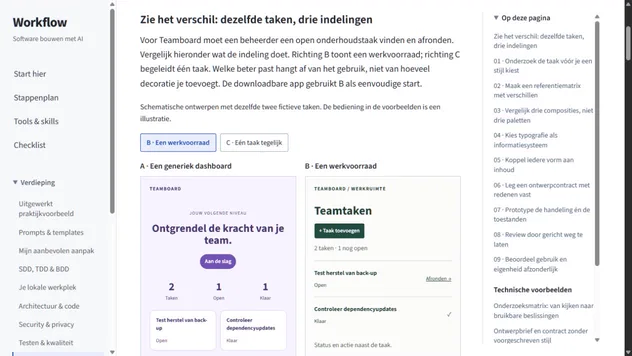
Workflow: Screenshot of the live site
Scroll: this is the real site
  • The build step in the guide, with controls for the visual explanation
    The build step in the guide, with controls for the visual explanation
  • The GREEN step of the TDD demonstration, with the rule that rejects an empty title
    The GREEN step of the TDD demonstration, with the rule that rejects an empty title
  • Comparing a dashboard and a work queue using the same fictional tasks
    Comparing a dashboard and a work queue using the same fictional tasks

Java Kompas

Learn Java by testing yourself.

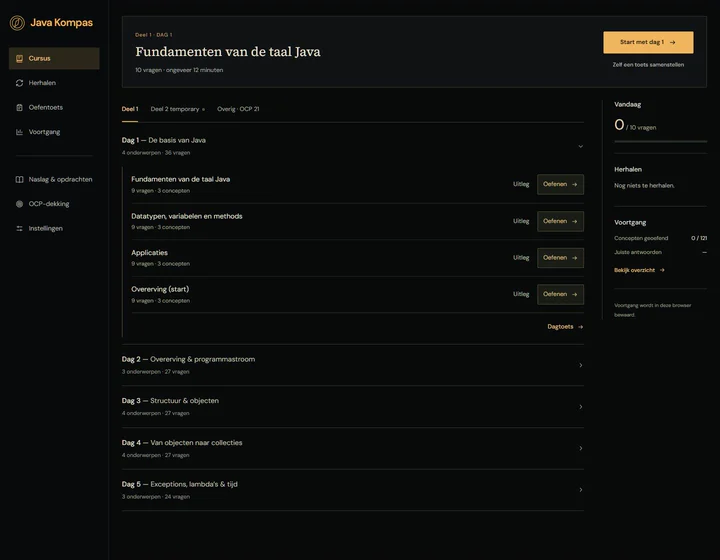
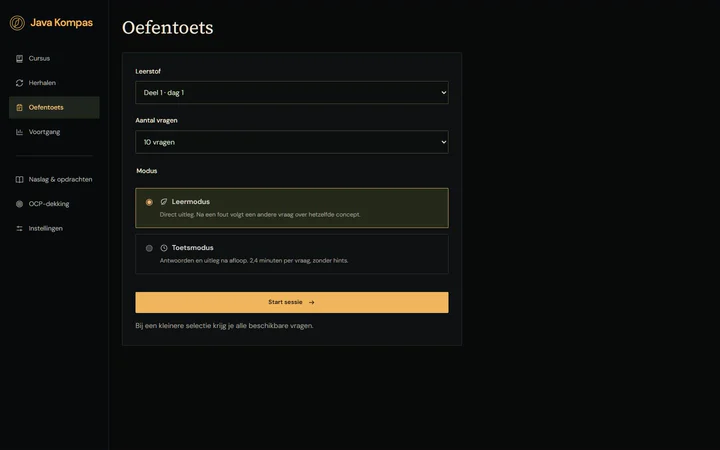
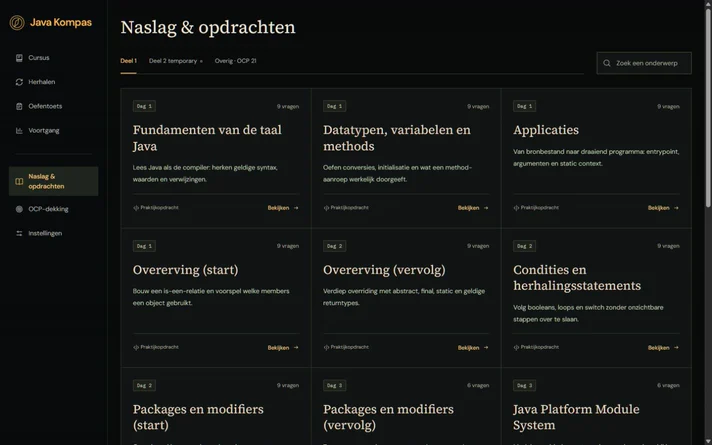
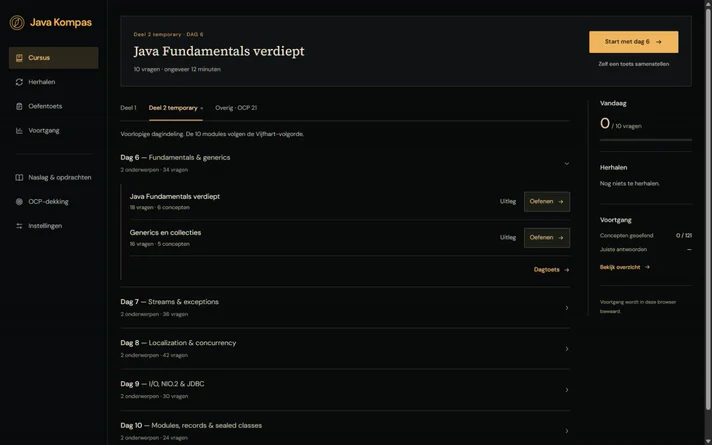
A study environment for my OCP Java 21 exam, following my Vijfhart course. A wrong answer brings an explanation and a different question on the same concept. With 364 original practice questions, 36 topics with programming exercises, spaced repetition and a practice test.

  • An explanation for each answer and a new question after a mistake
  • Review based on what you still need to practise
  • Extend the course while keeping your progress
  • JavaScript
  • Node.js
  • Java 21
  • localStorage
  • Docker
Java Kompas: Screenshot of the live site
Scroll: this is the real site
  • Set up a practice test with topics, question count and study mode
    Set up a practice test with topics, question count and study mode
  • Reference material and programming exercises by topic
    Reference material and programming exercises by topic
  • The provisional second course part in module order
    The provisional second course part in module order

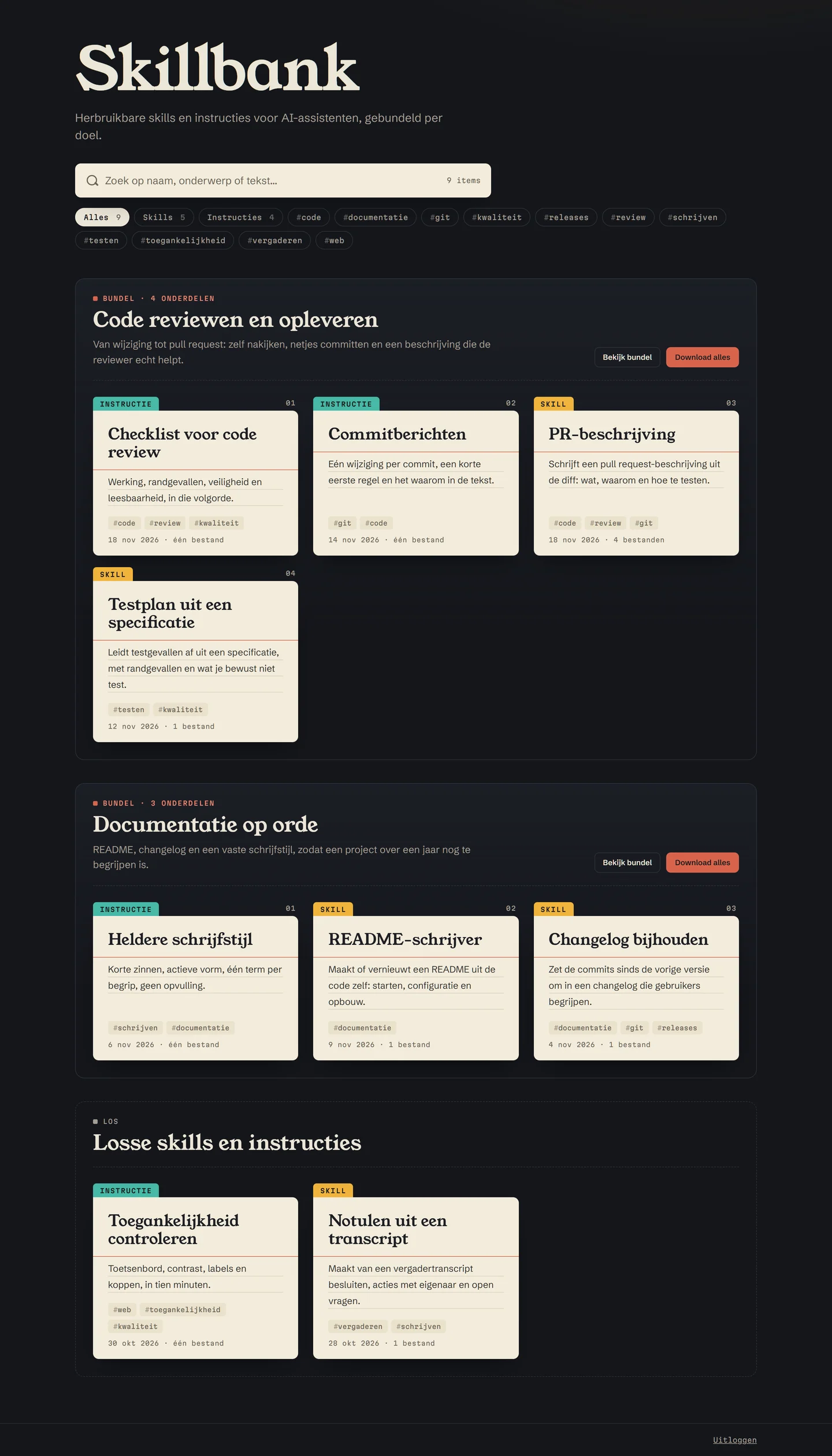
Skillbank

My reusable AI skills and instructions, bundled by goal

A catalogue of the skills and instructions I give my AI assistants. Whatever belongs together sits in a bundle per goal, with an order and a single download. Everything can be searched, read and installed with one command, and holds only the general parts that work in any new project. The screens below show sample content.

  • Bundles per goal, with an order and one zip
  • Search all text, with filters by type and topic
  • An install command for every skill and bundle
  • Node.js
  • Markdown
  • marked
  • Docker
  • Coolify
Skillbank: private, sample data
Scroll: the real site, with sample content
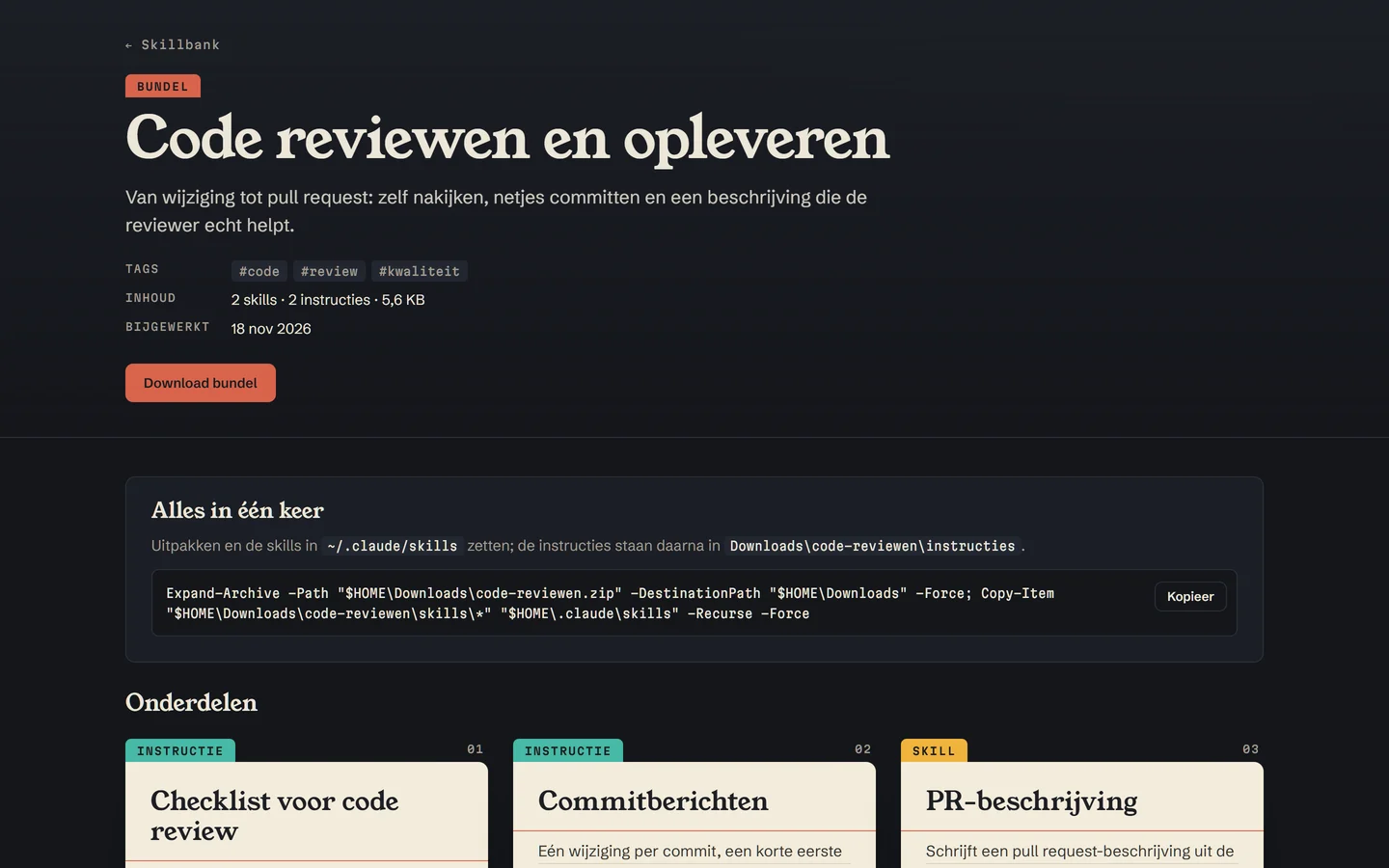
  • A bundle with its install command and its parts in order (sample content)
    A bundle with its install command and its parts in order (sample content)
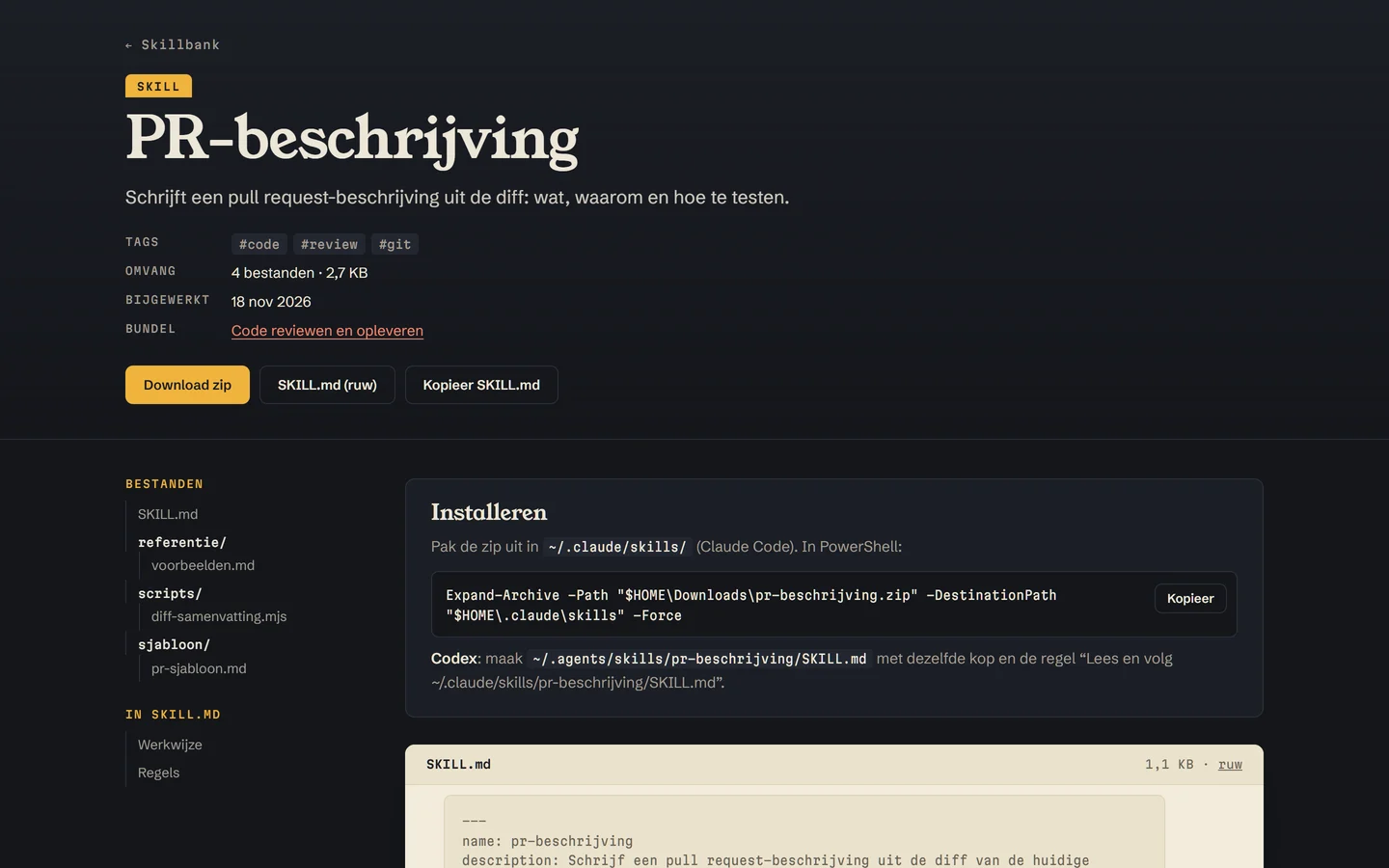
  • A skill with its files, the install command and SKILL.md
    A skill with its files, the install command and SKILL.md
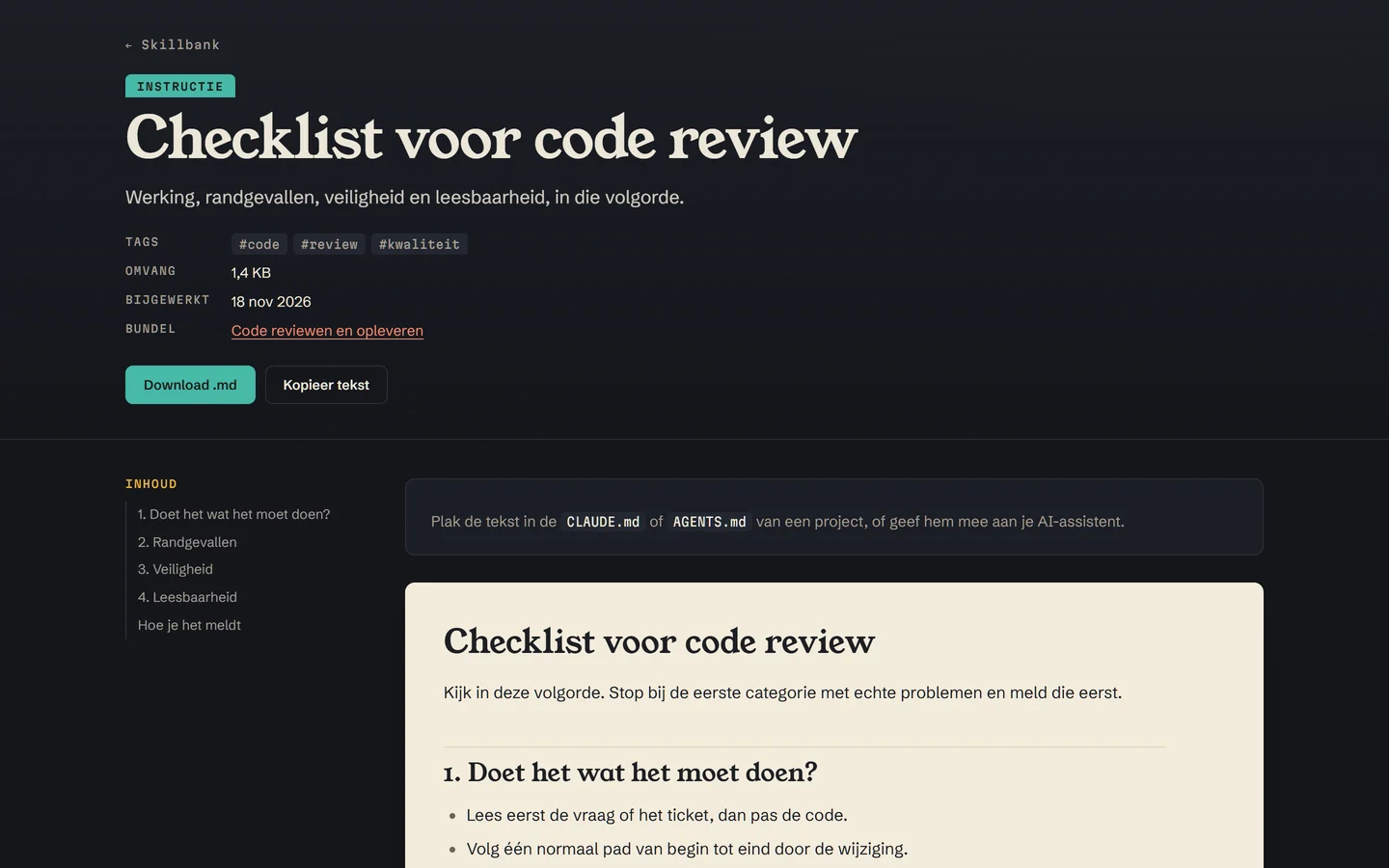
  • An instruction as a readable page with a table of contents
    An instruction as a readable page with a table of contents

Toolgrid

A board for tools you describe in your own words.

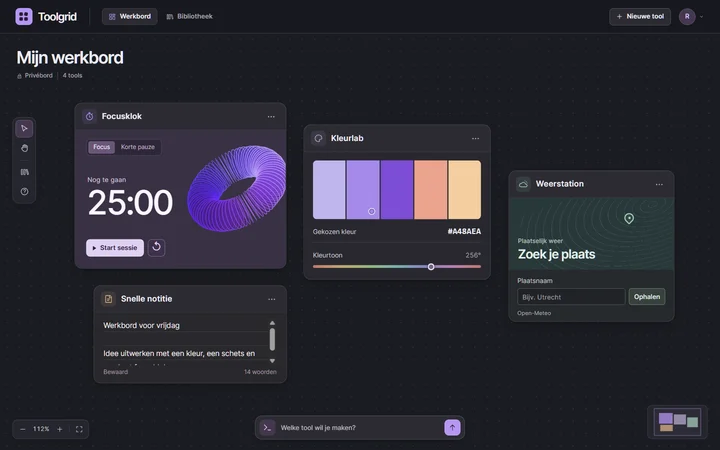
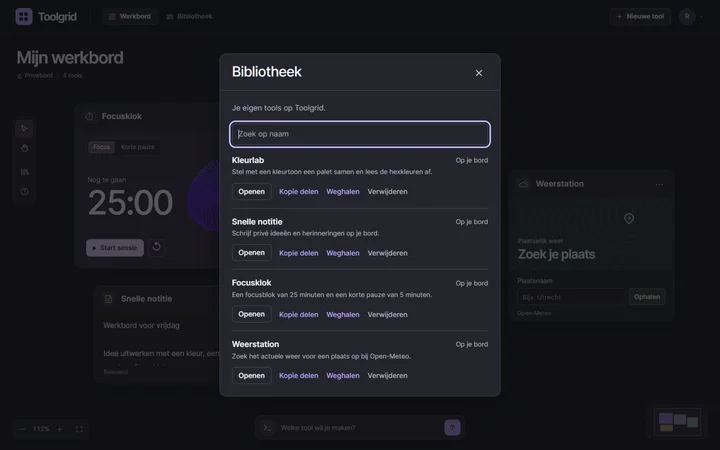
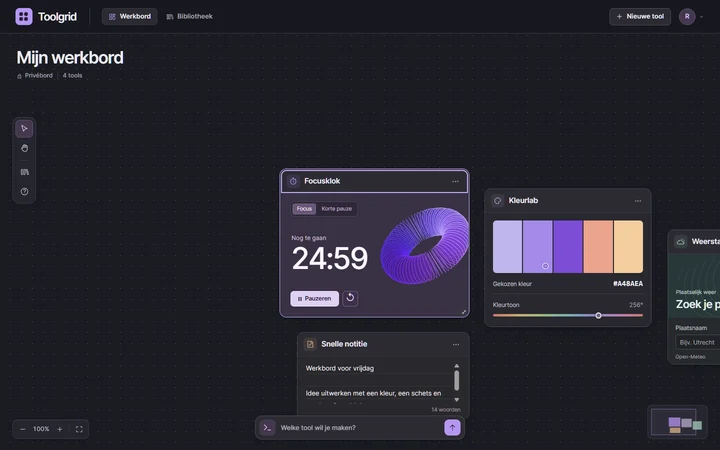
On Toolgrid I can keep a focus timer, a note and a weather card side by side. When something is missing, I describe what it should do. The AI creates a new card I can use right there on the board. The link opens the sign-in page. The screenshots show a board with sample data.

  • Add a tool to your board from a prompt
  • Use, move and resize cards side by side
  • Give someone their own copy of a tool
  • JavaScript
  • Node.js
  • PostgreSQL
  • Web Workers
Toolgrid: Screenshot of the site with sample content
Scroll: the real site, with sample content
  • The personal library of tools for the board
    The personal library of tools for the board
  • A board card with its tool controls in view
    A board card with its tool controls in view

Tooldesk

Widgets for an overview, a dedicated page for each tool.

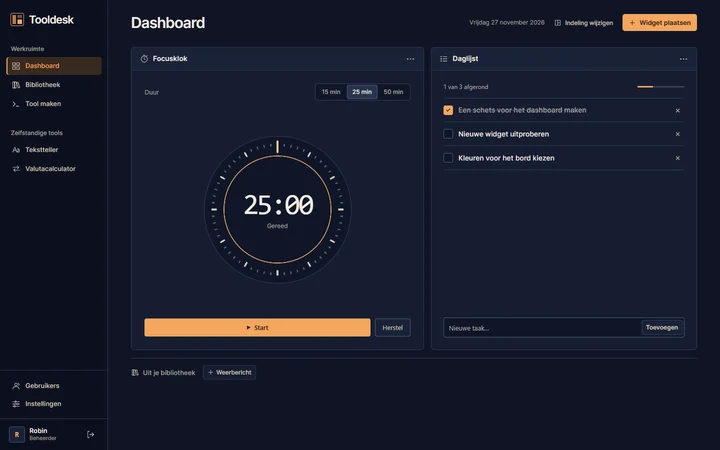
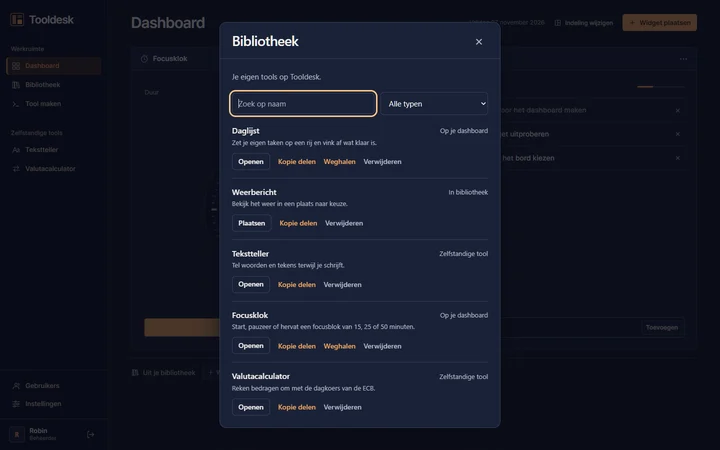
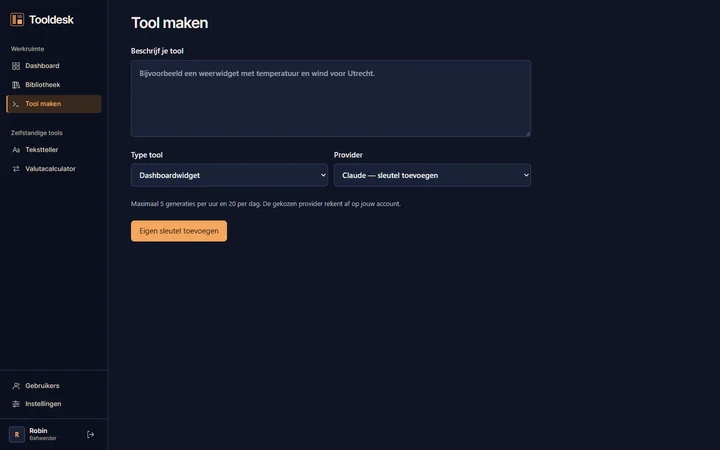
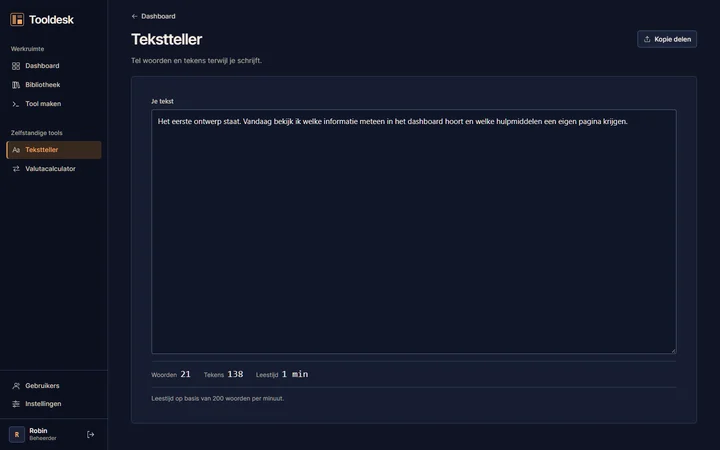
My dashboard holds my daily list and focus timer. When I need to convert a currency, I open the calculator from the sidebar. ‘Tool maken’ takes me to a separate page for my prompt, where I choose between a widget and a standalone tool. The screenshots show sample data.

  • Choose and arrange the widgets on your dashboard
  • Open standalone tools from the left-hand menu
  • Keep both kinds of tool in your personal library
  • JavaScript
  • Node.js
  • PostgreSQL
  • Web Workers
Tooldesk: Screenshot of the site with sample content
Scroll: the real site, with sample content
  • Library of dashboard widgets and standalone tools
    Library of dashboard widgets and standalone tools
  • Dedicated creation page for the prompt, tool type and personal AI provider
    Dedicated creation page for the prompt, tool type and personal AI provider
  • A standalone tool on its own page beside the navigation menu
    A standalone tool on its own page beside the navigation menu

02Side quests

Apps for my own phone

Five Android apps for my own phone, designed and built by me. And a Discord bot for our friend group.

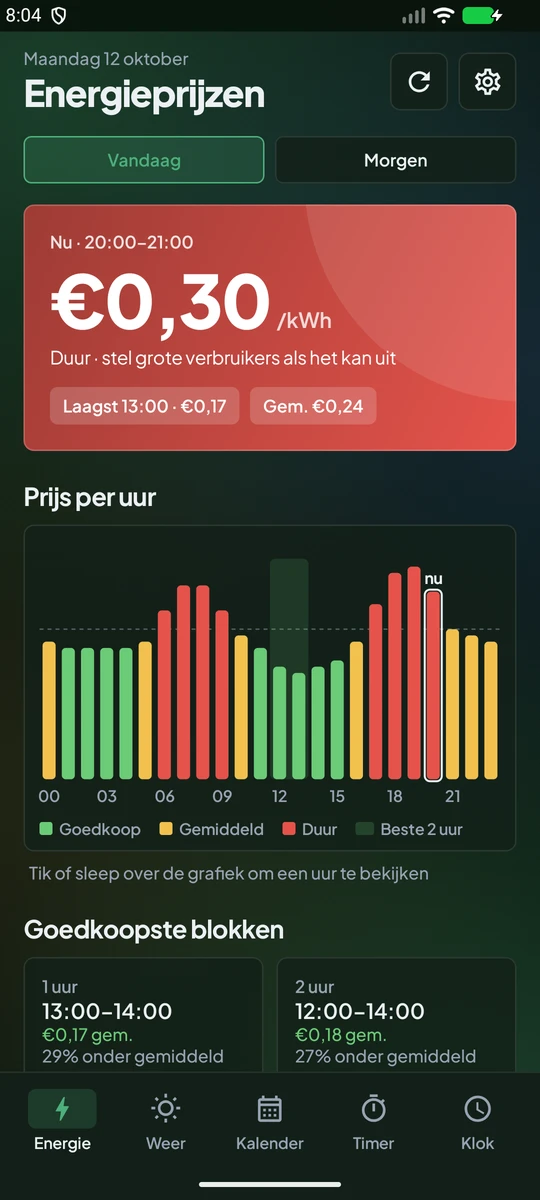
  1. Energietracker: Hourly energy prices: when to switch on.

    Energietracker

    Hourly energy prices: when to switch on.

    Today & tomorrow, per hour · Cheapest time blocks

    Kotlin · Jetpack Compose

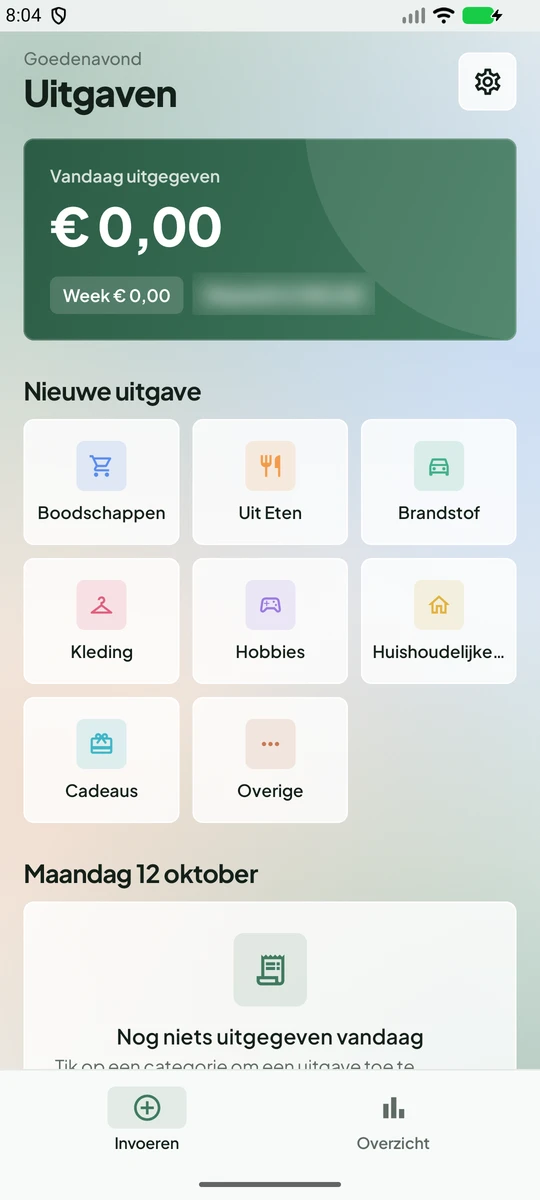
  2. Uitgaventracker: Log spending in two taps, per category.

    Uitgaventracker

    Log spending in two taps, per category.

    Categories in two taps · Day, week, month

    Kotlin · Jetpack Compose

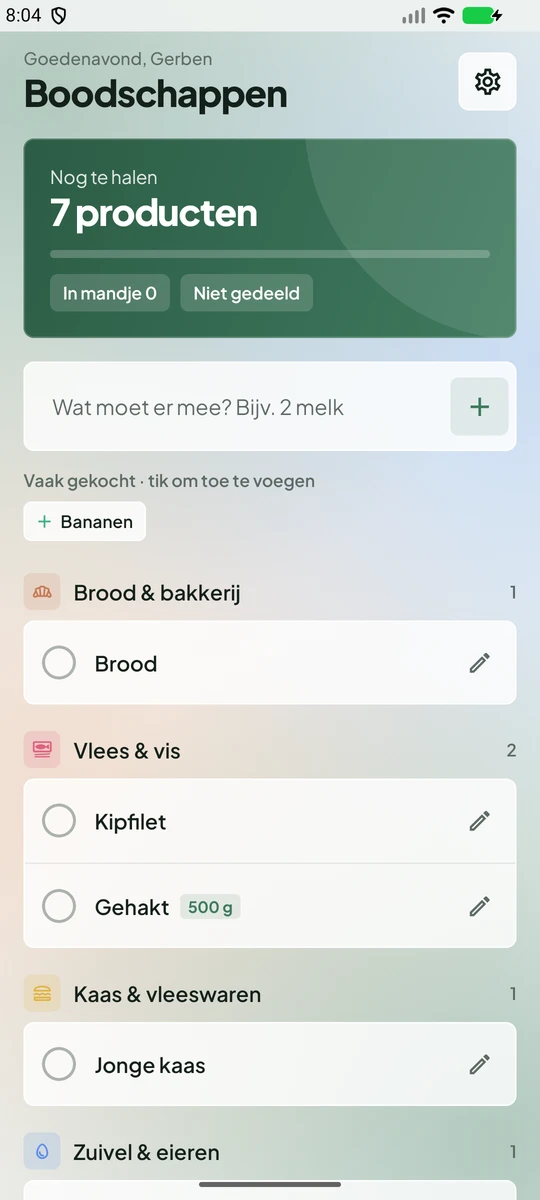
  3. Boodschappen: A grocery list, grouped by category.

    Boodschappen

    A grocery list, grouped by category.

    Grouped by category · Frequent items in one tap

    Kotlin · Jetpack Compose

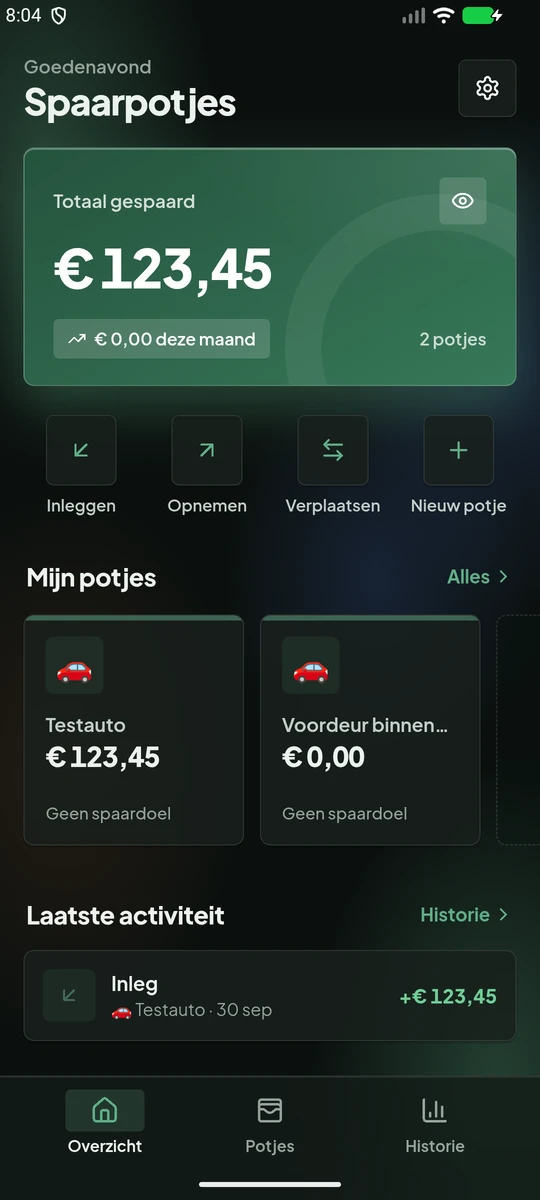
  4. Spaarpotjes: Savings split into virtual pots, no bank link.

    Spaarpotjes

    Savings split into virtual pots, no bank link.

    Pots, goals & history · Optional Google Drive sync

    React · Capacitor

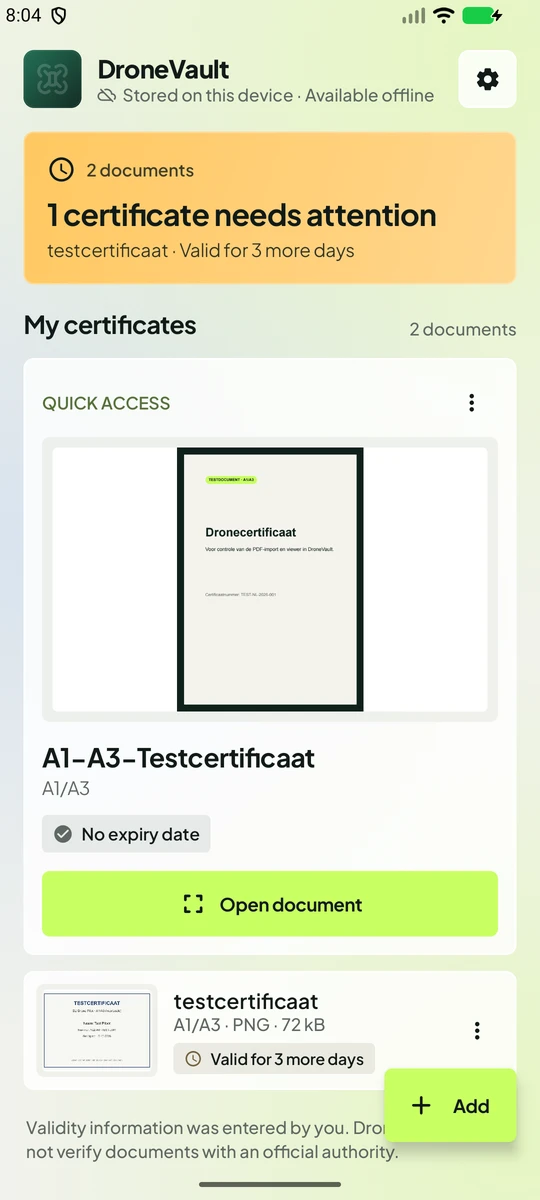
  5. DroneVault: Drone certificates, offline on your phone.

    DroneVault

    Drone certificates, offline on your phone.

    Fully offline, no permissions · PDF & PNG viewer

    Android

  6. Poro

    A Discord bot for our friend group.

    daily question · birthdays · quotes · date polls · outings · LoL teams · casino with fake coins only

    Node.js · discord.js · PostgreSQL

03Method

I use AI as a tool, and I set the rules.

I write the spec first: what it must do, and when it is done. An agent drafts a first version, I refine it, and the tests decide. Nothing ships without human review. And when it has to be, I simply write it by hand.

  1. 01

    Spec

    I WRITE

  2. 02

    Code

    AGENT DRAFTS · I REFINE

  3. 03

    Tests and review

    HUMAN REVIEW: APPROVED

spec.mdI WRITE

  1. # Feature: Password reset
  2. ## Requirements
  3. - User requests a reset link
  4. - Link expires after 15 minutes
  5. - Max 3 requests per hour
  6. ## Acceptance
  7. - Expired link → 410 Gone
  8. - 4th request → 429 Too Many

PasswordResetService.javaAGENT DRAFTS · I REFINE

  1. @Service
  2. public class PasswordResetService {
  3. ResetLink request(User u) {
  4. if (limiter.count(u, HOUR) >= 3)
  5. throw new TooManyRequests(u);
  6. return links.issue(u, ofMinutes(15));
  7. }
  8. User redeem(Token t) {
  9. if (t.isExpired()) throw new Gone(t);
  10. return t.user();
  11. }
  12. }
Tests 8/8 passing ✓ all acceptance criteria met HUMAN REVIEW: APPROVED

04About

About me

After my BSc in Computer Science at Rotterdam University of Applied Sciences I worked at ICT Group on business-critical systems for clients such as ProRail, Maasvlakte 2 and several Dutch water authorities. Since 2025 I’ve been working at the Dutch Tax Administration on the applications for motor vehicle tax.

Outside work I build things for myself, around my hobbies of drones and travel. I like doing the whole journey: design, code and the server it runs on.

Everything on this page runs on my own server, which I set up and secured myself. Every push to GitHub is live a few minutes later.

Career

  1. 2025–nowDutch Tax AdministrationSoftware developer · motor vehicle taxApplications for motor vehicle tax in an Agile team, on systems that serve millions of taxpayers.
  2. 2023–2025ICT GroupSoftware developerBusiness-critical systems for Maasvlakte 2, ProRail and water authorities in Rotterdam, Graafstroom and Limburg.
  3. 2023Rotterdam University of Applied SciencesBSc Computer ScienceSoftware engineering, databases, networking and project-based work.

Toolbox

Backend
Java · C# · Node.js · TypeScript · Python · PHP
Frontend
Angular · Next.js · React · HTML & CSS
Data & infra
PostgreSQL · Docker · Kubernetes · Linux · Coolify · GitHub
Design
Figma · Photoshop · Illustrator
Mobile
Kotlin · Jetpack Compose · React · Capacitor

05Intro

The intro video

Three minutes, cut to the music, in full HD. The portrait at the top of this page comes from it. Jump to a chapter or watch the whole thing.

0:00 / 3:08